Skip to main contentd of layer
Start of layer
2 DAYS DELIVERY TO PREVENT DAMAGE
WELCOME TO OUR STORE
JACK SPARROW : SAY MATE OR LADDY WHAT`S IN YOUR DESKTOP ?
WELL LOOK AT THE COMPONENTS OF THIS BEAST
UPGRADES
“ARE A CLICK AWAY”
(P.S: We are working on fixing the issue: some links are not clickableso you will have to add the pc to your kart then copy & paste the link of the upgrade desired on a new page then open it add it to the kart and pay for all at once once we receive your order the upgrade is installed in your pc)
HOW CAN I ADD THE UPGRADE TO MYORDER ?:
EASY, ADD THE PC TO THE KART THEN ADD EACH UPGRADE TO THE KART AND PAY FOR EVERYTHING AT ONCE, ALL UPGRADES COME PRE-INSTALLED.
If theupgradelinks are not clickableso you will have to add the pc to your kart then copy & paste the link of the upgrade desired on a new page then open it add it to the kart and pay for all at once once we receive your order the upgrade is installed in your pc)
IF YOU DO NOT WANT TO DELETE EXISTING GAMES/PICTURES TO MAKE ROOM FOR NEW GAMES THEN UPGRADE NOW YOUR HARD DRIVE TO KEEP ALL YOUR GAMES IN YOUR DESKTOP:
RGB KEYBOARD AND MOUSE:
FROM 16 GB TO 32 GB MEMORY
FROM 16 GB TO 24 GB MEMORY
128 GB SSD
256 GB SSD:
512 GBSSD:
1 TBSSD:
2 TB SSD:
2 TBHDD:
3 TBHDD:
4 TBHDD:
8 TB HDD:
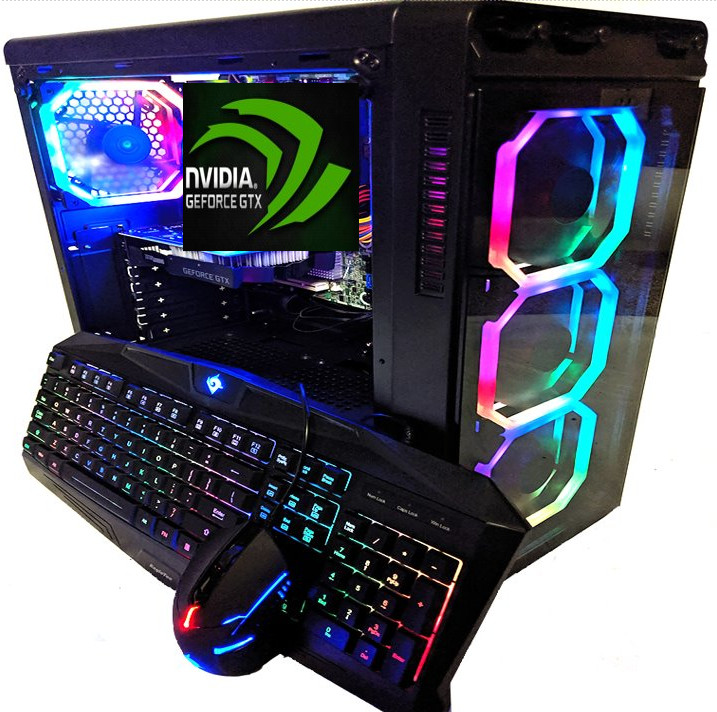
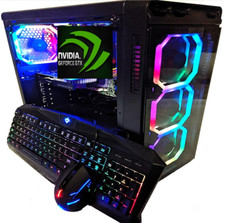
THE ITEM IS AS DESCRIBED YOU WILL RECEIVE WHAT`S IN THE PICTURE IN ORIGINAL BOX, PLUS THE POWER CORD, RGB GAMING KEYBOARD AND MOUSE, WIFI + GIFT : FORTNITE RGB MOUSE PAD
PLEASE NOTE THAT WE USE BRAND NEW AND CERTIFIED (SLIGHTLY USED AND TESTED) GRAPHICS CARD
CHECK MY OTHER ITEMS
IN THE SHIPPING COST WE INSURE YOUR ITEM AGAINST SHIPPING DAMAGES
HERES THE SPECS :
GAMEPOWER AURA 4 RGB FANS
BEAUTIFUL LIGHTING :
It Plays through 16 lighting modes via front I/O panel RGB light switch button. 30 total play-through options include: RGB, Breathing, Single Color, Light off.
1 TB SSD
16 GB RAM WE CAN UPGRADE TO 32 GB
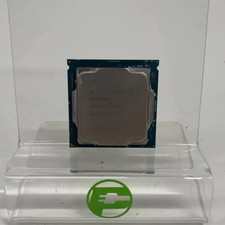
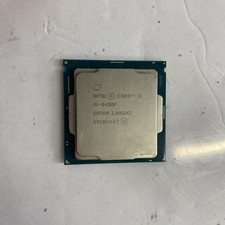
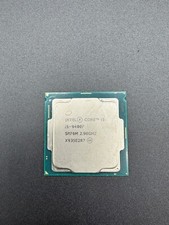
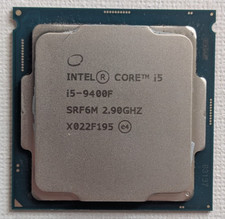
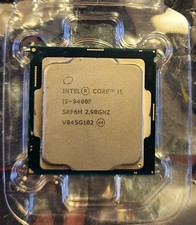
CPU : i5-9400F 6 CORES 9TH GEN 4.1 GHZ
AND WHATS A GAMING COMPUTER WITHOUT A NICE GAMING GRAPHICS CARD PLEASE CHOOSE YOURS FROM THE MENU
TOTAL OF 4 FANS INSTALLED YOUR SYSTEM IS IN HAVEN
PLEASE CHECK ALL MY OTHER GAMING COMPUTERS ON LOOK INSIDE MY STORE OR UNDER SEE OTHER ITEMS LOOK FOR "GAMEPOWER" WE HAVE AN EXTENSIVE SELECTION WITH AN EXTENSIVE SELECTION OF GRAPHICS CARDS AS WELL. offer WELL AND WIN.
PLEASE NOTE DUE TO HIGH SHIPPING COSTS : IN CASE OF DOA OR DAMAGE TO CASE WE DO EXCHANGE ONLY AND WE WILL FILE CLAIM WITH SHIPPER TO GET OUR SHIPPING CHARGES BACK. ABSOLUTELY NO REFUNDS FOR DAMAGE OR FALSE CLAIMS FOR NOT AS DESCRIBED OR NOT MATCHING THE DESCRIPTION OR THE PICTURE.
Help
- How can I restrict specific buyers from offerding on my items?
You can update your buyer requirements to exclude certain buyers. For example, buyers living in a country you aren't willing to ship to.
Go to Buyer requirements- opens in new window or tab, choose the requirements you'd like to apply to your listings, andSubmit.
- Some of my features are missing
We're streamlining our listing tool to create a better experience for our sellers. While we've removed some features, we've added tools to make it quicker and easier for you to sell on .
You can now manage photos directly on your listing page, track items by SKU (custom label), and add variations in one simple multi-quantity listing.
- How do I add photos?
Simply select Add photos and choose the images you'd like to display.
If your photos are already hosted elsewhere, select Copy your photos from a web address and enter the URL. You can add up to 12 images to your listing for free.
- What does 'Prefill this listing with catalog info' mean?
We have a catalog of product details which includes item specifics and photos. Select this option to add these details to your item automatically.
If you'd rather add your own description, just uncheck the box.
- My listing templates are missing
Older listing templates are no longer compatible, but you can create new listing templates:
- In the Listing templates section, select Create new template
- Once you've created a listing, select Save as template
- In the Actions column on your Seller Hub Listings page, select Save as template
- Can I edit an active listing?
You can revise certain details depending on the listing format, the time remaining, and whether you've received any offers or purchases. However, in most cases you can't change the listing duration or format. Learn more about editing listings - opens in new window or tab.
- Why don't I see the 'Switch to quick listing tool' option?
The business tool is more suitable for some members, so the Switch to quick listing tool option is not available to all sellers.
asked
- How can I restrict specific buyers from offerding on my items?
You can update your buyer requirements to exclude certain buyers. For example, buyers living in a country you aren't willing to ship to.
Go to Buyer requirements- opens in new window or tab, choose the requirements you'd like to apply to your listings, andSubmit.
- Some of my features are missing
We're streamlining our listing tool to create a better experience for our sellers. While we've removed some features, we've added tools to make it quicker and easier for you to sell on .
You can now manage photos directly on your listing page, track items by SKU (custom label), and add variations in one simple multi-quantity listing.
- How do I add photos?
Simply select Add photos and choose the images you'd like to display.
If your photos are already hosted elsewhere, select Copy your photos from a web address and enter the URL. You can add up to 12 images to your listing for free.
- What does 'Prefill this listing with catalog info' mean?
We have a catalog of product details which includes item specifics and photos. Select this option to add these details to your item automatically.
If you'd rather add your own description, just uncheck the box.
- My listing templates are missing
Older listing templates are no longer compatible, but you can create new listing templates:
- In the Listing templates section, select Create new template
- Once you've created a listing, select Save as template
- In the Actions column on your Seller Hub Listings page, select Save as template
- Can I edit an active listing?
You can revise certain details depending on the listing format, the time remaining, and whether you've received any offers or purchases. However, in most cases you can't change the listing duration or format. Learn more about editing listings - opens in new window or tab.
- Why don't I see the 'Switch to quick listing tool' option?
The business tool is more suitable for some members, so the Switch to quick listing tool option is not available to all sellers.
Technical issues? Let us know. Contact us
Returns :If you change your mind, or do not like the item we charge a 15 % restocking fee, shipping charges are non refundable.