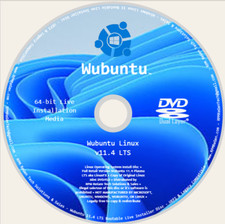
LINUXFX or WINUX or WUBUTULINUX OS
(Windows 10 and 11 Theme)
PERFECT FOR OLD & NEW DEVICES!
64-Bit(Live Boot, Full Installation)Brand New USB Flash Drive⬇ Checkout 24-in-1 Linux Master Collection
➡️CLICK FOR 24-in-1 MASTER LINUX USB
What is LinuxFX aka Winux aka Wubuntu LinuxOS?Give power back to your computer. Linuxfx was developed to renew your device, without you having to relearn technology!Give it a try. You’ll Love it!
✅ WHO SHOULD BUY THIS KIT?
This installer kit is ideal for anyone looking for reliable installation media for Linuxfx (also known as Wubuntu / Winux OS). It is perfect if you are searching for any of the following:
• Linuxfx bootable USB or bootable DVD
• Linuxfx installer USB or installer DVD
• Linuxfx USB/DVD installer kit
• Linuxfx install USB drive or install DVD disc
• Linuxfx live USB or live DVD installer
• Linuxfx Windows-style Linux USB installer
• Linuxfx Windows 11–style Linux experience
• Linuxfx Windows alternative Linux installer
• Wubuntu or Winux OS bootable installer
• Linuxfx OS installation media (USB or DVD)
This kit is perfect for users who want a Windows-like Linux experience with a familiar interface—ideal for beginners transitioning from Windows, everyday computing, testing Linux without installation, or setting up a clean and user-friendly operating system.
⭐️ How to Boot Linux OS from USB?✅ Steps for Windows PC & Chromebooks
Follow these easy steps:
- Turn-off your computer
- Insert the USB into any available USB port
- Switch on your computer
- Press the key that allows your computer to boot to an alternate device (ESC on many HPs, F12 on many Dells, F8 on many custom builds, yours may vary, see your computer's documentation)
- At the Book-up screen, select Boot from USB Interface option, press enter.
- Follow on-screen links for initiate OS.
- Wait for system to boot into LinuxOS.
- That's it! Enjoy!
✅Step for Apple Macs Devices
Follow these easy steps:
- Turn-off your computer
- Insert the USB into any available USB port
- Switch on your computer
- Press the Option keyon your keyboard to go the boot menu
- Select EFI Book
- Follow on-screen links for initiate OS.
- Wait for system to boot into Linux OS.
- That's it! Enjoy!