PA12-HS M.2 Pcie 4.0 X4 Adapter for One M.2 Nvme SSD and One M.2 SATA For Sale
When you click on links to various merchants on this site and make a purchase, this can result in this site earning a commission. Affiliate programs and affiliations include, but are not limited to, the eBay Partner Network.
PA12-HS M.2 Pcie 4.0 X4 Adapter for One M.2 Nvme SSD and One M.2 SATA
Price: US $31.99
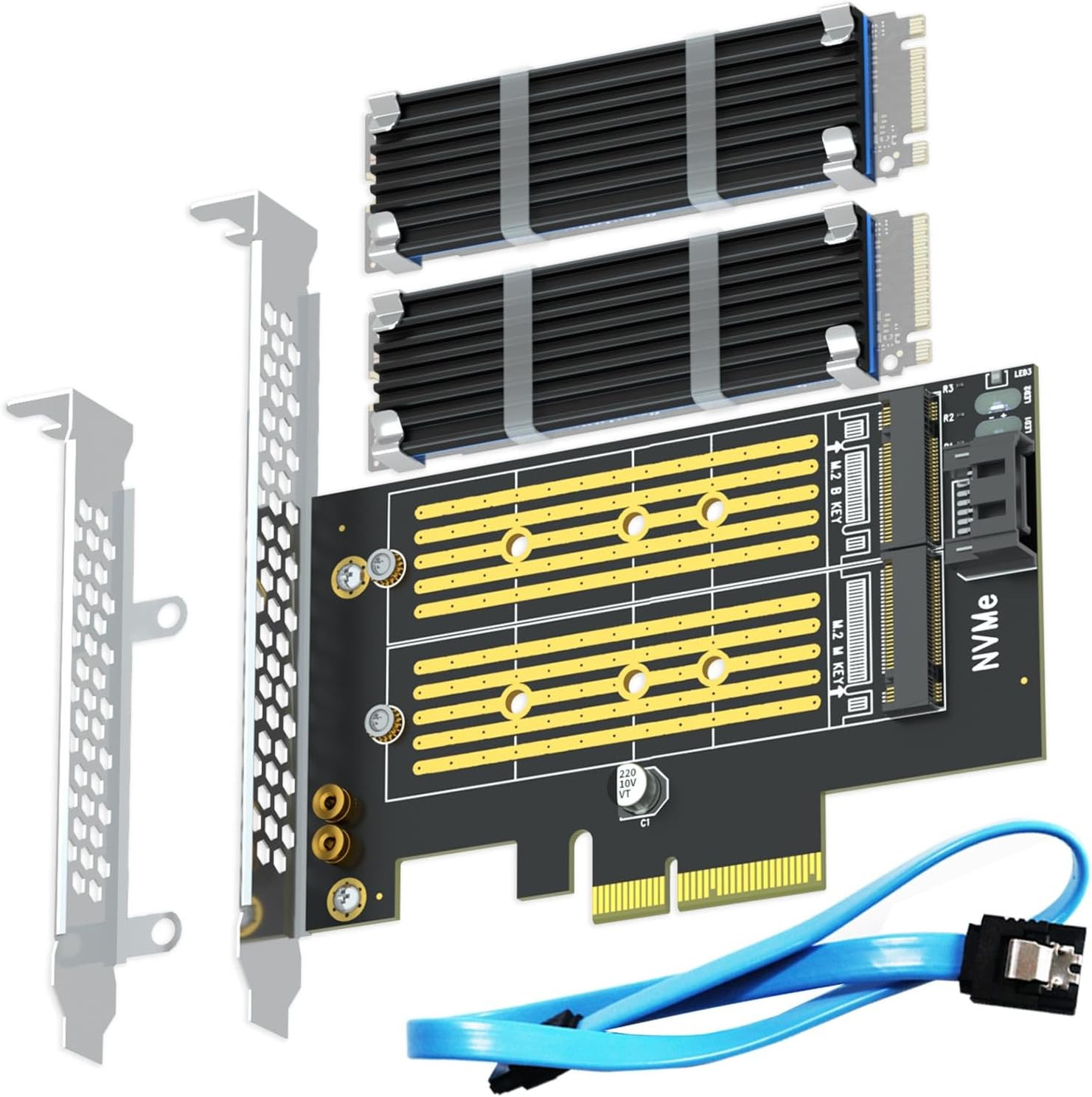
Product description Model: PA12-HS Up Slot For M.2 SATA SSD Interface to MB SATA III Port Interface to SSD Key B for M.2 SATA SSD Max Bandwidth 6Gbps Down Slot For M.2 NVMe SSD Interface to MB PCIe 4.0 X4 Interface to SSD Key M for M.2 NVMe SSD Max Bandwidth 64Gbps for PCIe 4.0/ 32Gbps for PCIe 3.0 1 Features 2 2 in 1 Combo Design 3 SSD Compatibility 4 Speed Testing 5 M.2 Heatsink Design for One M.2 NVMe SSD and One M.2 SATA SSD
Please note that the upper slot is only used for M.2 SATA SSD, and the down slot is only used for M.2 NVMe SSD. Can not 2 x NVMe SSD or 2 x M.2 SATA SSD.
M.2 SATA SSD and M.2 NVMe SSD
Difference between M.2 SATA SSD and M.2 NVMe SSD
B-Key: almost M.2 SATA SSDs and older NVMe SSDs
M+B Key: M.2 SATA SSDs and some NVMe SSDs
M Key: M.2 NVMe SSDs using the PCIe x4 bus
Max speed between M.2 SATA SSD and M.2 NVMe SSD
The max speed of M.2 SATA SSD is 400-550Mbps
The max speed of M.2 PCIe 3.0 X4 NVMe SSD is 2000-3300Mbps
The max speed of M.2 PCIe 4.0 X4 NVMe SSD is 4000-6700Mbps
Installation
2-in-1 M.2 SSD Adapter: It allows you to install one M.2 NVMe SSD and one M.2 SATA SSD on your computer. The M.2 NVMe SSD is installed in the lower slot (M Key), while the M.2 SATA SSD is installed in the upper slot (B Key).
The NVMe SSD signals go directly to the PCIe X4 interface, while the SATA SSD signals go to the SATA III interface, which needs to be connected to the motherboard's SATA interface via a SATA cable (included). These are two completely independent data channels.
2 sets of M.2 Heatsink: 5°C- 20°C cooling effect (Varies depending on the environment) keeps M.2 SSD under good performance even full-load operation
It is FCC and CE certified, ensuring highly reliable and stable PCIe X4 full speed. Your M.2 NVMe SSD speed remains unaffected, just as if it was installed on the motherboard.
To reach PCIe 4.0 X4 (64Gbps) full speed, the CPU and motherboard PCIe slot and M.2 NVMe SSD should all be PCIe 4.0 features (Note: PCIe 4.0 is not supported on Intel CPUs below 11th generation)
Support OS booting from the M.2 NVMe SSD. Please reinstall OS and set up BIOS/UEFI boot from this M.2 NVMe SSD. (Note: Some motherboards are too old to support OS booting. In this case, M.2 NVMe SSDs can be used as storage disks)
OS compatibility: Plug-and-play in Windows 11/10/8/Linux/Mac OS (Note: Windows 7 supports M.2 SATA SSD, but no M.2 NVMe SSD). The new M.2 NVMe SSD needs to be initialized and formatted before it can be recognized by the computer host