 When you click on links to various merchants on this site and make a purchase, this can result in this site earning a commission. Affiliate programs and affiliations include, but are not limited to, the eBay Partner Network. When you click on links to various merchants on this site and make a purchase, this can result in this site earning a commission. Affiliate programs and affiliations include, but are not limited to, the eBay Partner Network.
Product description 1 Connect 2 Wake Sleep 3 Hotkeys 4 Chip Hinge 1 Work Movie 2 Easy Carry -
What should I do if the magnet is not strong enough to hold the iPad? This must be because the model is wrong. Please check whether the iPad model matches the applicable model of the product. The model number of the iPad can be viewed in settings>General>About>Model name, or check the "AXXXX" on the back of the iPad. -
What should I do if I can’t connect to Bluetooth after turning on? Delete all connected devices in Bluetooth, restart the keyboard and iPad, then press "fn" + "c" to connect. -
What should I do if tapping the trackpad doesn’t work? Open the iPad’s Settings> General > Trackpad > Turn on "Tap to Click". -
What should I do if the keyboard cannot be turned on after charging? High-power chargers and charging cables may cause damage to the battery. -
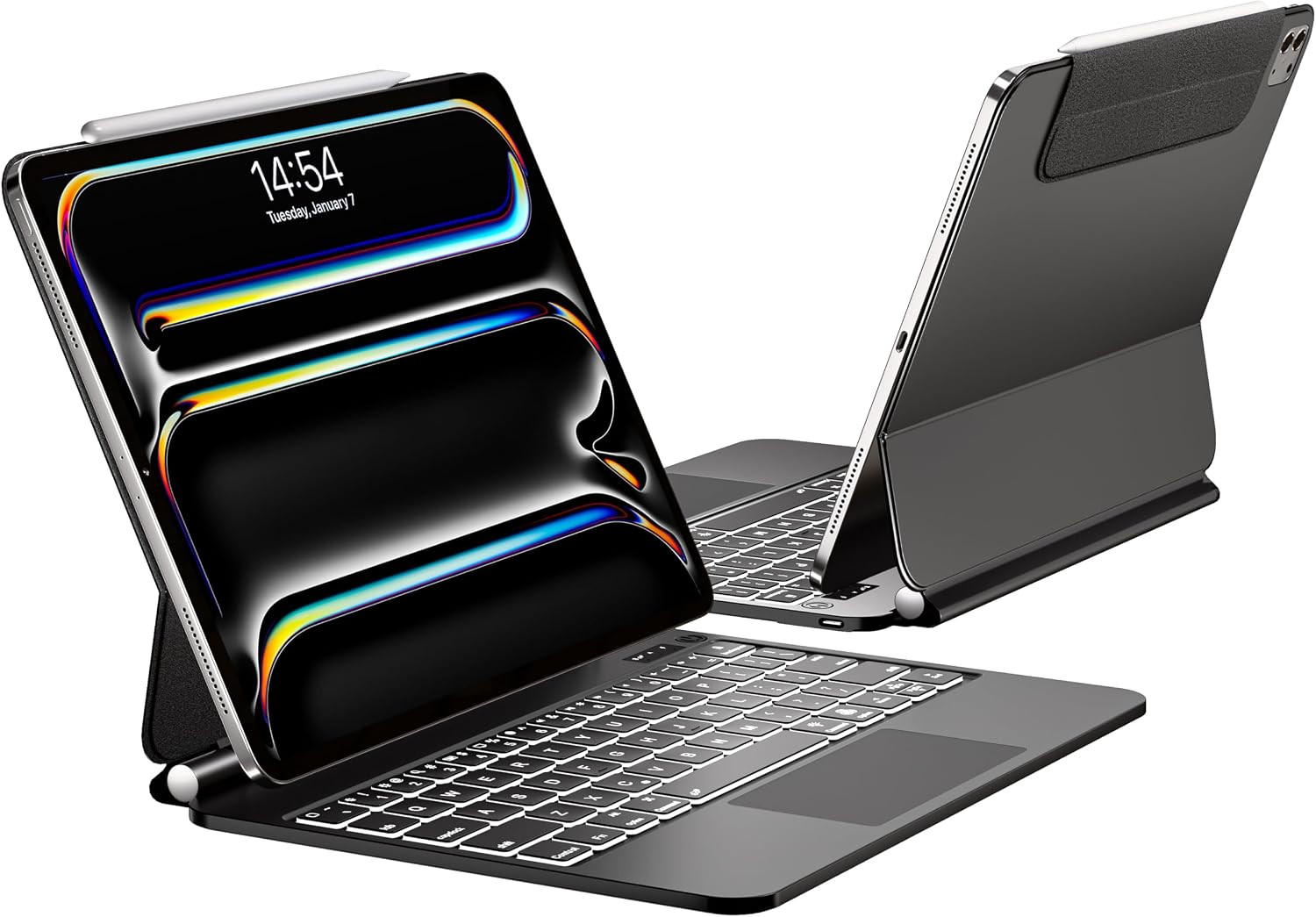
What should I do if I encounter a problem that cannot be solved? If you encounter problems with the product, please seek help through Amazon's official backend or the after-sales email in the manual. We will try our best to solve your problem. - 【Compatible Devices】 For iPad Pro 13 M5/2025(A3360, A3361, A3362), M4/2024(A2925,A2926,A3007).Not compatible with iPad Air and other iPad models due to different magnet layouts; contact us if unsure.Check the "AXXXX" code on your iPad’s back for a perfect fit.(Note: iPad and Pencil are not included.)
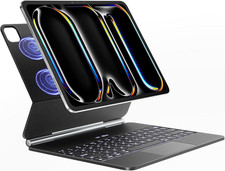
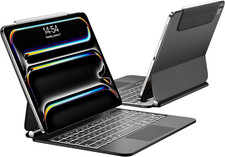
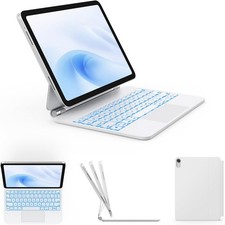
- 【Floating Cantilever Design: Your Personal Viewing & Typing Station】The built-in strong magnetic suspension instantly secures your iPad, offering a seamless floating effect. Effortlessly adjust to a comfortable degrees—find the perfect ergonomic position for intense typing sessions, hands-free video calls, or watching lectures in the library or coffee shop. It’s like having a portable MacBook-style stand built right into your case.
- 【Precision Touchpad & Shortcut Keys: Master Your Workflow】Navigate your iPad like a pro with the high-precision multi-touch trackpad. Swipe between apps, scroll through documents, and execute commands with fluid gestures.The hotkeys on top put control at your fingertips—adjust volume, screen brightness, or play/pause media instantly and many other functions. It’s not just a keyboard; it’s a productivity powerhouse designed to keep you focused.(Tip:The hotkeys shoule be used with the "Fn" key.)
- 【7-Colors Backlit & Breathing Light: Type in Style, Day or Night】Stand out with vibrant backlighting! Cycle through 7 color combinations and 3 adjustable brightness levels to match your mood or environment. For a truly unique look, activate the Breathing Light mode—the colors automatically and smoothly transition, adding a touch of personality to your setup while ensuring comfortable, accurate typing in anyway. (Tip: Fn + Light for brightness, Fn + RGB for color/breathing mode.)
- 【Premium materials, high-end quality】Built from premium materials and reinforced durable hinges, this keyboard case is reliable and comfortable to use. The well-spaced large scissor-switch keys provide ideal elasticity for smooth, accurate typing.At 2.45pounds,more durable than other products.The keyboard surface is made of stain-resistant material that can resist daily dirt.Don't have to worry about it getting dirty easily when using it outdoors.
- 【Premium materials, high-end quality】Built from premium materials and reinforced durable hinges, this keyboard case is reliable and comfortable to use. The well-spaced large scissor-switch keys provide ideal elasticity for smooth, accurate typing.At 2.45pounds,more durable than other products.The keyboard surface is made of stain-resistant material that can resist daily dirt.Don't have to worry about it getting dirty easily when using it outdoors.
- 【Pro Tip: Customize Your Trackpad】Once connected via Bluetooth, a new "Trackpad" section appears in your iPad Settings → General. Here you can adjust tracking speed, enable "Tap to Click," or set up "Two Finger Secondary Click" just like on a Mac. Press fn + spacebar anytime to lock/unlock the trackpad and prevent accidental touches while typing.
 |
|