Description
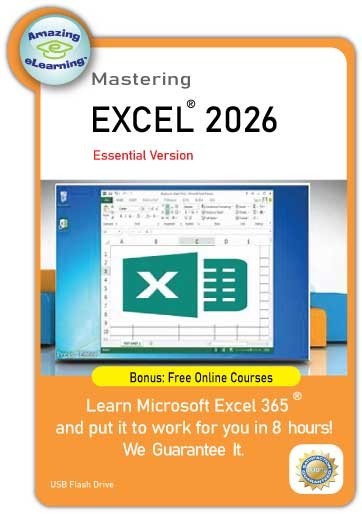
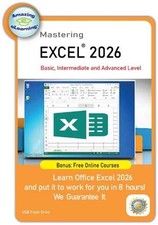
The Learn Excel 365 Course 2026 For Beginners Video Training on USB Flash Drive is a comprehensive software training program designed for those looking to use Microsoft Excel from basic to everyday use. This lifetime license includes a lifetime manufacturer warranty, ensuring that you have access to the course materials for as long as you need. The training videos are stored on a USB flash drive, making it convenient to access and review on any device compatible with edge, Linux, Chrome or Safari. Whether you are a beginner or looking to brush up on your Excel skills, this course provides in-depth instruction in a portable format.
Product Features:
- Building Confidence with Excel 2026 – From Basics to Everyday Skills
- Learn Microsoft Excel 2026 in less time and more effective than other training methods.
- Learn from the Pro: you will be able to learn all of the essential features of theExcel in a few hours.
- Break down complex features into easy smaller topics to understand and go over the topics later
- Bonus - Keyboard shortcut and exercise files included
Excel 2026 Beginner Outline:
Section 1 – Getting Started with ExcelLesson 1 – Welcome to Excel 2026Lesson 2 – Understanding Spreadsheets
Section 2 – First Steps in ExcelLesson 3 – Opening Excel and Creating WorkbooksLesson 4 – Exploring the Start ScreenLesson 5 – Navigating the Excel WorkspaceLesson 6 – Quick Access Toolbar EssentialsLesson 7 – Working with the RibbonLesson 8 – Creating New WorkbooksLesson 9 – Saving and Managing FilesLesson 10 – Opening Recent and Existing FilesLesson 11 – Time-Saving Keyboard Shortcuts
Section 3 – Entering and Editing DataLesson 12 – Typing and Editing TextLesson 13 – Entering and Formatting NumbersLesson 14 – Handling Dates and TimesLesson 15 – Find, Replace, and Select ToolsLesson 16 – Sorting and Organizing DataLesson 17 – Using Cell ReferencesLesson 18 – Relative vs. Absolute References ExplainedLesson 19 – Order of Operations in Formulas
Section 4 – Essential Excel FunctionsLesson 20 – How Functions WorkLesson 21 – Using SUM EffectivelyLesson 22 – Finding Minimum and Maximum ValuesLesson 23 – Calculating AveragesLesson 24 – Counting Data with COUNT and COUNTA
Section 5 – Working with WorksheetsLesson 25 – Moving and Copying DataLesson 26 – Adding and Removing Rows and ColumnsLesson 27 – Adjusting Column Widths and Row HeightsLesson 28 – Hiding and Unhiding Worksheet ElementsLesson 29 – Renaming WorksheetsLesson 30 – Deleting WorksheetsLesson 31 – Duplicating Worksheets
Section 6 – Formatting Your DataLesson 32 – Adding Borders to CellsLesson 33 – Formatting Numbers and PercentagesLesson 34 – Merging and Centering ContentLesson 35 – Exploring Cell StylesLesson 36 – Intro to Conditional FormattingSection 7 – Visual Elements in ExcelLesson 37 – Inserting Images and ShapesLesson 38 – Creating with SmartArt
Section 8 – Printing and Page LayoutLesson 39 – Print Preview BasicsLesson 40 – Adjusting Margins, Scaling, and OrientationLesson 41 – Printing Workbooks
Section 9 – Templates in ExcelLesson 42 – Getting Started with TemplatesLesson 43 – Using Built-In TemplatesLesson 44 – Designing Custom Template
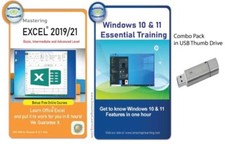
Note: Advanced version of this tutorial is available in our store. It includes basic, Intermediate and advanced level.
Click here to view my other listingBonus - Free Online Access:🎁 EXCLUSIVE BONUS: Free Lifetime Online Academy Access!
With your purchase today, you are qualified to receive 100% free access to our premium online training portal. Learn on the go, anytime, anywhere!
Anywhere Access: Stream the course seamlessly from your PC, Mac, Tablet, or Smartphone.
Lifetime Membership: No subscriptions, no hidden fees. You have unlimited 24/7 access forever.
Always Up-to-Date: The online portal features continuously updated content as Excel evolves.
Free Extra Courses Included: Get instant access to bonus tracks like Financial Analysis using Excel.
Full Office Library: Also includes full access to our previous versions of Excel, Word, and PowerPoint courses!
Content:All lesson files are stored in USB Flash drive
Content Ownership: Amazing eLearning is the creator of this Content of this training course
Operating condition:Just plug this thumb drive into your USB port of your choice of Computer system, such as Windows PC, Mac or LInux. Then, run the program and it will display on any browser, such as Edge, Safari, Chrome or Firefox.
SystemRequirements:Windows PC, Mac OS or Lunix
Browser:Microsoft Edge, Safari, Chrome or Firefox
Note: Internet Access is not required.Click here to view my other listing