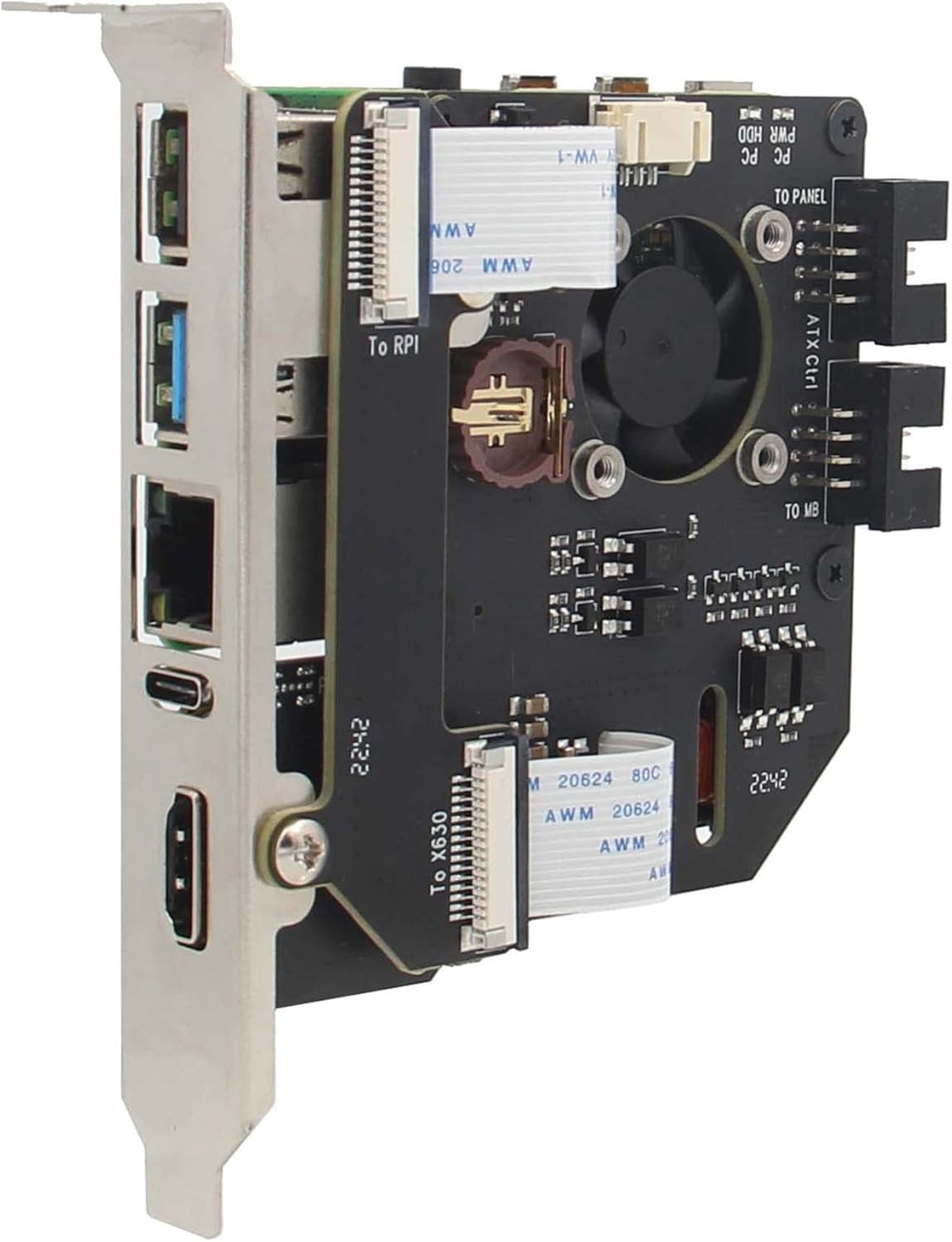
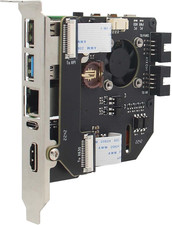
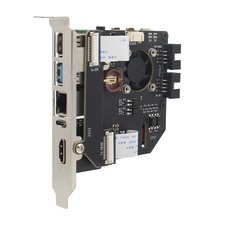
KVM-A8 Pcie Version for Raspberry Pi 4 Model B KVM over IP Support KVM V3 Poe ATX HDMI CSI (Unassembled and Not Include Raspberry Pi 4/SD Card/Power Adapter)
Just for you
We care about you and we always try to offer the best service possible. We choose with love our products and we'll bring to your home using third warehouses and suppliers for the best experience possible.
if you'll get any kind of problem please don't esitate to contact us, we'll do our best for finding the best solution for you.
Shipping
We always try to delivery the goods within 48 hours, but our maximum shipping and delivery time is between 5 and 8 days. Take in mind that some events out of our control could put in delay your order, like climatic events or logistic problems. In this case we will do the best for resolve the issue and we will get in touc withyou.
Note:
Some items could't be shipped in your address for some reason, like address not available with our shipping service or some particular island. So we can delete any order that can't fit with out service, and we will not take any responsability or any response for this. If you want know before placing the order if can be shipped, please get in touch with us before placing the order =)
You can return any item within 30 days, please contact us if you have any problem or just you don't like the item. We will guide you with the right process for the faster return and refund possible.
Contact us
We take seriously our reputation, if you have any issue, or the item has not been delivery, please contact us before taking any action or leaving any response. We will work together for finding the best solution that will fit for you.
- What is it: This kit allows user to realize a KVM project with Raspberry Pi 4 Model B which can control a computer using a web browser, Model: KVM-A8; Unassembled; for professional users only and is not suitable for novice users
- Compatiblity: for use with Raspberry Pi 4 Model B 8GB/4GB/2GB/1GB only (not include Raspberry Pi 4), NOT support Raspberry Pi 3 or Pi 5
- Function: Remotely turn on / turn off / restart your computer; configure configure the UEFI / BIOS; Reinstall the OS using the Virtual CD-ROM or Flash Drive; Remote use your keyboard and mouse; Simulate a keyboard, mouse, and a monitor and presented in a web browser, etc
- User Manual: Google Geekworm WiKi and search KVM-A8 for hardware installation, software configuration guide and FAQ
- How to Power: POE Power (Recommend, need a POE switch) or Power Input: 5.1Vdc +/-5% , ≥3A power via USB-C port of X630-A8
- How to Cool: X630-A8 comes with an onboard active cooling fan to cool down the Raspberry Pi 4
- What Included: 1 x X630-A8 Expansion Board, 1 x X630 HDMI to CSI-2 Module, 1x X630-A8-CAB V1.1 Camera Adapter board and other accessories, refer to the packing list picture for details
- Extra Needed to Prepare: Raspberry Pi 4, TF card, power adapter (only requires it if you have no POE switch)
Product description
Note:
- The Raspberry Pi 4 board, TF Card, Power Adapter is not included in the packing list,need to prepare by yourself!
- The KVM-A8 kit is unassembled and requires users to refer to the instruction manual and video to assemble it by themselves!
- The X630-A1 plate has no use for the KVM-A8 installation, don't need to use X630-A1.
Overview
Raspberry Pi-based KVM is a very powerful and Open Source Software which allows for a remote connection via your Raspberry Pi to turn on/off or restart your computer, configure the UEFI/BIOS, and even reinstall the OS using the Virtual CD-ROM or Flash Drive. You can use your remote keyboard and mouse or KVM can simulate a keyboard, mouse, and a monitor, which are then presented in a web browser as if you were working on a remote system directly. It's true hardware-level access with no dependency on any remote ports, protocols or services!
This is the KVM-A8 PCIe version kit that allows user to realize a KVM project with Raspberry Pi 4. It is directly inserted into the computer case as a PCI card and does not require additional cables and is very convenient to use. That is, you can put a computer into your computer.
The KVM-A8 is composed of follow parts:
- X630 HDMI to CSI-2 Module (for video capture)
- X630-A8 V1.7 Expansion Board (for POE, RTC, ATX Control power in etc)
User Manual: Pls refer to Geekworm WiKi and search KVM-A8.
Features
- Designed especially for Raspberry Pi 4 Model B ( Raspberry Pi 4-based KVM over IP)
- Installs justs like any PCI card into a tower / desktop PC
- Compatible with the latest Raspberry Pi 4 Model B 1GB/2GB/4GB/8GB(Not support Raspberry Pi 3)
- Fully compatiblie with PiKVM V3 Platform OS(Not support PiKVM V4 Plus & V4 Mini platform)
- Reliable remote network access to servers and computers
- HDMI Full HD capture based on the TC358743 chip (from X630)
- OTG Keyboard & mouse; Mass Storage Drive emulation
- Hardware Real Time Clock (RTC) with CR1220 coin battery socket
- Equipped with cooling fan on X630-A8 for heat dissipation of Raspberry Pi 4
- Equipped with photocoupler to protect RPi GPIO pins from computer and ESD spikes
- PoE Supported – Power over Ethernet for simplified installation, also supports for powering via USB-C of X630-A8
- Designed to use a single Ethernet cable for both data and power transmission (POE)
- Reserves the PH2.0-4P connector for I2C OLED display
Note about the OLED:
We have considered for a long time whether to put the OLED in the KVM-A8 kit, the OLED screen has no fixed installation position users need to find a way to mount the OLED himself, we are worry about this will lead to return, but we finally still decided to put the OLED screen in the packing list in consideration of some users will need to use the OLED screen. Please take this into consideration before make a decision.
The OLED is only used to display some information you need, you can also not use OLED!!!
Wiring Diagram
How to Power:
- PoE Supported – Power over Ethernet for simplified installation
- Also support to power via USB-C port of X630-A8(Recommend to use Geekworm Type-C 5V 4A power adapter[B09J856PND])
Packing List:
- 1 x X630 HDMI to CSI-2 Module with Accessories
- 1 x X630-A8 V1.7 Expansion Board
- 1x X630-A8-CAB V1.1 Camera Adapter board
- 1 x ATX Control Cable(52cm Length)
- 1 x Motherboard Internal USB 2.0 9-pin Female header to TYPE-C USB OTG cable(50cm Length)
- 1 x USB3.0 IDC to TYPE-C USB OTG Cable (45cm Length)
- 1 x Standard height PCIe Add-in Card I/O Bracket
- 1 x HDMI Cable(30cm length)