 When you click on links to various merchants on this site and make a purchase, this can result in this site earning a commission. Affiliate programs and affiliations include, but are not limited to, the eBay Partner Network. When you click on links to various merchants on this site and make a purchase, this can result in this site earning a commission. Affiliate programs and affiliations include, but are not limited to, the eBay Partner Network.
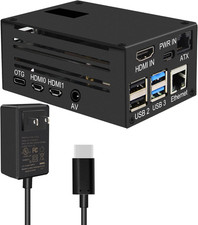
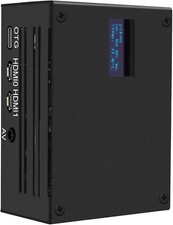
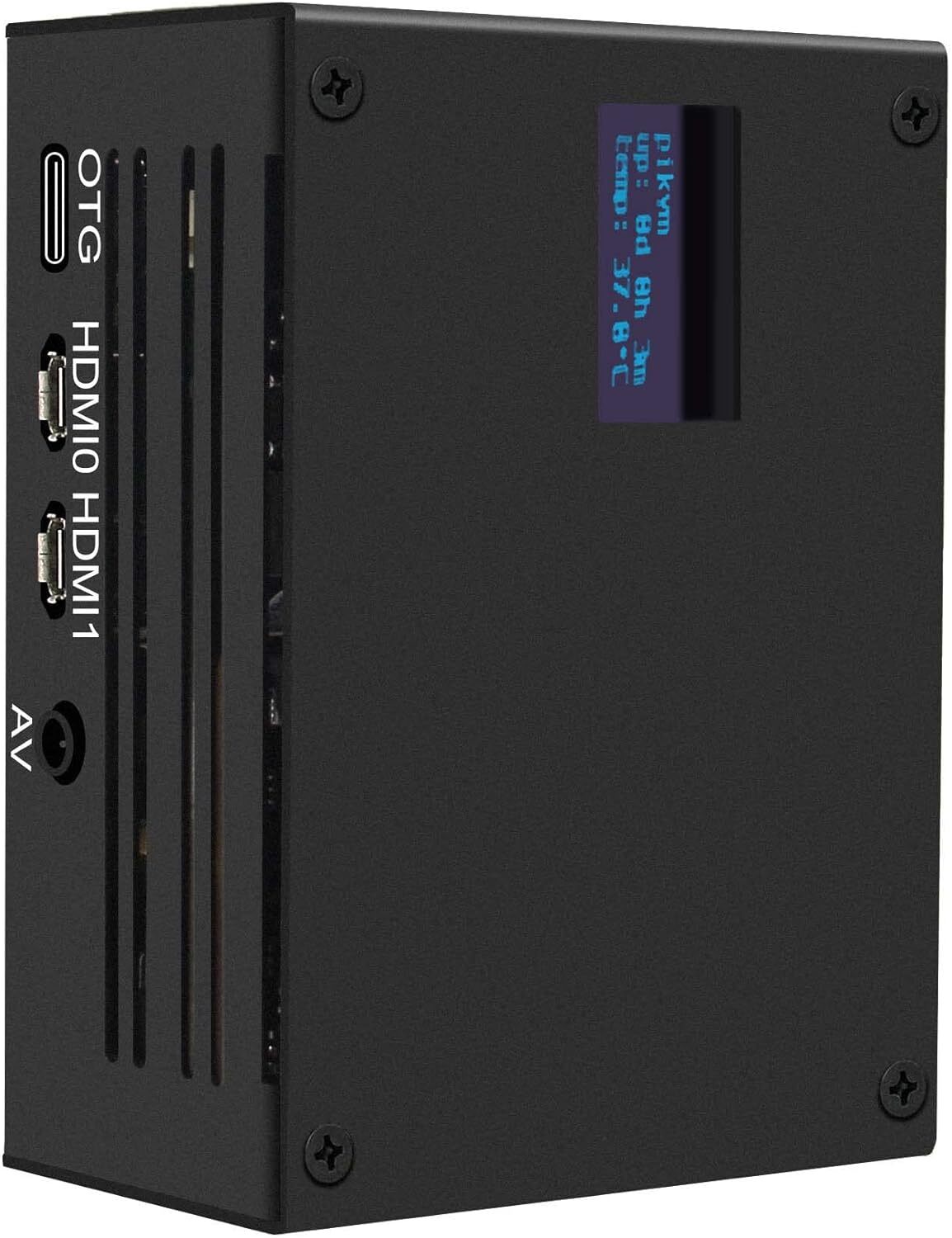
KVM-A3 Kit with Raspberry Pi 4 Case Compatible with Pikvm ATX CSI for RaspberryAbout this item - 【What is it】This kit allows user to realize a KVM project with Raspberry Pi 4 which can control a computer using a web browser!
- 【Compatiblity】for use with Raspberry Pi 4 Model B 8GB/4GB/2GB/1GB only; [NOT SUPPORT Raspberry Pi 5]
- 【Function】Remotely turn on/ turn off / restart your computer; configure configure the UEFI/BIOS; reinstall the OS using the Virtual CD-ROM or Flash Drive; remote use your keyboard and mouse; Simulate a keyboard, mouse, and a monitor and presented in a web browser, etc.
- 【How to Power】Power Input: 5.1Vdc +/-5% , ≥3A; Power Via USB Type-C port of X630-A3. (DON'T power via Raspberry Pi's TYPE-C port, because it is occupied as USB OTG.) Recommend to use Geekworm UL listed 20W 5V 4A USB Type-C power adapter (ASIN:B09J856PND).
- 【What Included】1 x KVM-A3 Metal Case with Accessories, 1 x X630-A3 V1.3 Expansion Board with Accessories, 1 x X630-A5 V1.0 Adapter Board with Accessories, 1 x X630 HDMI to CSI-2 Module with Accessories, 1 x Ethernet Cable(1m length), 1 x0.96 inch OLED Module
- 【How to Cool】X630-A3 comes with a cooling fan to cool the raspberry pi 4.
- 【Extra Need to be Prepared】Raspberry Pi 4, TF Card, HDMI Cable, Power Adapter
Product Description Update:the X630-A3 update from V1.2 to V1.3 version, remove one on-board spacer to simplify the installation steps, the X630-A3 V1.3 board is not defective, just updated!!! The KVM-A3 is composed of follow parts: - X630-A3HAT Board (for ethernet, cooling, RTC, ATX Control power in etc)(Update to V1.3 from V1.2 with small difference in installation)
- X630HDMI to CSI-2 Board (for video capture)
- X630-A5Adapter Board (it is installed inside the PC case, and it connect the computer motherboard and IO panel cabe of PC case))
- 0.96 inchOLED(for display, Resolution: 128×64 pixel)
- Ethernet Cable(TIA/EIA-568.B connection, and it's ATX control signal cable)
- KVM-A3 Metal Case(Raspberry Pi 4 Case, only support Raspberry Pi 4)
Note: - We don't equipped with HDMI cable as some PC case may not have HDMI port, you need to use VGA/DVI to HDMI adapter to transfer HDMI port.
- Please use the suppliedUSB Type-C to USB 2.0 A-Male Cableonly. USB-C to USB-A cable only with DATA lines (for keyboard and mouse emulation), using other cable might cause instability or damage to either the host PC or the Pi.
- The X630-A1 plate has no use for the KVM-A3 installation, don't need to use X630-A1!!!
Features - Raspberry Pi-based KVM-Over-IP solutions (Open and cheap DIY IP-KVM based on Raspberry Pi)
- Compatible with Raspberry Pi 4 Model B 1GB/2GB/4GB/8GB
- Fully compatiblie with KVM V3 OS(Not support V4)
- Control a server and computer using a web browser
- HDMI Full HD capture based on the TC358743 chip
- OTG Keyboard & mouse; Mass Storage Drive emulation
- Hardware Real Time Clock (RTC) with CR1220 coin battery socket
- Equipped with cooling fan that allows the heat from your Raspberry Pi 4 to dissipate
- Equipped with solidstate relays to protect RPi GPIO pins from computer and ESD spikes
- ATX control via RJ45 connector Switch the machine on or off, reset it, and monitor the status of HDD LED & power LED remotely
- Reserves the 10pin SH1.0 connector for future I2S HDMI audio support
- Reserves the 4pin header & spacers for I2C OLED display
How to Power - Power Input: 5.1Vdc +/-5% , ≥3A (Power Via USB Type-C port of X630-A3 ONLY, DON'T power via Raspberry Pi's Type-C port, because it is occupied as USB OTG!!!) ; [Recommend to use Geekworm Type-C 5V 4A 20W PSU: ASIN:B09J856PND]
[How to Cool] - The X630-A3 HAT board equipped with a on-board 3007 cooling fan for heat dissaption of Raspberry Pi.
Wiring DiagramUser Manual & FAQ & Installation Video Please refer to Geekworm WiKi for the user manual.  |
|