 When you click on links to various merchants on this site and make a purchase, this can result in this site earning a commission. Affiliate programs and affiliations include, but are not limited to, the eBay Partner Network. When you click on links to various merchants on this site and make a purchase, this can result in this site earning a commission. Affiliate programs and affiliations include, but are not limited to, the eBay Partner Network.
Product description Warm Tips: - The CR2032 battery on the motherboard has been removed. It is not included in the package. Please purchase it yourself.
- The user manual is not included in the package. You can download the manual file on the product details page.
- If the system won't power on and the fans don't spin, verify the motherboard power and CPU power connections, confirm CPU and memory model compatibility and condition, and ensure the memory modules are properly seated; if the issue persists after checking these, clear the CMOS.
- If there's no display (fans spin but keyboard lights remain unresponsive when pressing Caps Lock), verify the motherboard and CPU power connections, ensure memory modules are properly seated, and confirm CPU/memory model compatibility and condition; if issues persist after these checks, clear CMOS.
- If there's no display (fans are spinning and the Caps Lock indicator lights up when pressing Caps Lock), verify the monitor is powered on and the display data cable is securely connected; if no external graphics card GPU is installed, confirm CPU support for integrated graphics; if an external graphics card GPU is installed, ensure the data cable is connected to its output port; check the condition of the display cable, GPU, and monitor; if the issue persists after these checks, clear CMOS.
- Tip: The CPUs of Intel Xeon E3 V1 and V2 series are server CPUs, and most of them do not have integrated graphics. Generally, only the CPU models with the suffix "5" have integrated graphics. For example: E3-1245, E3-1235 V2, E3-1275 V2 and other CPUs support integrated display. The Intel Core i3, i5 and i7 series processors almost all support integrated display, only the CPU model with the suffix "F" letter has no integrated display function, which is "ix-xxxxF". Pentium and Celeron "G" All series of CPUs support integrated display, such as "G840", "G630" and so on.
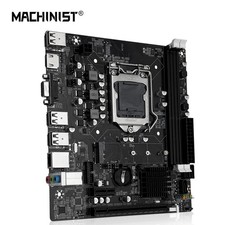
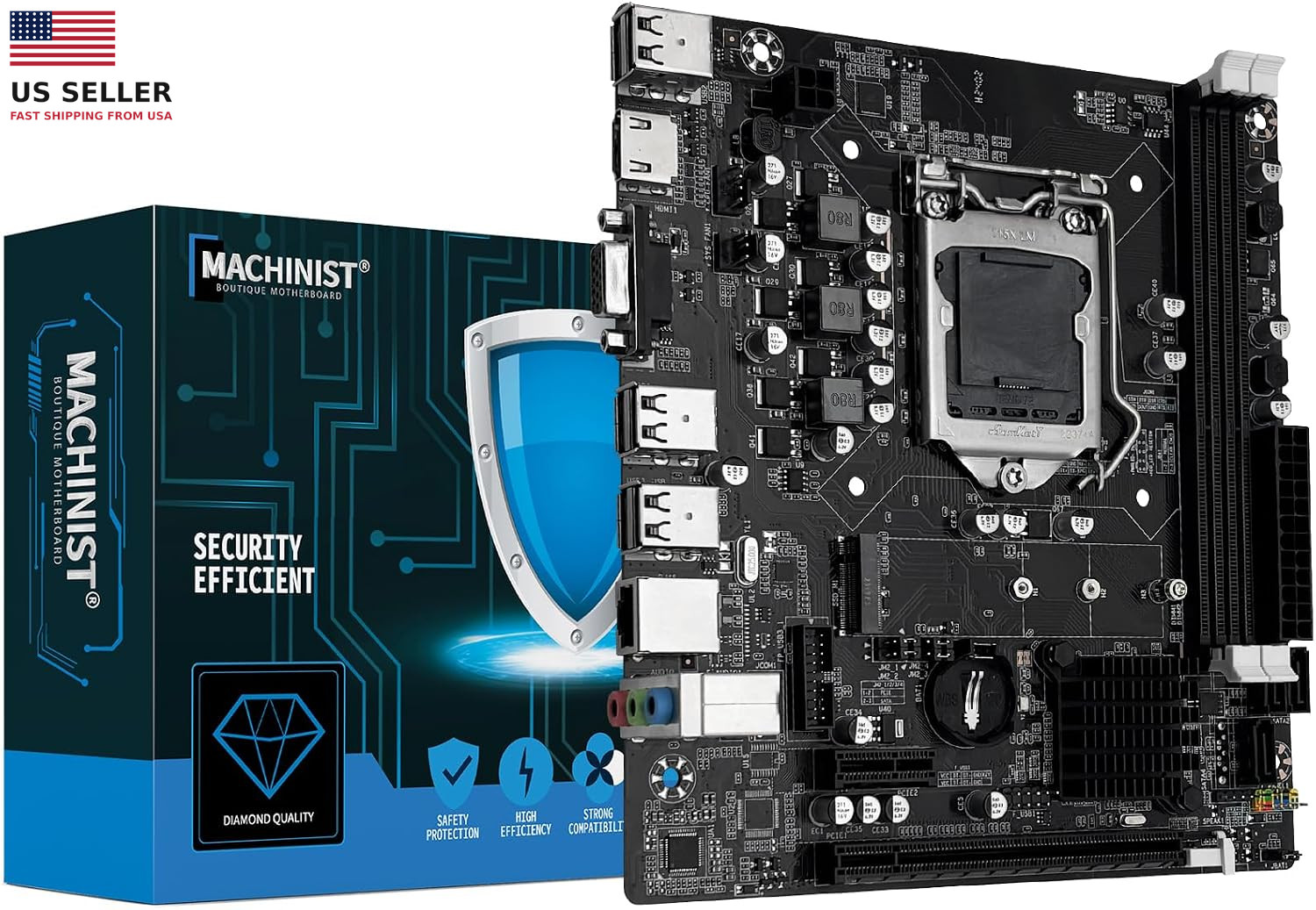
Add to Cart Add to Cart Add to Cart Add to Cart Add to Cart Customer Reviews 3.7 out of 5 stars 88 3.4 out of 5 stars 5 3.2 out of 5 stars 23 3.8 out of 5 stars 109 3.1 out of 5 stars 8 3.0 out of 5 stars 11 Price $39.99$39.99 — no data $79.99$79.99 $66.99$66.99 $74.99$74.99 $78.99$78.99 Chipset Type Intel H61 Chipset Intel 7 Series Chipsets Intel H110 Chipset Intel H81 Chipset AMD B450 Chipset AMD B450 Chipset Memory Slot 2*DDR3 (Max 16GB) 2*DDR3 (Max 16GB) 2*DDR4 (Max 32GB) 2*DDR3 (Max 16GB) 2*DDR4 (Max 64GB) 4*DDR4 (Max 128GB) CPU Socket Intel LGA 1155 Intel LGA 1155 Intel LGA 1151 Intel LGA 1150 1*PCIe X16, 1*PCIe X1 1*PCIe X16, 1*PCIe X1 PCIe Slot 1*PCIe X16 1*PCIe X16 1*PCIe X16 1*PCIe X16, 1*PCIe X1 1*NVME/NGFF M.2 2*NVME M.2 M.2 Slot 1*NVME/NGFF M.2 1*NVME M.2 1*NVME/NGFF M.2 1*NVME M.2 4*SATA 3.0 4*SATA 3.0 SATA Interface 3*SATA 2.0 2*SATA 3.0, 2*SATA 2.0 3*SATA 3.0 2*SATA 3.0, 2*SATA 2.0 HDMI, VGA HDMI, VGA, DP Display Interface HDMI-Compatible, VGA HDMI-Compatible, VGA HDMI-Compatible, VGA HDMI-Compatible, VGA HDMI-Compatible, VGA HDMI-Compatible, VGA, DP Network Interface 1*100MB LAN 1*100MB LAN 1*100MB LAN 1*Gigabit LAN 1*Gigabit LAN 1*Gigabit LAN, 1*WIFI M.2 Motherboard Size 190MM*170MM 190MM*170MM 190MM*170MM 220MM*170MM 220MM*200MM 235MM*215MM - Intel LGA 1155 Socket: Supports Intel Core i3/i5/i7 2th or 3th generation processors, as well as Xeon E3 v2, Pentium and other series processors. (Eg Intel xeon E3-1280 V2, Intel Core i7-3770K, Intel Core i5-2500K, Pentium G620, G840, etc.)
- Dual-channel DDR3 Memory Slots: 2 DDR3 non-ECC desktop memory slots, unbuffered, support effective frequencies of 1280/1333/1600/1866MHz, and a maximum capacity of 16GB (Each memory slot supports 8GB)
- NVME/NGFF M.2 SSD Interface: This H61 gaming motherboard is equipped with a M.2 interface, which can be converted between NVME and NGFF after debugging. NVME M.2 is transmitted through the PCI_E channel, with a maximum rate of 1535M/s (actual data). Also supports 2242, 2260 and 2280 M.2 SSDs
- VGA and High Definition Multimedia Interface: It can support 1080P high-definition video output without a graphics card. Note: To use these two interfaces, your CPU needs to support integrated graphicsngff
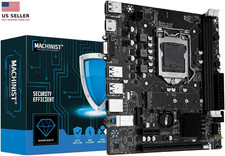
- The package includes: 1*H61 motherboard, 1*SATA cable, 1*I/O baffle. User manual is not included in the package, you can download the user manual file on the product details page. The CR2032 battery on the motherboard has been removed. It is not included in the package. Please purchase it yourself. If you need to download the driver, it is recommended to download: Driver Talent, or use Win 10 system
- Tip 1: The CPUs of Intel Xeon E3 V1 and V2 series are server CPUs, and most of them do not have integrated graphics. Generally, only the CPU models with the suffix "5" have integrated graphics. For example: E3-1245, E3-1235 V2, E3-1275 V2 and other CPUs support integrated display. The Intel Core i3, i5 and i7 series processors almost all support integrated display, only the CPU model with the suffix "F" letter has no integrated display function, which is "ix-xxxxF". Pentium and Celeron "G" All series of CPUs support integrated display, such as "G840", "G630" and so on
- Tip 2: If the system won't power on and the fans don't spin, verify the motherboard power and CPU power connections, confirm CPU and memory model compatibility and condition, and ensure the memory modules are properly seated; if the issue persists after checking these, clear the CMOS
- Tip 3: If there's no display (fans spin but keyboard lights remain unresponsive when pressing Caps Lock), verify the motherboard and CPU power connections, ensure memory modules are properly seated, and confirm CPU/memory model compatibility and condition; if issues persist after these checks, clear CMOS
- Tip 4: If there's no display (fans are spinning and the Caps Lock indicator lights up when pressing Caps Lock), verify the monitor is powered on and the display data cable is securely connected; if no external graphics card GPU is installed, confirm CPU support for integrated graphics; if an external graphics card GPU is installed, ensure the data cable is connected to its output port; check the condition of the display cable, GPU, and monitor; if the issue persists after these checks, clear CMOS
 |
|