- Store
- New Arrivals
- Add to Favorite
- View response
- Contact
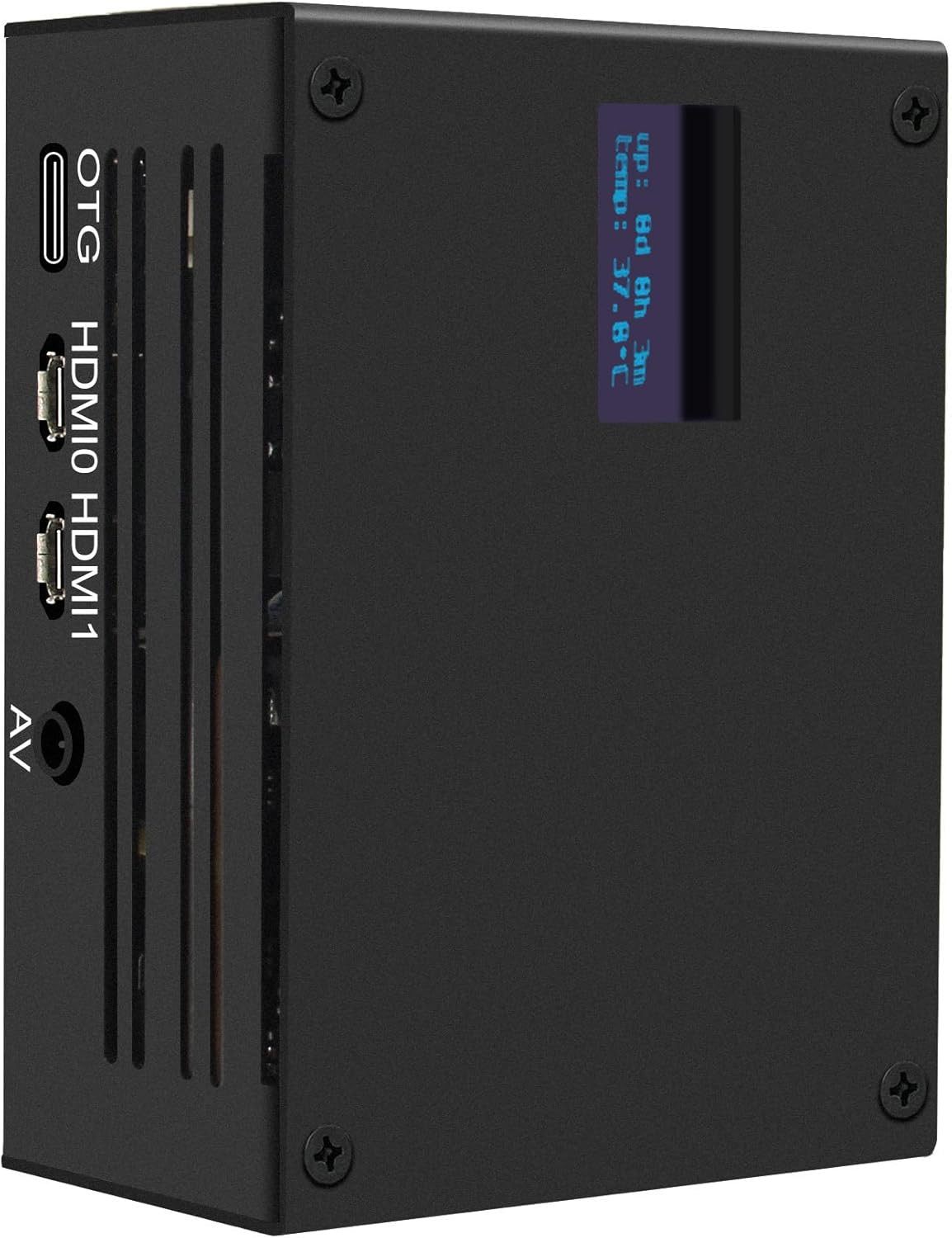
Geekworm KVM-A3 Open Source KVM over IP Kit for Raspberry Pi 4 Model BDescription CPU Model ARMv7 Connectivity Technology Ethernet, HDMI Operating System Not Obtainable Processor Brand Broadcom Wireless Compability 802.11b Compatible Devices Raspberry Pi 4 Model B Processor Count 1 Total Usb Ports 4 Item Dimensions L x W x H 2.56"L x 3.66"W x 1.69"H Brand Geekworm Model Name KVM-A3 Built-In Media 1 x Ethernet Cable(1m length), 1 x KVM-A3 Metal Case with Accessories, 1 x X630 CSI-2 Module with Accessories, 1 x X630-A3 Expansion Board with Accessories, 1 x X630-A5 Adapter Board with Accessories Number of Items 1 Item Highlight Support KVM V3 ATX Video CSI (Unassembled and Not Include Raspberry Pi 4/SD Card/Power Adapter) Item Weight 319 g Manufacturer Geekworm Model Number TB-2022-51 Mfr Part Number TB-2022-51 Warranty Description 3 months Included Components function(f) {var { function(data) { var isTruncated = !data.truncateInstance.getIfTextFits(); var seeMoreElement = if(seeMoreElement) { seeMoreElement.style.display = isTruncated ? '' : 'none'; } }) });})); 1 x Ethernet Cable(1m length), 1 x KVM-A3 Metal Case with Accessories, 1 x X630 CSI-2 Module with Accessories, 1 x X630-A3 Expansion Board with Accessories, 1 x X630-A5 Adapter Board with Accessories See more
Product description
-
Which OS version should I use?
Only compatible with KVM V3 OS.
-
Why does the KVM-A3 fail to display video and only show “No Signal”?
Please check the hardware connections, Hdmi cable, X630 output, video service status, laptop display settings, and sleep mode, and refer to the KVM-A3 WiKi for more FAQs.
-
Why is the OLED not displaying?
Please confirm that you are using the correct OS version(KVM V3) for your Raspberry Pi 4. If the wrong firmware is installed, the OLED will not display. We also encountered this issue ourselves during testing.
-
Which pins are available on the KVM-A3?
You can only use GPIO16, 26, 11, 17, 25, 9, 10 pins on KVM-A3.
- What is it: This kit allows user to realize a KVM project with Raspberry Pi 4 which can control a computer using a web browser; Model: KVM-A3; Unassembled; for professional users only and is not suitable for novice users
- Compatiblity: for use with Raspberry Pi 4 Model B 8GB/4GB/2GB/1GB only ( The Raspberry Pi 4 is not included); NOT SUPPORT Raspberry Pi 5
- Function: Remotely turn on/ turn off / restart your computer; configure configure the UEFI/BIOS; reinstall the OS using the Virtual CD-ROM or Flash Drive; remote use your keyboard and mouse; Simulate a keyboard, mouse, and a monitor and presented in a web browser etc
- User Manual: Google Geekworm WiKi search KVM-A3 for hareware installation and software configuration guide
- Extra Need to be Prepared: Raspberry Pi 4, TF Card, Digital Audio/Video Cable, Power Adapter (Not included, need to prepare by yourself)
ABOUT US
We offer the best prices around on high quality products. Our E-store includes media such as books, movies, music and games while offering electronics, toys, sporting apparel, clothing, tools, general home, garden items and more.
SHIPPING
We are always working hard to ensure your package arrives as soon as possible. Please understand that some factors like weather, high postal traffic, and the performance of shipping companies are outside of our control.We offer free shipping to the lower 48 states and ship within 2 business days of payment, usually sooner. We do not accept P.O. Boxes. Please provide a physical address.
RETURNS
We offer a 30-Day Return Policy on items which you are not completely satisfied with. You have the option for a full-refund or an exchange of the item. No returns are available on items shipped outside of the USA.
PAYMENT
We accept PayPal.
CONTACT US
This page content is yet to come
Please ad us to your favorite seller and visit again later
Thank You
CUSTOMER SATISFACTION
We try our very best to make sure every customer is completely satisfied. If there's a problem, message us! We're happy to help.