DIY eGPU Setup 1.35 (C) 2025 nando4eva ymail.com
Item sold and supported by it's creator
Why would I need DIY eGPU Setup 1.35?
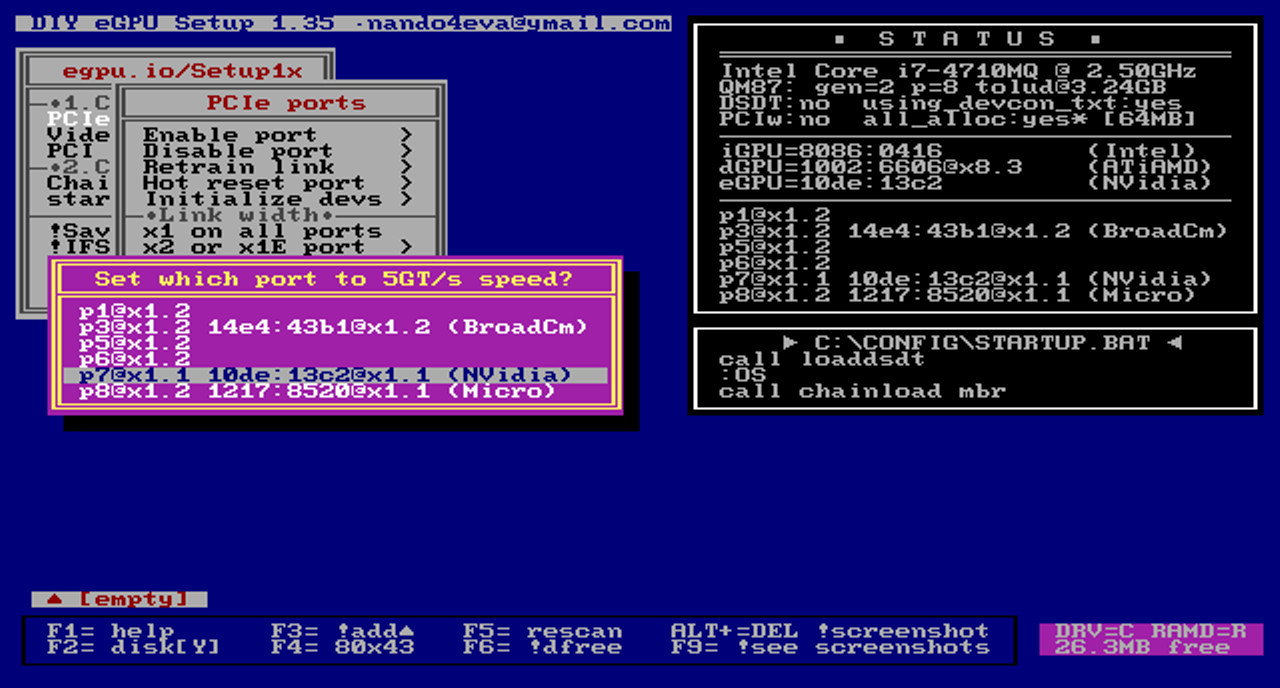
DIY eGPU Setup 1.35 ismenu-drivenversatile software that ensures your eGPU is configured and functions optimally. Some systems cannot use an eGPU without it. Typically, required if you:
- encounter Windowserror 12:cannot allocate resources
- want to set PCIe 1.1 Gen1 (2.5GT/s) or PCIe 2.0 Gen2 (5GT/s) link speed (2nd-gen i-core or newer CPUs).
- require ability to detect your eGPU in a pre-boot environment
- want to load a DSDT overridewithout engaging Windows test signing mode
- want to disable a dGPU in a hybrid graphics system to free up resources to host the eGPU
- want to disable a dGPU in a hybrid graphics system to activate NVidia Optimus and if using a x1 link, engage x1 pci-e compression
- want to initialize a NVidia video card prior to Windows boot to prevent hang/BSOD on startup or error 43 in device Manager. Eliminates the need for a standby, attach, resume to overcome this problem.
- want to usex1E/x2E/x2/x4 higher performance PCIe links (core2duo and 1st gen i-core CPUs only)
System compatibility
Windows 11, 10, 8.x or 7 operating system
PC notebooks using Intel CPUs
Apple notebooks
- Macbook Pro 17-inch, late-2011 with HD6770M dGPU
- MacBook Pro 15-inch, mid 2012–2015 (GT650M, Iris Pro and GT750Mmodels excluding M370X model)
- MacBook Pro 13-inch, early 2011-2014 (2nd-4th gen i-core)
- MacBook Air 11-inch or 13-inch, mid 2012–2014 (3rd-4th gen i-core)
- Mac Mini late-2012, late-2014
- iMac 27-in 2011 with HD6970M dGPU,, 2012 with GTX6xxM dGPU
What do I receive with this purchase?
- an email providing installation instructions for DIY eGPU Setup 1.35 delivered by the software's creator
- context sensitive help provided by hitting F1 over a menu
- expert support for the software from the software's creator
About me (nando4)You'll be dealing with an eGPU expert:
- I have been involved in eGPUs since 2009, providing much eGPU documentation across several forums
- I continue to be involved with eGPUs now at eGPU.io forum
Questions? Are most welcome :)