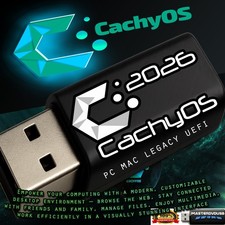
CachyOS Bootable USB Flash Drive Listing CachyOS Bootable USB Flash Drive
Latest Official Edition • Performance-Optimized Linux Environment
Unleash the maximum potential of your PC hardware with CachyOS, the ultra-fast Linux distribution based on Arch Linux. This high-speed USB drive arrives fully configured, bootable, and ready to deploy—saving you the hassle of downloading large files and troubleshooting image-flashing software.
📦 What Is Included
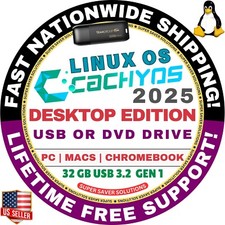
- 1x Premium Bootable USB Flash Drive pre-loaded with the latest official stable release of CachyOS.
- 1x Printed Installation Guide containing clear, step-by-step instructions to effortlessly guide you through the boot process.
⚠️ Important Disclaimers
- Physical Item Only: This purchase is for a physical, bootable USB flash drive that will be safely shipped to your address. This is not a digital download.
- Hardware Variations: The USB drive capacity, color, and cosmetic model will vary based on current supply and stock availability. Regardless of appearance, the drive is strictly guaranteed to meet or exceed the performance requirements needed to run and install CachyOS smoothly.
- Secure Boot Requirement: You must temporarily disable "Secure Boot" inside your computer’s BIOS/UEFI settings to allow the live Linux environment to boot successfully.
🛠️ Quick Installation Guide
A comprehensive physical guide is included in your package, but here is a brief overview of the process:
- 1 Insert the USB Drive Plug the CachyOS drive into an available USB port while your computer is completely powered down.
- 2 Access the Boot Menu Turn your system on and immediately press your motherboard's boot menu key (typically F12, F11, F8, or Esc depending on the manufacturer) to select the USB drive.
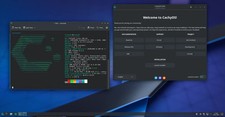
- 3 Launch the Live Environment Select CachyOS from the boot options. The system will auto-login to a live desktop environment, allowing you to safely test your hardware compatibility before changing anything.
- 4 Run the System Installer Click the "Launch Installer" icon located right on the desktop to initialize the graphical installation wizard.
- 5 Customize & Deploy Follow the prompts to pick your language, configure your drive partitions (wipe the disk or set up a dual-boot layout), and select from over 17 desktop environments.
- 6 Restart & Enjoy Once the progress bar completes, simply remove the USB flash drive and restart your computer to boot directly into your brand-new, blisteringly fast CachyOS system!
Fast Shipping • Secure Packaging • Tested Before Shipment