- Store
- New Arrivals
- Add to Favorite
- View response
- Contact
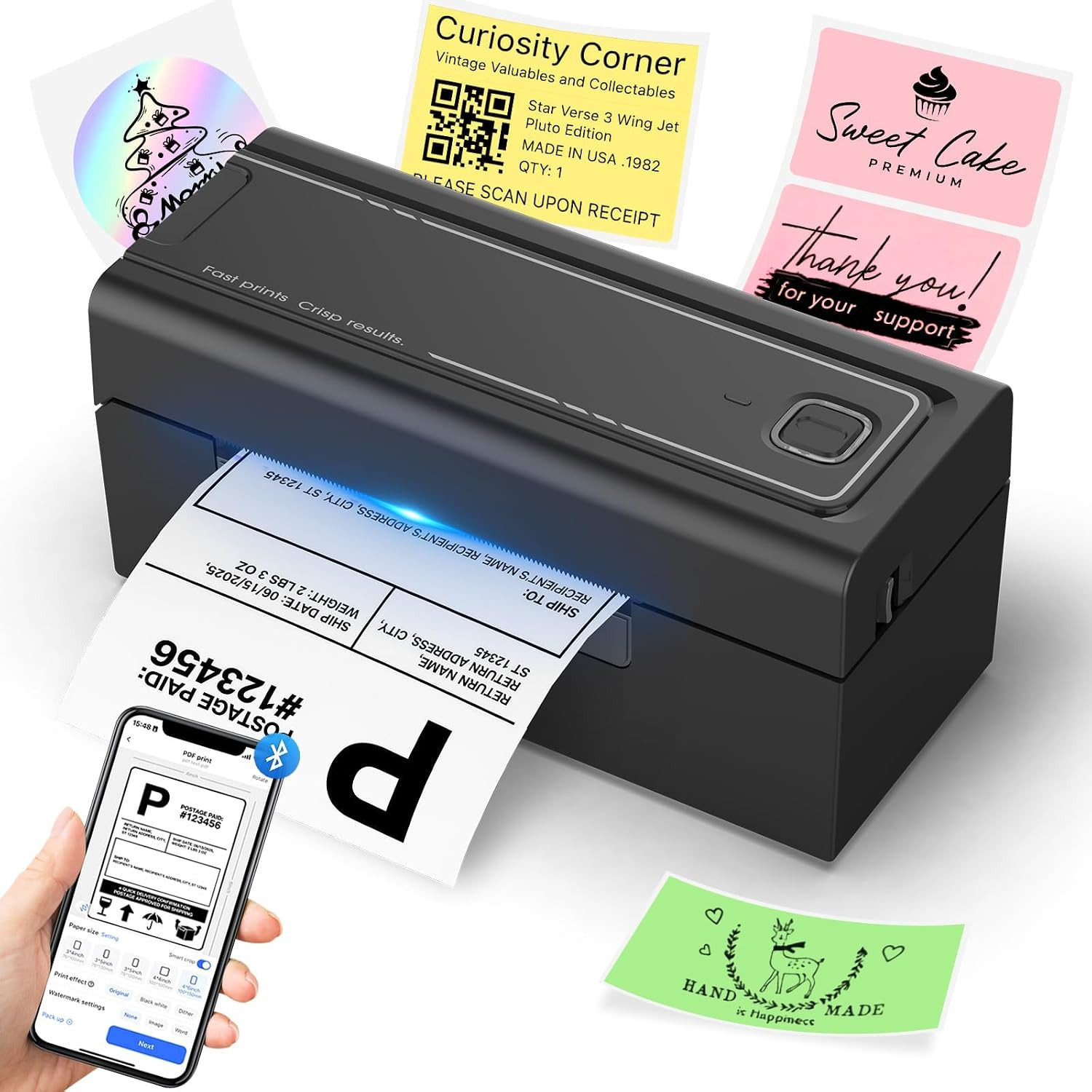
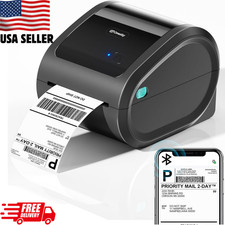
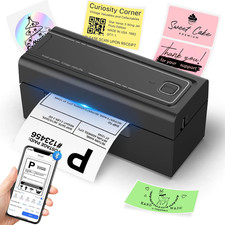
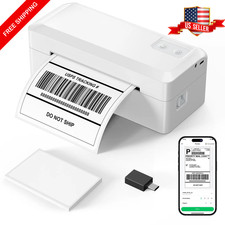
Bluetooth Thermal Shipping Label Printer, Wireless 4X6 Shipping Label Printer, Compatible with Android, Iphone, Mac & Windows, Widely Used For, Amazon, Shopify, Etsy, Usps(Black)Description Printer Type Thermal Other Special Features of the Product Portable Printer Output Type Monochrome Item Dimensions D x W x H 3.15"D x 7.87"W x 3.54"H Print media Labels, Thermal Paper Warranty Type Limited Warranty Additional Printer Functions Print Only Color Pages per Minute 150 B&W Pages per Minute 150 Maximum Media Size 4 x 6 inches Paper Size 4 x 6, 4 x 3, 4 x 2, 3 x 2 Maximum print Resolution Color 203 dots_per_inch Maximum Print Resolution Black and White 203 dots_per_inch Maximum Copy Resolution Black and White 203 Model Name BY-480BT Model Number BY-480BT Built-In Media 1 X Printer, 1 X User Manual Warranty Description 2 Year Manufacturer Color Black Printer Connectivity Type USB,Bluetooth Hardware Interface USB Total Usb Ports 1 Connectivity Technology USB,Bluetooth Printing Technology Thermal Special Feature Portable Printer Output Monochrome Maximum Print Speed (Color) 150 Max Printspeed Monochrome 150 Product Dimensions 3.15"D x 7.87"W x 3.54"H
Product description
- How to connect Mobile Device to printer via bluetooth
1. Turn on the printer.
2. Download Label Expert from the App Store or Google Play
3. Open the app and tap the top-right printer icon to connect via Bluetooth and start printing
Note: Bluetooth connection must be completed inside the app, not in your phone’s Bluetooth settings.
The video showcases the product in use.The video guides you through product setup.The video shows the product being unpacked. Mobile device connected to printer - How to connect MacOS to printer via bluetooth
1. Turn on the printer.
2. For PC users, the driver must be downloaded from the HOORA website
3. Follow the on-screen instructions to complete setup and start printing
Note: The label printer is compatible with Windows 7+ and macOS 11.5+
The video showcases the product in use.The video guides you through product setup.The video shows the product being unpacked. Pairing Your macos via Bluetooth
Supports Bluetooth devices Mobile devices: iOS, Android, tablets PC: Windows 7 or later, and macOS 11.5 or later Supports USB devices Windows, macOS, Linux, and Chrome OS Do I need ink or toner? No ink or toner is needed. The printer uses direct thermal technology, meaning it prints by heating specialized thermal labels. This reduces supplies you need to buy, keeps daily workflow clean. Are labels included? The package includes 50 sheets of 4×6 thermal labels for testing and setup. These starter labels help you verify print clarity and calibration before using your regular label supply. Support logistics platform Yes. The printer works with major shipping and e-commerce platforms including Amazon, , Shopify, USPS, UPS and others. Export your label as a PDF, select the correct size, and print through the app or driver for accurate 4×6 results. First-time setup tips? Load the labels with the thermal side facing up, run auto-calibration, and install the app/driver for your device. Use Bluetooth on phones/tablets, or Bluetooth/USB on computers. These steps ensure smooth setup for home offices, stores, or warehouse stations. What label sizes work? Supports foldable and roll-fed labels ranging from 1.54 inches to 4.1 inches in width, including common specifications such as 4×6, 3×3, 3×2, 3×1, 2×1, round labels, and more. How to fix paper jams? Check that both edges of the label stack align with the guide rails and match the clip width. Remove curled labels, clean the paper path and roller with an alcohol wipe, then reload the stack. Why blank or skipping labels? Recalibrate after loading labels to ensure the sensor detects the gaps correctly. Make sure the thermal side faces up and the labels sit flat in the guides. In your print settings, confirm the correct paper size and choose “Scale to Fit” to prevent misalignment. Labels look blurry/light? Increase the “density” level in the Label Expert application or computer driver—most thermal paper yields optimal results starting at levels 8-10. Ensure you use high-quality label paper, as inferior paper may affect print clarity. You may also gently wipe the print head with an alcohol swab to remove residue. Label doesn’t fill 4×6 paper? This usually happens when the original file is created in A4 size, so the content only uses part of the page. We recommend opening the PDF in Label Expert APP and using the one-click crop feature, which automatically resizes the print area to fit labels without manual adjustment. Printer not printing? Please make sure the printer is powered on and connected directly to your device. We suggest reinstalling the driver, removing any previous driver during installation, and restarting your computer. If the issue continues, try a different USB port or cable.
- [INKLESS & HIGH-SPEED PRINTING] Cut long-term costs instantly! Our advanced 203 DPI direct thermal technology requires zero expensive ink or toner. Prints up to 72 crisp 4x6 labels per minute at a rapid 150mm/s, ensuring your barcodes are highly scannable and your shipping workflow stays lightning-fast.
- [TRUE WIRELESS FREEDOM & APP CONTROL] Print on the go! Connect seamlessly via Bluetooth to iOS and Android devices using our “Label Expert” App. For desktop users, enjoy full Bluetooth capability for Windows and macOS (flawlessly supports Apple M1/M2 chips) for a completely untethered, clutter-free workspace.
- [ROCK-SOLID USB FOR HEAVY WORKLOADS] Built for Q4 holiday rushes and continuous warehouse batch printing. Our stable USB connection guarantees zero-latency, uninterrupted performance. Fully compatible with Windows, macOS, Linux, and Chrome OS, handling hundreds of daily dispatch notes and stickers with absolute ease.
- [ULTIMATE PLATFORM & SIZE VERSATILITY] The all-in-one labeling solution for small businesses. Seamlessly integrates with Amazon, Shopify, USPS, UPS, and ShipStation. The adjustable guide smoothly fits roll and fanfold labels from 1.54" to 4.1" wide—perfect for 4x6 shipping labels, FBA barcodes, and 2x1 product tags.
- [MINUTES TO SETUP & 2-YEAR WARRANTY] Designed for tight desks, this compact printer comes with frustration-free installation (includes easy video tutorials). We stand behind our quality: backed by a 2-Year Warranty and highly responsive lifetime tech support. Stop fighting equipment and start scaling your business!
ABOUT US
We offer the best prices around on high quality products. Our E-store includes media such as books, movies, music and games while offering electronics, toys, sporting apparel, clothing, tools, general home, garden items and more.
SHIPPING
We are always working hard to ensure your package arrives as soon as possible. Please understand that some factors like weather, high postal traffic, and the performance of shipping companies are outside of our control.We offer free shipping to the lower 48 states and ship within 2 business days of payment, usually sooner.
RETURNS
We offer a 30-Day Return Policy on items which you are not completely satisfied with. You have the option for a full-refund or an exchange of the item.
PAYMENT
We accept PayPal.
CONTACT US
This page content is yet to come
Please ad us to your favorite seller and visit again later
Thank You
CUSTOMER SATISFACTION
We try our very best to make sure every customer is completely satisfied. If there's a problem, message us! We're happy to help.