 When you click on links to various merchants on this site and make a purchase, this can result in this site earning a commission. Affiliate programs and affiliations include, but are not limited to, the eBay Partner Network. When you click on links to various merchants on this site and make a purchase, this can result in this site earning a commission. Affiliate programs and affiliations include, but are not limited to, the eBay Partner Network.
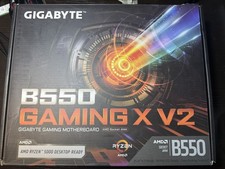
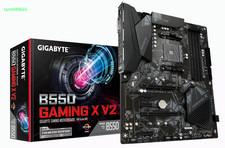
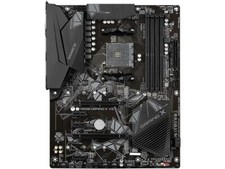
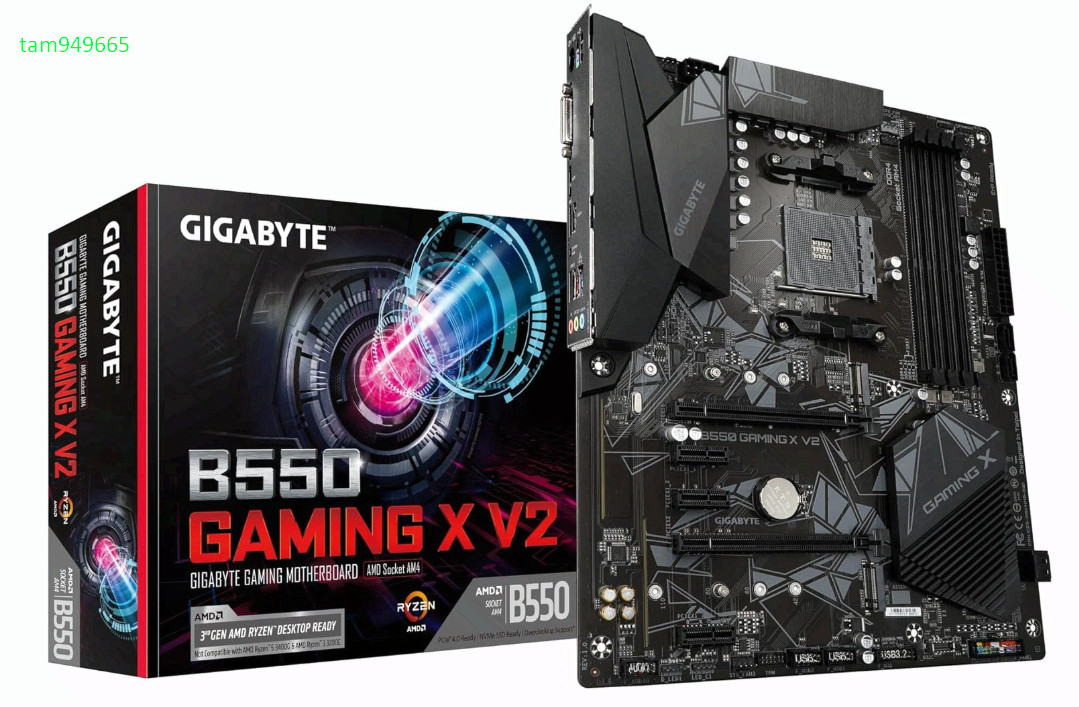
GIGABYTE B550 Gaming X V2 AMD AM4 ATX Motherboard, Supports Ryzen 5000/4000/3000 Series Processors, DDR4, 10+3 Power Phase, 2X M.2, PCIe 4.0, Front USB-C, GbE LAN, Q-Flash Plus, RGB Fusion BrandGIGABYTECPU SocketSocket AM4Compatible DevicesPersonal ComputerRAM Memory TechnologyDDR4Compatible ProcessorsAMD 3rd Generation RyzenChipset TypeAMD B550Memory Clock Speed3200 MHzPlatformWindows 11Model NameB550 GAMING X V2CPU ModelRyzen 5 About this item - AMD Socket AM4: Ready to support AMD Ryzen 5000/4000/3000 Series Processors.
- Enhanced Power Solution: Digital Twin 10+3 Power Phase and premium chokes and capacitors for steady power delivery.
- Advanced Thermal Armor: Advanced VRM heatsink for better heat dissipation. Integrated I/O Shield for quicker PC DIY assembly.
- Boost Your Memory: Compatible with DDR4 Memory and supports 4 DIMMs with Extreme Memory Profile support.
- Comprehensive Connectivity: 1x Ultra Durable PCIe 4.0 x16, 1x PCIe 4.0 M.2 slot, 1x PCIe 3.0 M.2 slot, 3x USB 3.2 Gen 2 Type-A, 1x USB 3.2 Gen 1 Type-A, and 1x Front USB 3.2 Gen 1 Type-C for hassle free setup.
- Smooth Online Experience: GbE LAN ensures the most stable transmission environment and Bluetooth 5.3.
- DIY Friendly Design: Smooth building experience with suite of easy building features, such as Q-Flash Plus for effortless BIOS upgrades without installing your CPU, RAM, or GPU.
- Friendly UI: Refreshed BIOS with Easy Mode interface for intuitive and modular control.
Features & SpecsProcessor SocketSocket AM4Compatible DevicesPersonal ComputerRAM Memory TechnologyDDR4Compatible ProcessorsAMD 3rd Generation RyzenChipset TypeAMD B550Memory Clock Speed3200 MHzPlatformWindows 11CPU ModelRyzen 5Memory Storage Capacity128 GBRam Memory Maximum Size128 GBMain Power Connector Type24-PinGraphics Card InterfacePCI Express 4.0Memory Slots Available4Number of Ports9S/PDIF Connector TypeOpticalSystem Bus Standard SupportedSATA 3Total SATA Ports4USB 2.02Total Usb Ports8Number of Ethernet Ports1Total Number of HDMI Ports1Total PCIe Ports1Motherboard BIOS update for AMD Ryzen 5000 series processors - From GIGABYTE’s website, download the latest compressed BIOS update file that matches your motherboard model from its product page.
- Uncompress the downloaded BIOS file, save it to your USB flash drive, and rename it to GIGABYTE.bin. Note: The USB flash drive must use the FAT32/16 file system.
- Insert the USB flash drive into the white USB port or BIOS Q Flash port on the back panel of your motherboard (USB port may not be labelled on all models, checking the user manual is recommended)
- Connect the power cables to the CPU 8 Pin power connector (connect either one if there are two) and mainboard 24 Pin power connector.
- Press the Q-Flash Plus button (location may vary by model) and the system will automatically search and match the BIOS file in the USB flash drive on the white USB port. The QFLED and the Q-Flash Plus button on the rear panel will flash during the BIOS matching and flashing process. Wait for 2-3 minutes and the QFLED will stop flashing when the BIOS flashing is complete.
 |
|