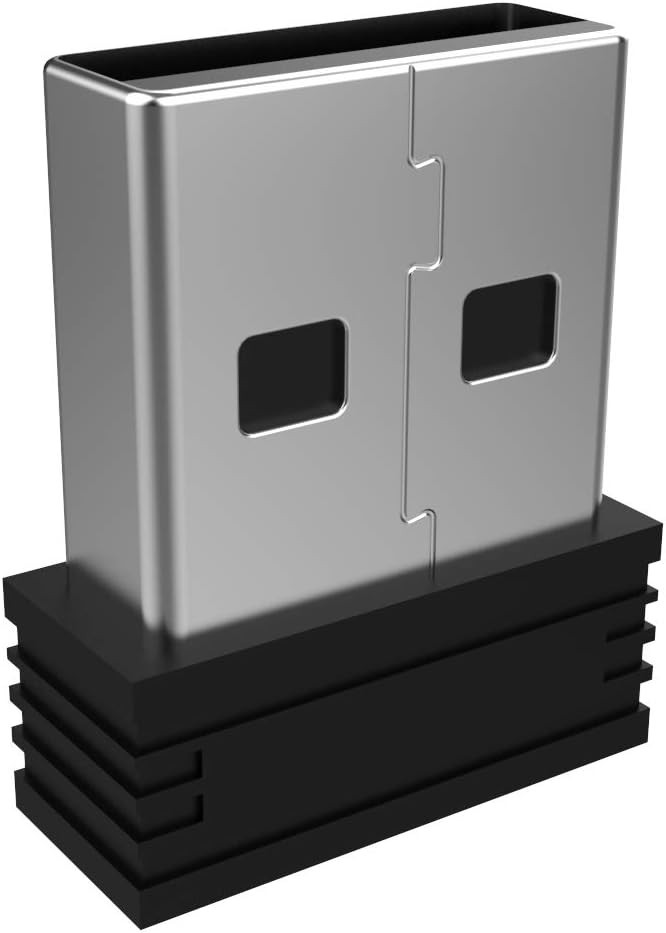
Arteck 2.4G Nano USB Receiver for Wireless Keyboard/Mouse (Brand Specific) For Sale
When you click on links to various merchants on this site and make a purchase, this can result in this site earning a commission. Affiliate programs and affiliations include, but are not limited to, the eBay Partner Network.
Arteck 2.4G Nano USB Receiver for Wireless Keyboard/Mouse (Brand Specific)
Price: US $9.99
Restore seamless connectivity to your wireless setup with the Arteck 2.4G Nano USB Receiver, specifically engineered for compatible Arteck 2.4G wireless keyboards and mice.
Features & Setup Instructions:
Easy Pairing Process:
For Keyboards: Ensure the keyboard is turned on, then press Esc+k until the indicator starts blinking. Place the keyboard near the USB port and insert the USB receiver into your device.
For Mice: With the mouse turned off, press and hold both the right button and the scroll wheel. While holding them, turn on the mouse and wait 2 seconds before releasing the buttons; once the indicator flashes, bring the mouse close to the port and insert the USB receiver.
Arteck-Only Compatibility: This receiver is exclusively designed for Arteck 2.4G wireless products and is not compatible with devices from other brands.
Important Compatibility Note: This receiver is not suitable for Bluetooth devices or the following Arteck models: GW28-3, HD323, K730, HW197, HD197, MD167, or MD172. If you are uncertain about compatibility, please contact the seller before making your purchase.
Manual Setup Support: If automatic connection fails, please contact the seller before returning the item, as there are methods to pair the USB receiver manually with your device.