MOLIMER
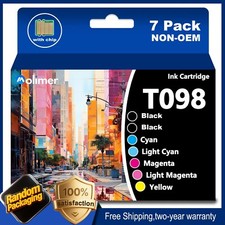
PREMIUM INK SOLUTIONS98 / T098 Ink Cartridge Set — 7 Pack
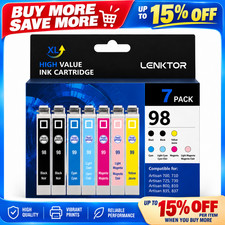
2 Black · Cyan · Light Cyan · Magenta · Light Magenta · Yellow◆ PACKAGE INCLUDES7 Pack 98 / T098 Ink Cartridge — six colors, seven cartridges:▪ 2 × Black Ink Cartridge
▪ 1 × Cyan Ink Cartridge
▪ 1 × Light Cyan Ink Cartridge
▪ 1 × Magenta Ink Cartridge
▪ 1 × Light Magenta Ink Cartridge
▪ 1 × Yellow Ink CartridgeSeven cartridges in total — two black plus one each of cyan, light cyan, magenta, light magenta and yellow.
◆ PRODUCT SPECIFICATIONProduct TypeInk CartridgeCartridge Number98 / T098Pack Size7 Pack — 2 × Black, 1 × Cyan, 1 × Light Cyan, 1 × Magenta, 1 × Light Magenta, 1 × YellowCompatible BrandFor EpsonConditionBrand New (NON OEM)ChipWith New ChipPrint TechnologyInkjetBrandMOLIMER◆ COMPATIBLE PRINTER MODELSEpson Artisan Series
Artisan 700 · Artisan 710 · Artisan 725 · Artisan 730 · Artisan 800 · Artisan 810 · Artisan 835 · Artisan 837Please verify your exact model is listed above before ordering.
◆ WHY CHOOSE US▪ Cost-effective — premium performance without the premium price
▪ Environmentally friendly materials
▪ Large number of pages — high capacity for fewer replacements
▪ Clear printing — sharp text and accurate color
▪ No odor — low-odor ink suitable for office and home
◆ PRODUCT ADVANTAGESHigh Page Yield
High capacity provides more pages to be printed, reducing how often you need to replace cartridges.Specialists in Print
▪ Clear and natural printouts with sharp text definition
▪ Ensures your daily printing meets exceptional quality standards
▪ Refined ink formulation for smooth, stable ink flow — resists clogging and leakageMulti-Scenario Application
Convenient and cost-effective for daily use across School, Business, Office, Hospital and Home environments.
◆ INSTALLATION & CARE1. Power on the printer and open the scanner unit / cartridge access cover — the cartridge holder moves to the replacement position.
2. Replace cartridges one at a time; do not remove two or more at once.
3. Press the tab on the cartridge you are replacing and lift it straight out.
4. Unpack the new cartridge matching that slot color and remove all protective tape. Do not touch the ink nozzle or the chip contacts.
5. Match the label on the cartridge to the slot label on the printer — Black, Cyan, Light Cyan, Magenta, Light Magenta and Yellow each have their own dedicated slot. Light Cyan and Light Magenta are not interchangeable with Cyan and Magenta.
6. Insert until it clicks into place, repeat for each cartridge, then close the cover. Do not power off during the ink charging cycle.
◆ IMPORTANT NOTEThis 7-pack contains 2 × Black + 1 × Cyan + 1 × Light Cyan + 1 × Magenta + 1 × Light Magenta + 1 × Yellow — six colors, seven cartridges in total. This is not 7 black cartridges — it is a full six-color set with an extra black cartridge included.Two black cartridges — this is correct, not a duplicate. Black ink is consumed far faster than any other color in everyday printing, so the second black is a spare you can install whenever the first one runs out. Both black cartridges are the same 98 / T098 version and fit the same slot.Light Cyan and Light Magenta are separate colors, not duplicates of Cyan and Magenta. These Artisan printers use a six-color ink system in which the light versions are used for smooth gradation and natural skin tones in photo printing. Each of the four has its own dedicated slot — please match the label carefully when installing.Do not mix with genuine (OEM) cartridges. Please replace all the cartridges you intend to use at the same time. Using compatible cartridges together with genuine ones in the same printer may trigger a compatibility or cartridge error message, and the printer may stop printing. If you have any genuine cartridges still installed, we recommend replacing the full set with this compatible set.If a message appears after mixing cartridges, remove the remaining genuine cartridges and replace them with the compatible ones from this set, then restart the printer.Upon installation, some Epson firmware may show a "Non-Epson Ink" message. This is completely normal for a compatible cartridge — simply dismiss / press OK / Continue to proceed and start printing. To avoid recognition issues caused by printer firmware updates, we recommend turning OFF automatic firmware updates on your printer.This is a NON-OEM replacement product, not manufactured by Epson.
◆ THE MOLIMER COMMITMENTPrecision Manufacturing — produced under controlled standards to deliver uniform output from the first page to the last.Verified Compatibility — every cartridge is checked against the supported model list to ensure stable recognition and operation.Protected Delivery — individually sealed and cushioned to guard against impact and moisture in transit.Dedicated Support — our team stands behind every order and responds promptly to any concern.
CUSTOMER CARE
We promise to provide 100% quality and satisfaction! No matter if you have any problems, encounter difficulties in use, or need a return or refund, feel free to come to us with confidence. Our customer service team is committed to promptly answering all your questions.MOLIMER · Premium Ink Solutions