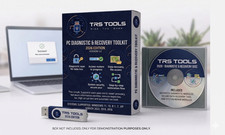
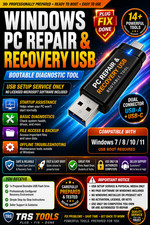
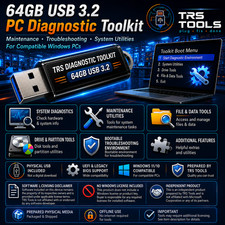
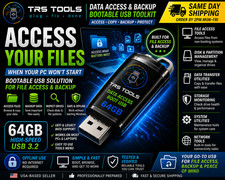
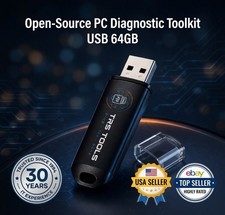
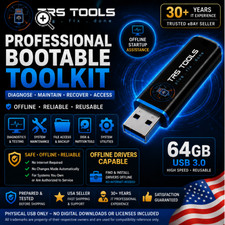
64GB PC Diagnostic USB - Startup Help and Maintenance Tools PC not loading normally? Start troubleshooting 64GB PC Diagnostic & Maintenance USB
Startup Assistance • File Access • System Tools Prepared physical USB media for compatible Windows-based PCs. Includes diagnostic utilities, maintenance resources, startup guidance, file-access tools, and legitimate login-troubleshooting reference material. Prepared physical USB media ✓ Prepared & checked ✓ Fast handling ✓ Setup guide included ✓ Support through messages ! For use only on computers you own or are authorized to service. This product is intended for diagnostics, maintenance, file access, startup troubleshooting, and legitimate account-support guidance. It is not intended to bypass authentication, defeat security, or obtain unauthorized access. 30Years Prepared by an experienced IT professional Each USB is prepared with attention to practical computer diagnostics, startup assistance, hardware review, storage maintenance, and file-access workflows. Basic guidance is included to help buyers start the USB on compatible systems. 30+ years IT experience Prepared physical media Diagnostic resources Buyer support included ? Basic startup and compatibility support included Assistance is available through messages for basic USB startup, boot-menu selection, compatibility questions, and included documentation. Basic boot-menu guidance for common PC brands Help identifying common BIOS/UEFI startup options Compatibility and included-tool questions Returns handled according to the listing return policy How it works 1 Insert the USB into a compatible computer Connect the prepared USB drive to an available USB port on a compatible desktop or laptop. Physical USB media 2 Open the computer's one-time boot menu Restart the computer and use the manufacturer's boot-menu key to select the USB. Exact keys and available options vary by manufacturer. Guide included 3 Choose a diagnostic or maintenance resource Use the included environment to access supported diagnostic, file-access, storage, maintenance, or system-review resources. No automatic action is performed. User-selected actions Who is this for? ⌂ Home users Basic startup troubleshooting and file-access support for compatible personal computers IT IT technicians Portable diagnostic and maintenance resources for authorized service work ⚙ Advanced users System inspection, storage review, file access, and authorized troubleshooting workflows Compatibility reference Windows-based PCs Desktop computers Laptop computers USB boot support required BIOS or UEFI systems 64-bit support where applicable
Included functions and resources ✓ Startup assistance and diagnostic resources ✓ File-access and backup utilities where supported ✓ Storage, disk, and partition-review resources ✓ Hardware and memory diagnostic tools where supported ✓ Malware scan and system-review utilities where applicable ✓ Legitimate login-troubleshooting guidance for authorized systems Account and login troubleshooting ! Included reference material may help users review legitimate account-recovery options, administrator support procedures, recovery-key preparation, Safe Mode, and approved troubleshooting methods. This product is not advertised or intended as a password-bypass, authentication-defeat, credential-removal, or unauthorized-access product. Quick specifications Format Prepared USB flash drive Media type Physical USB media Intended use Diagnostics & maintenance System support Compatible Windows-based PCs Actions User selected Internet Some resources are offline-capable Language English Quantity 1 USB drive Frequently asked questions Q Will this automatically change my computer? No. The included environment provides access to diagnostic and maintenance resources. Actions occur only when selected by the user. Q Does this include Windows or a Windows license? No. No Windows license, product key, activation, Microsoft account, paid software license, or proprietary software ownership is included or transferred. Q Will this work on every computer? Compatibility depends on hardware, processor architecture, firmware settings, Secure Boot, encryption, USB boot support, and system condition. Q Can this help when a PC will not load normally? In supported situations, the USB may provide startup assistance, diagnostic tools, storage utilities, and file access outside the installed operating system. Q Does this bypass passwords or device security? No. This product is not advertised or intended to bypass authentication, defeat device security, remove credentials, or provide unauthorized access. It may include guidance for legitimate account-recovery and administrator-supported troubleshooting procedures. Q Is technical experience required? Basic startup instructions are included. Advanced diagnostic and maintenance actions should be performed only by users who understand the selected function. ✓ Prepared physical media with buyer support Each USB is prepared and checked before shipment. Compatibility and results vary by computer and system condition. Returns are handled according to the return terms shown in the listing. ✓ Software and licensing notice Physical USB Media
This listing is for prepared physical USB media. Included utilities and resources are provided under their respective license terms, including open-source, freeware, or redistributable terms where applicable.
✓ No Windows license included: No Windows license, activation key, Microsoft account, or proprietary operating-system ownership is included. ✓ Independent seller: TRS Tools is not affiliated with or endorsed by Microsoft or any referenced software publisher. ✓ Authorized use only: This item is intended only for computers the buyer owns or is authorized to service.
All trademarks remain the property of their respective owners and are referenced only to describe compatibility. The buyer is responsible for using included utilities according to their applicable license terms and for maintaining backups before performing system changes.