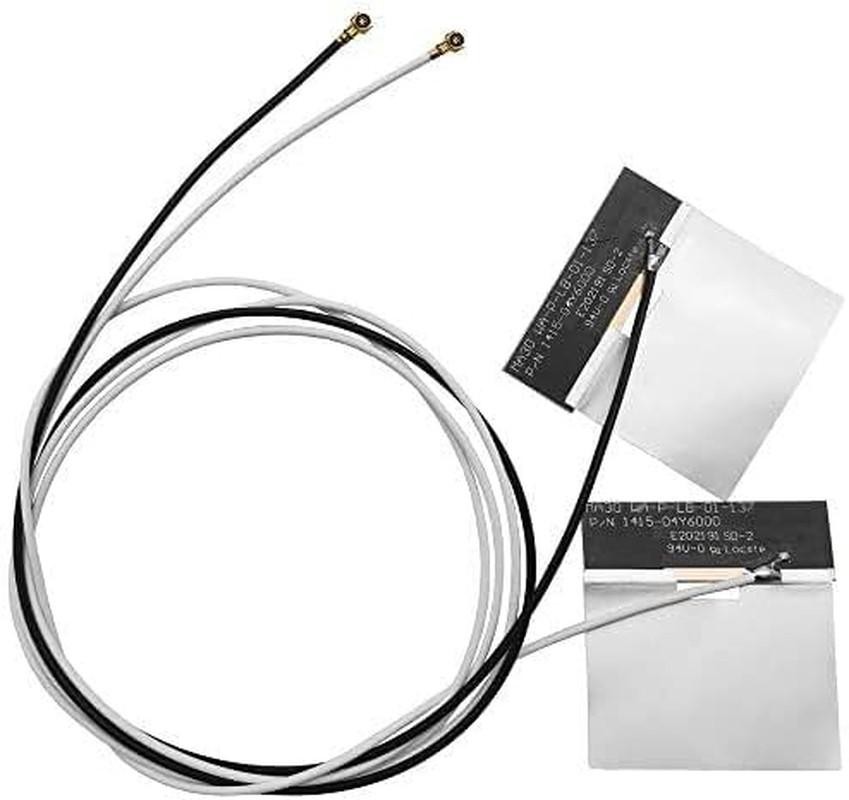
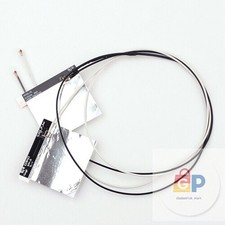
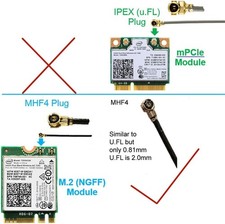
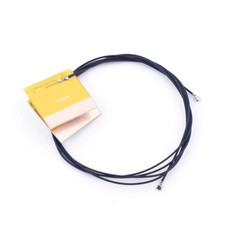
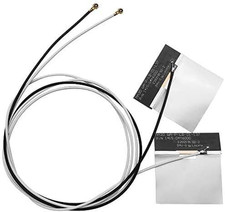
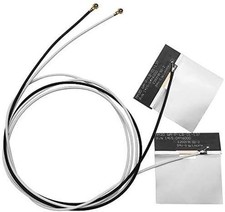
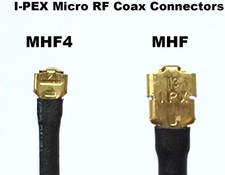
CONTACT US DIRECTLY FOR FREE & PREPAID RETURNS1pair Ipex 4 Mhf4 Antenna 2.4ghz 5ghz 3dbi Internal Laptop Wifi Antenna for M.2 Store New Arrivals Add to Favorite View response Contact1Pair IPEX 4 MHF4 Antenna 2.4Ghz 5Ghz 3Dbi Internal Laptop Wifi Antenna for M.2Description Number of Items 1 Antenna WiFi Color Black Product Dimensions 27.56 x 0.39 x 0.39 inches Item Weight 0.317 ounces Number of Channels 1 Frequency: 2.4GHz / 5GHz1 x Black Cable of 50cm/19.68in length; 1 x White Cable of 72cm/28in lengthCompatible with M.2 interface cards: 7260 7265 3160 3165 8260 8265 17265 18265 9260 9560 ax200 ax201 ME906E ME906V ME906J ME906C ME936 MU736 NGFF M2M Card etc.NOTE: Only Use for M.2 (NGFF) Interface, Do Not Use for MINI PCIe Interface (please look the Picture), 2.4/5G Dual Frequency Internal High Gain WiFi Antenna mhf4 Jack pigtail cable extension directional extender cable antenna replacement kit for wireless module & wifi cards Product description Compact with: for 3G N5321 4G Sierra Wireless AirPrime EM7355 EM7455 EM7340 EM7345 GOBI5000for HUAWEI ME906E ME906V ME906J ME906C ME936 MU736 NGFF M2M WWAN Cardfor Intel 7260 7265 3160 3165 8260 8265 17265 18265 9260 9560 ax200 ax201 NGFF M2 Wifi Card Act( Don't work on 7265D2W 8260D2W )for Broadcom BCM943228ZH BCM94352Z NGFF Card Actfor Broadcom BCM94360CSAX, BCM94360CS2, BCM94360CS2AX, BCM94360HMB WIFI WLAN CARDfor 3G LTE (4G) GPRS GSM CDMA built-in PCB antennaAlso for X8R X6R Receiver etc Note MHF4 connector is a tough nut to crack, especially for first-time usersIt has to be dead-center and 90 degrees straight down to be pushed in with a tiny bit of force, Easy does itYes, it's a bit scary (just like first time riding a bicycle)Do not ever think to try using a slightly tilted angle to wiggle it in, That will probably hurt the connector alignment itself WARNING: Don't pull the MHF4 connector out once installed, That part is even harder (90 degrees is the golden rule) and can potentially damage the socket on the motherboard wifi antenna Specifications: Frequency Range: DC up to 6GHz (VSWR: 1,3 max at 0,1~3GHz; VSWR: 1,4 max at 3~6GHz) ( option: 1,2Ghz 2,4Ghz 3Ghz 6Ghz 8Ghz 12Ghz 18G) Contact Resistance: 20m ohm max (Signal) and 10m ohm max(Ground) Withstand Voltage: AC 200V Insulation Resistance: 500M ohm Min/DC 100V density, and ultra small size connector for Note Book PC, Smart Mobile phone, GPS module cable, GSM module cablem WLAN 2,4GHz module cable, WLAN 5,8Ghz module cable, Digital apploance…… MHF4 RF Microwave Coaxial Antenna Note! Don't work on MINI PCIE module slot (please look the Picture) Features: Support: 4G / 3G / 2,4G / 5G Compatible with: MHF4 Antenna Slot SMT type coaxial receptacle and Mating plug cable connector Small form factor and low profile 1,2mm Max Mating Height Applicable cable: 0,81mm RF coaxial cable High productivity: Easy cable termination by “i-Fit” without soldering Application Technology: IEEE802,11 ax/ac/a/b/g/n, WiMax, Zigbee, Bluetooth Wireless Length: one:42cm(16,53inches) another:47cm(18,50inches) Quick Tips About Using U,FL/MHF4 Connect Caring for your U,FL/MHF4 connector is all about keeping that shiny electrical contact pristine and contacting! Grime, oxidation, and mountain dew will increase the impedance to/from the antenna and will reduce range, Bent contacts won't let any of the electric pixies through at all and those "it works if I hold it just right" problems are definitely the worst to debug! 1, Inspect the antenna receptacles on the module; don't use if deformed or damaged, wifi antenna 2, If possible, acquire or 3D print an installation tool, If using a tool; follow the instructions found with the tool, 3, For manual installation, align the connectors so they are perpendicular,Attempting to engage connectors at an angle damages both connectors 4, Press the antenna wire connector straight down onto the module receptacle, You should hear an audible click and mechanical snap when a proper connection is made wifi antenna When connecting the parts of the U,FL/MHF4, first make sure your finger is relatively clean, To avoid putting pressure on the connection, pinch the cable one or two cm from the end and try to align it so that the female connector rests evenly across the surface of the male connector, You can then lightly put your finger on top of the stacked connectors if it feels like your elementary school's old see-saw then try again, you want this to be stable, Also be sure that the two connectors are centered on one another left-to-right and up-to-down when you look at the connector from above the board wifi antenna If everything is good to go, use the very center of your finger to press firmly down - you'll feel a satisfying "lock sensation" as the datasheet puts it! (P,S I had to move my finger off to the side so that you could see the connector in there, but you should really make an effort to push down right in the center of the connector) Note MHF4 connector is a tough nut to crack, especially for first-time users, It has to be dead center and 90 degrees straight down to be pushed in with a tiny bit of force, Easy does it, Yes, it's a bit scary (just like first time riding a bicycle,) Do not ever think to try using a slightly tilted angle to wiggle it in, That will probably hurt the connector alignment itself WARNING, Don't pull the MHF4 connector out once installed, That part is even harder (90 degrees is the golden rule) and can potentially damage the socket on the motherboard ABOUT USWe offer the best prices around on high quality products. Our E-store includes media such as books, movies, music and games while offering electronics, toys, sporting apparel, clothing, tools, general home, garden items and more.SHIPPINGWe are always working hard to ensure your package arrives as soon as possible. Please understand that some factors like weather, high postal traffic, and the performance of shipping companies are outside of our control.We offer free shipping to the lower 48 states and ship within 2 business days of payment, usually sooner. We do not accept P.O. Boxes. Please provide a physical address.For shipping outside of the continental USA, we only use 's Global Shipping Program.The item is shipped to KY and then sent to the rest of the world. International customers are responsible for all duties and taxes. Continue to check out in order to calculate costs for shipping the item to your country. Messages regarding 's Global Shipping Program MUST be directed at EXCLUSIVELY.RETURNSWe offer a 30-Day Return Policy on items which you are not completely satisfied with. You have the option for a full-refund or an exchange of the item. No returns are available on items shipped outside of the USA.PAYMENTWe accept PayPal.CONTACT USThis page content is yet to comePlease ad us to your favorite seller and visit again laterThank YouCUSTOMER SATISFACTIONWe try our very best to make sure every customer is completely satisfied. If there's a problem, message us! We're happy to help.WE ACCEPTCopyright © 2021 AutoDS. | All Rights ReservedREVIEWSThe product came very well packaged.
I'm very happy. thank you for everything.
Seller strongly recommended.This is great! I definitely recommend! Product looks amazingDelivery was fast. Excellent seller, great communication. I advise everyone