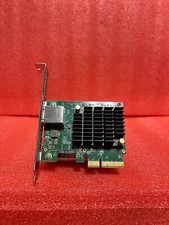
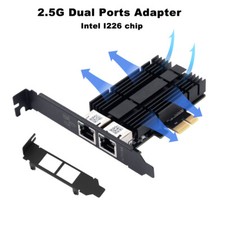
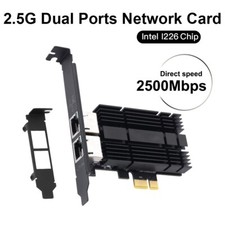
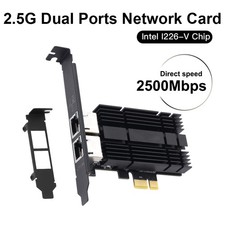
When you click on links to various merchants on this site and make a purchase, this can result in this site earning a commission. Affiliate programs and affiliations include, but are not limited to, the eBay Partner Network. When you click on links to various merchants on this site and make a purchase, this can result in this site earning a commission. Affiliate programs and affiliations include, but are not limited to, the eBay Partner Network.
• 2.4GHz: 574 Mbps
• 5GHz: 2400 Mbps
•6GHz: 5800 Mbps(Wi-Fi 7)2.5 Gigabit per second (2500 Mbps)AX5400 Total:
•2.4GHz: 574 Mbps
•5GHz: 2400 Mbps
•6GHz: 2400 MbpsKey TechnologyReliable Gigabit Ethernet (1G Base-T).LatestWi-Fi 7 (802.11be)with tri-band, MU-MIMO, 4K-QAM, and Multi-Link Operation (MLO).2.5G Base-T technologywithRTL8125Bchipset. Supports QoS, Jumbo Frames, Wake-on-LAN.Wi-Fi 6E (802.11ax)withIntel AX210chipset. Supports OFDMA, MU-MIMO, 1024-QAM, WPA3.Best For•Gaming(lowest latency)
•Servers/NAS(stable transfers)
•Offices(reliable connection)
• Replacing a broken motherboard port•Cutting-edge speedwith Wi-Fi 6E/7 routers
•No Ethernet cablein the room
• ConnectingBluetoothdevices (headphones, controllers)
• Future-proofing your PC• Users needing>1Gbps wired speed(e.g., home servers, high-speed NAS, advanced gaming rigs)
•Future-proofingnetwork without upgrading to 10G
•Seamless upgradeusing existing CAT5e cables• Upgrading toWi-Fi 6Efor less congestion and high speed on 6GHz band
•Gaming and 4K streamingwith low latency
•Bluetooth 5.3connectivity for peripherals
• PCs without built-in Wi-Fi or BluetoothInstallationSimple: plug into PCIe slot, connect Ethernet cable.Requires: plug into PCIe slot, connect Bluetooth cable to motherboard, attach antennas, install driver.Simple:Plug into PCIe slot (x1, x4, x8, x16), connect Ethernet cable. Includes low-profile bracket.Requires:Plug into PCIe slot,connect Bluetooth cable to motherboard 9-pin header, attach dual 5dBi antennas, install driver. Includes low-profile bracket.OS SupportVery Broad:Windows 11/10/8/7/XP/Vista, LinuxModern Systems:Windows 10/11 (64-bit). 6GHz band requires Windows 11.Broad:Windows 11/10/8.1/8/7, Linux.Modern Systems:Windows 10/11 (64-bit), Linux.6GHz band requires Windows 11.Interface / Antenna1x RJ45 PortExternal Antennas1x RJ45 Port2 x External 5dBi Antennas, requires Bluetooth cable connection.ChipsetRTL8111HIntel BE200Realtek RTL8125BIntel AX210BluetoothNoBluetooth 5.4NoBluetooth 5.3SecurityStandard EthernetWi-Fi 7 SecurityStandard EthernetWPA3 SecurityPackage IncludesCard, low-profile bracket, screws, guide.Card, 2x external antennas, Bluetooth cable, low-profile bracket, screws, driver card, manual.1 x 2.5Gbps PCIe Card, 1 x Low-Profile Bracket, 2 x Screws, 1 x Quick Start Guide1x Adapter, 1x Bluetooth Cable, 2x Antennas, 1x Low Profile Bracket, 3x Screws, 1x Driver Card, 1x ManualWarm Tips / Notes
☺The PCIe interface compatible with PCI-E slots only, not for PCI slots.
☺We put plastic film on its PCI-e interface for protection before the product is shipped. Please remove it before connecting to the PC's PCI-e slot.1. For desktops only. A bluetooth power cable needs to be connected to the motherboard 9-pin interface, or the bluetooth function won't work.
2. This Wi-Fi card will not boost the speed of the original router, which only helps your computer to receive a better signal and speed of the router(Increase the maximum wireless bandwidth limit).
3. It has nothing to do with the quality of this adapter when you can't get the maximum speed. The network environment, router, barriers, laptop and PC 's internal memory…the interference of many factors can affect the speed.
4. Please turn off the built-in Wi-Fi when using on a desktop pc.( If there is a built-in Wi-Fi function on your desktop pc).
5. Please note that to utilize 6GHz band, the PC must be on Windows 11 version.
6. Please remove the plastic film on gold-plated fingers before connecting to the PC's PCI-e slot.•PCIe only(not for PCI slots).
•Remove plastic filmfrom PCIe interface before installation.•For desktops only.Bluetooth requires cable connection.
•Use with Wi-Fi 6/6E routerfor best performance.
•Does not boost router speed, only enables PC to receive it better.
•Remove plastic filmbefore installation.
•Turn off built-in Wi-Fiif present.

|
|