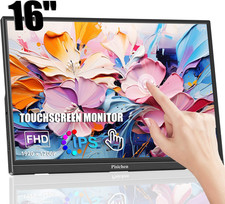
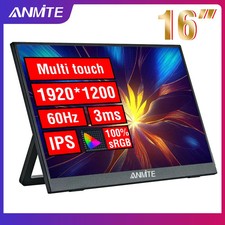
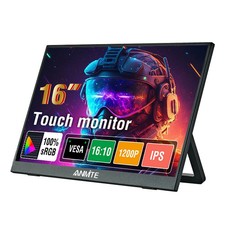
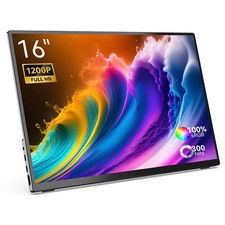
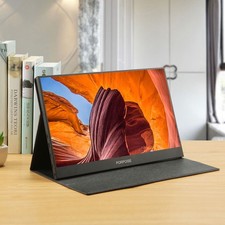
ANMITE New 16-Inch Touch / Non-Touch Portable Monitor
Upgrade your workspace or entertainment setup with the ANMITE 16-inch portable monitor, available in both touch and non-touch versions. Designed for convenience, portability, and vivid visual performance, this monitor is ideal for laptops, desktops, and compatible mobile devices.
Key Features
- 16-inch TFT display
- 1920 × 1200 Full HD resolution
- 60Hz refresh rate
- HDR support
- 100% sRGB color gamut
- 8-bit color depth
- 178° wide viewing angle
- 350 nits brightness
- 16:10 screen ratio
- Built-in dual speakers
- Detachable built-in stand
- Available in black
- Touch and non-touch versions available
Outstanding Visual Performance
This 16-inch TFT portable monitor delivers clear and vibrant image quality with a 1920 × 1200 high-resolution display and 60Hz refresh rate for smooth everyday viewing. With HDR support, 100% sRGB color coverage, and 350 nits brightness, it produces brighter images, sharper details, and more natural, vivid colors.
The 8-bit color depth ensures smoother and more delicate color transitions, allowing for richer and more accurate color reproduction. This results in a more lifelike viewing experience, whether you are working, streaming, or gaming.
Touch Function Support
This monitor is available in both touch and non-touch models. Please select the correct version carefully before purchasing.
There are two ways to enable touch functionality:
1. Full-Function USB-C Connection
If your laptop or handheld device has a full-featured USB-C port, you can connect directly for display and touch support.
2. HDMI Connection
When connecting through HDMI, touch functionality requires the included touch cable to be connected to the USB port of your computer.
Important:
Touch functionality is only available if you purchase the touch version of the monitor.
Reliable Connectivity
The monitor features a built-in Mini HDMI port that has been tested for more than 3,000 plug-in and unplug cycles, ensuring durability and long-term reliability. The Type-C interface provides stable and fast data transmission for convenient connection.
Specifications
- Screen Size: 16 inches
- Touch Option: Touch / Non-touch
- Color: Black
- Refresh Rate: 60Hz
- Brightness: 350 cd/m²
- Aspect Ratio: 16:10
- Color Gamut: 100% sRGB
- Resolution: 1920 × 1200
- Audio: Built-in dual speakers
- Stand: Built-in detachable stand
Package Includes
- 1 × Portable Monitor
- 1 × HDMI Cable
- 1 × Type-C Cable
- 1 × USB to Type-C Power/Data Cable
FAQ – Common TroubleshootingQ: The screen shows “Blue – No Signal.”
A:
If you are connecting a mobile phone, please make sure your phone supports:
- USB 3.1 output
- DisplayPort Alternate Mode (DP Alt Mode)
- MHL protocol
If your device does not support these features, it may be incompatible. In some cases, a compatible adapter may help.
If you are using an HDMI connection, make sure:
- The HDMI cable is connected correctly
- Your graphics card is properly connected
- If your computer has a dedicated graphics card, connect the monitor to the dedicated graphics card
A blue “No Signal” screen usually means the monitor is working correctly but is not receiving a video signal.
Q: Do I need to connect an external power supply?
A:
- If you connect through USB-C, an external power supply is usually not required, provided your device can supply enough power.
- If the power output is insufficient, the screen may flicker, and external USB power may be needed.
- If you connect through HDMI, external USB power is required.
Q: Why is the screen flickering?
A:
Screen flickering is usually caused by insufficient power supply or weak output from the connected device. It is recommended to use a 30W or higher PD power adapter for stable performance.
Q: Does it support portrait mode?
A:
The monitor itself does not have a built-in portrait mode setting. Portrait or vertical display must be configured from the connected computer or mobile device. The monitor only provides display output.
Q: Does it support touch function?
A:
Yes, but only if you purchase the touch version. The product is available in both touch and non-touch versions, so please choose the correct model according to your needs.
Q: My monitor does not turn on.
A:
Please check the following:
- Make sure both the monitor and your device are powered on
- Ensure all cables are connected correctly
- Try another compatible cable or device to test the connection
Connection notes:
- USB-C connection: One cable can provide both power and signal transmission
- HDMI connection: HDMI only carries the video signal, so you must also connect a separate power source
Power options:
- Option 1: Use a wall charger with a 30W+ PD power adapter
- Option 2: Use a USB cable connected to your computer
If your computer’s USB output is too weak, you may experience low brightness, flickering, or black screen issues.
Q: Why does the monitor make an electrical or rustling sound?
A:
Please identify the source of the noise:
- If it comes from the connection, reconnect the cable or try a replacement cable
- If it comes from the power adapter or speakers, it may be related to the quality of the power adapter
Q: Why is the touch screen not working?
A:
- Make sure you purchased the touch version
- Check the cable connections carefully
- For laptops/desktops: connect both the HDMI cable and the touch cable
- For USB-C connection: your port must support USB-C 3.1+ or Thunderbolt 3
- For mobile phones: screen mirroring may work, but touch may not function in desktop or extended display modes
- Best connection practice:
- HDMI cable connected
- Power cable connected
- Touch cable connected
- Some computer systems may have touch limitations depending on whether the monitor is set as the main or secondary display
Q: Does this monitor support VESA wall mounting?
A:
Yes, it supports VESA wall mounting.
Q: Does it have built-in speakers?
A:
Yes, the monitor includes built-in speakers.
Q: Does it support Apple iPhones?
A:
In general, support for Apple phones is limited. Based on testing, the iPhone 15 Pro can mirror the screen, but it does not support touch functionality or portrait mode.