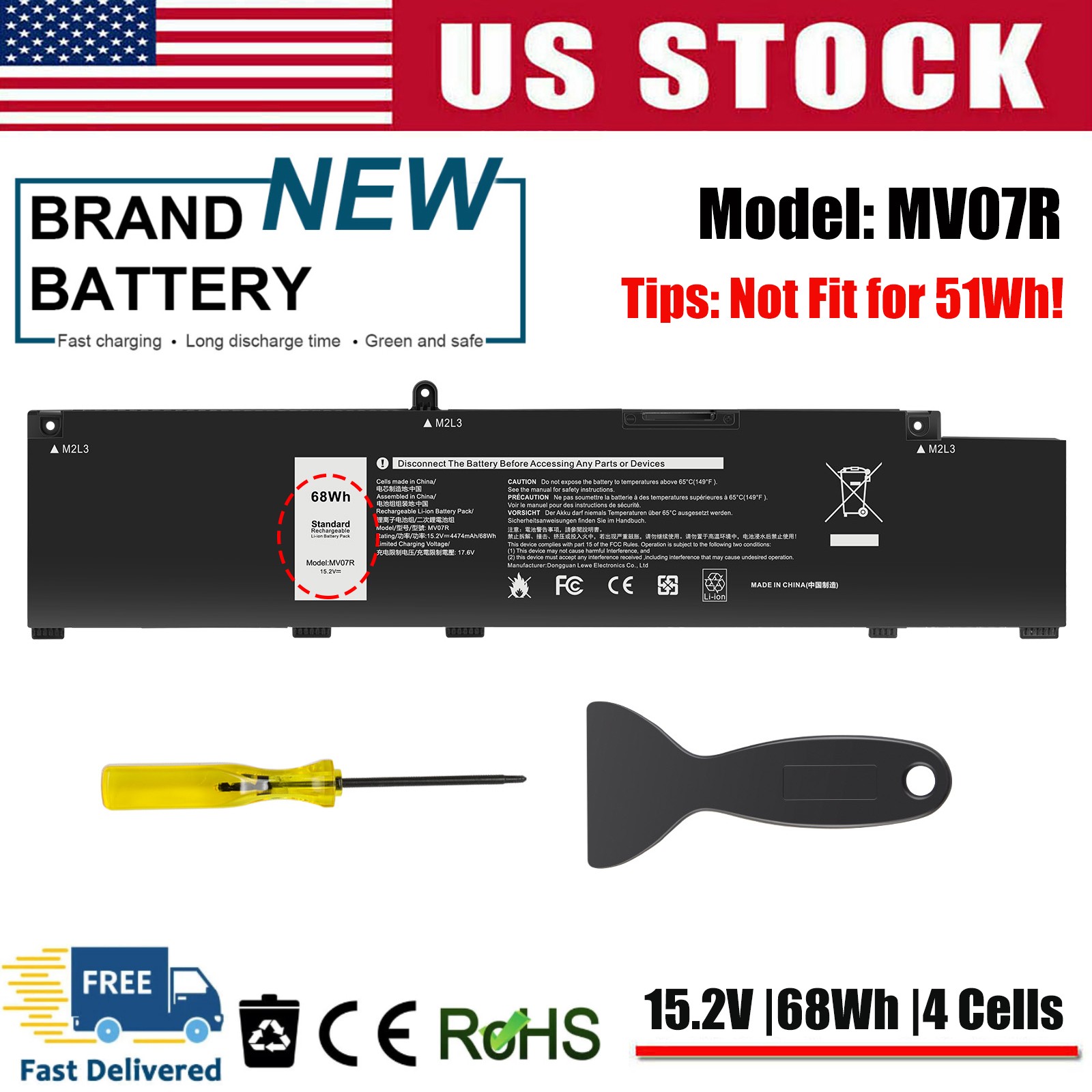
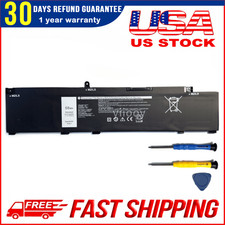
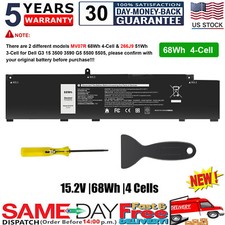
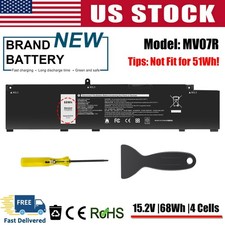
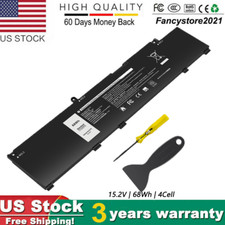
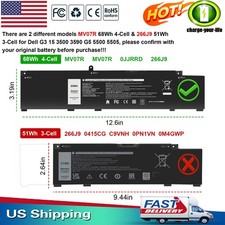
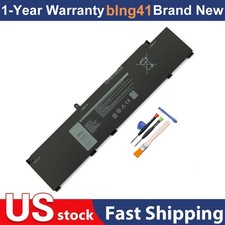
Note: There are 2 different models MV07R 68Wh 4-Cell & 266J9 51Wh 3-Cell for Dell G3 15 3500 3590 G5 5500 5505, please confirm with your original battery before purchase!!!Specifications:Condition: Brand New , 'A' grade cells,100% Compatible!Battery type: Li-ion BatteryVoltage: 15.2VCapacity: 68WhNumber of Battery Cells: 4Life Cycles (times): 300-500Certification: CE FCC RoHSColor: black as picturesOperation time: approx 1.5-3.5 hoursPackage including: 1×battery (in packing box)Compatible Part Numbers:MV07R JJRRD 0JJRRD 266J9 72WGV W5W19 P89F MVO7R PN1VN M4GWPCompatible Model:For Dell G3 15 3500 3590 3700 3790 Series,For Dell G3 15 3500 GN3500EDFSS, For Dell G3 15 3500 WDP8D, For Dell G3 15 3500-KJGP7, For Dell G3 15 3500 WDP8D, For Dell G3 15 3500 GN3500EDFUS,
✅MV07R MVO7R Battery for Dell G3 15 3500 3590 G5 15 5500 5505 JJRRD W5W19 68Wh
Note: There are 2 different models MV07R 68Wh 4-Cell & 266J9 51Wh 3-Cell for Dell G3 15 3500 3590 G5 5500 5505, please confirm with your original battery before purchase!!!
Specifications:
Condition: Brand New , 'A' grade cells,100% Compatible!
Battery type: Li-ion Battery
Voltage: 15.2V
Capacity: 68Wh
Number of Battery Cells: 4
Life Cycles (times):300-500
Certification: CE FCC RoHS
Color: black as pictures
Operation time: approx 1.5-3.5 hours
Package including: 1×battery (in packing box)
Compatible Part Numbers:
MV07R JJRRD 0JJRRD 266J9 72WGV W5W19 P89F MVO7R PN1VN M4GWP
Compatible Model:
For Dell G3 15 3500 3590 3700 3790 Series,
For Dell G3 15 3500 GN3500EDFSS,
For Dell G3 15 3500 WDP8D,
For Dell G3 15 3500-KJGP7,
For Dell G3 15 3500 WDP8D,
For Dell G3 15 3500 GN3500EDFUS,
For Dell G3 15 3500 GN3500EDFRS,
For Dell G3 15 3500 MWHCF,
For Dell G3 15 3500-G4DG2,
For Dell G3 15 3500 3500-0931,
For Dell G3 15 3500 3500-0849,
For Dell G5 15 5500 5505 Series.
How to Buy the Correct Laptop Battery: A Guide for Buyers
Step 1: Find Your Laptop's Model Number
Before you can find the battery, you need to know your exact laptop model. Here are the most reliable methods:
MethodInstructionsCheck the Bottom LabelFlip your laptop upside down and look for a sticker. You'll find theProduct NameandProduct Number (P/N) printed thereUse Windows System InformationPressWindows + R, typemsinfo32, and press Enter. Look for"System Model"in the window that appears-.Check the BIOSRestart your laptop and press theF2key repeatedly during startup. The model number will be displayed underSystem NameUse Manufacturer ToolsBrands like Dell have built-in tools (e.g.,SupportAssist) that can detect your model number automatically
Step 2: Find Your Battery's Part Number
This is the most critical step. You have two options:
Option A: Look at the Physical Battery (Most Reliable)
Power off your laptop and unplug it.
Flip the laptop over and locate the battery release latch(es).
Slide the latch(es) to release the battery and gently remove it
Look for awhite label with a barcode on the battery itself
Find thePart Number (P/N)– this is the code you'll use for your search.
Option B: Check the Battery Compartment (If Battery is Internal)
If your battery is not removable, look for a label inside the battery compartment or on the bottom case of the laptop-.
Step 3: Identify the Correct Part Number by Brand
Different manufacturers use different naming conventions. Here's what to look for:
BrandWhat to Look ForExample FormatDellLook for the word"Type"followed by a 4-5 character alphanumeric code. Also check for a 5-digitDPN(Dell Part Number)J60J5,WDX0R,33YDHHP / CompaqLook for the"Spare"or"SPS"number in the formatXXXXXX-XXX. Also look for series codes for theFRU(Field Replacement Unit) number or theASM (Assembly) numberFRU 45N1147,ASM 42T4703
Step 4: Search on Like a Pro
Once you have the part number, use these tips to find the right battery:
Search by Part Number Only: Enter the exact part number (e.g.,33YDH,HT03XL, orFRU 45N1147) into the search bar. This yields the most precise results-
Verify Voltage and Capacity: Always check that the replacement battery'svoltage (V)andcapacity (mAh or Wh) match your original battery. Using the wrong voltage can damage your laptop.
Check Compatibility Lists: Reputable sellers list thecompatible laptop modelsandreplacement part numbers in their listings.Compare these against your laptop model and battery part number.
Final Checklist Before Purchasing
✅ I have my laptop'sexact model number(from the bottom label or System Information).
✅ I have my battery'sPart Number (P/N)from the physical battery label.
✅ The replacement battery'svoltagematches my original battery.
✅ The seller'scompatibility listincludes my laptop model.
If you're still unsure,message the sellerwith your laptop model and battery part number before purchasing. A good seller will confirm compatibility for you.
PaymentDelivery detailsReturn PolicyAbout usWarranty PolicyPayment1.We accept payment via PayPal, Visa, Mastercard, Apple Pay, Google Pay etc.
2. All payments must be prepaid.Delivery details1. Items are generally shipped out within 24 hours after your payment has been cleared (Sat. & Sun. excluded.)
2. Orders from the United States will all be shipped out via UPS/USPS/Fedex/UNIUNI. The shipment usually takes 1-4 business days( Exclude public holiday), if you need the item urgently, please contact us for detail before purchase.
3. We ship to US ONLY and do not support Collection.
4. All items will be shipped to buyer's paypal address. Please check your paypal address before place the order.
5. We are not responsible for wrong or undeliverable address. We reserve the right to charge the shipping fee again for returned items due to wrong address.Return Policy1. We provide 90 days free replacement ,30 days money back on non-defective, undamaged, unused and resalable products. Product is not eligible for refund after the 30-day refund period has expired.
2. Our warranty does not extended to any products that are physically damaged or that are not under normal operating conditions as a result of misuse or improper installation on the buyer/user's part.
3. For all returned products, Please contact us for the returning address.
4. In all cases, buyers pay shipping fees at their own cost to return products for exchange or refund. We will be responsible for the postage of replacements. Refund will be made upon receipt of the returned item.
About us
We are a store, mainly run laptop accessory. Such as battery , ac adapter etc.All item passed FCC / CE / ROHS certificates. Help buyer reduce the risk of damage, fire, dangerours mostly.We work with a good quality OEM supplier and factory. Help you and us save money greatly.Warranty Policy
About Warranty - You don't need to pay for for getting covered by our warranty policy.- There is a warranty label on our products like batteries and adapter chargers, please keep it safe and sealed.- We don't cover the failure or damage caused by misuse, accident, modification, inappropriate physical or operating environment, natural disaster, power surge, and improper maintenance or storage.- If you misuse the Return Policy, our warranty to your purchase will be revoked.- Please contact us via message if you have any problem and please allow us 24 hours to reply, we will do our best to help you solve it.
Compatible BrandFor DellOperation timeApprox 1.5-3.5 hoursColorBlackCell GradeA GradeCompatible ModelFor Dell G3 15 3500 3590 3700 3790 Series, For Dell G3 15 3500 GN3500EDFRS, For Dell G5 15 5500 5505 SeriesStandardOEM Standard 100% CompatibleMPNType MV07RBattery TypeLi-IonCompatible Product LineFor Dell G3 G5Compatible Part NumbersMV07R JJRRD 0JJRRD 266J9 72WGV W5W19 P89F MVO7R PN1VN M4GWPBrandpremiumbatteryTypeAC & DCUnit TypeUnitBattery Capacity68WhManufacturer Warranty3 YearsVoltage15.2 VShippingLocal USA Free Shipping, 3-8 Days DeliveryUnit Quantity1Number of Battery Cells4CertificateFCC CE UL RoHSTipsPlease check your battery model, voltage, capacity before buyingItem Height0.7cm/0.28inItem Length32cm/12.60inItem Width8.1cm/3.19inTips 2NOT Fit for Dell inspiron 5490 Series !!!Tips 3This battery is long size 68Wh,not fit 51Wh short size!!!
On Jul 28, 2026 at 00:00:46 PDT, seller added the following information: