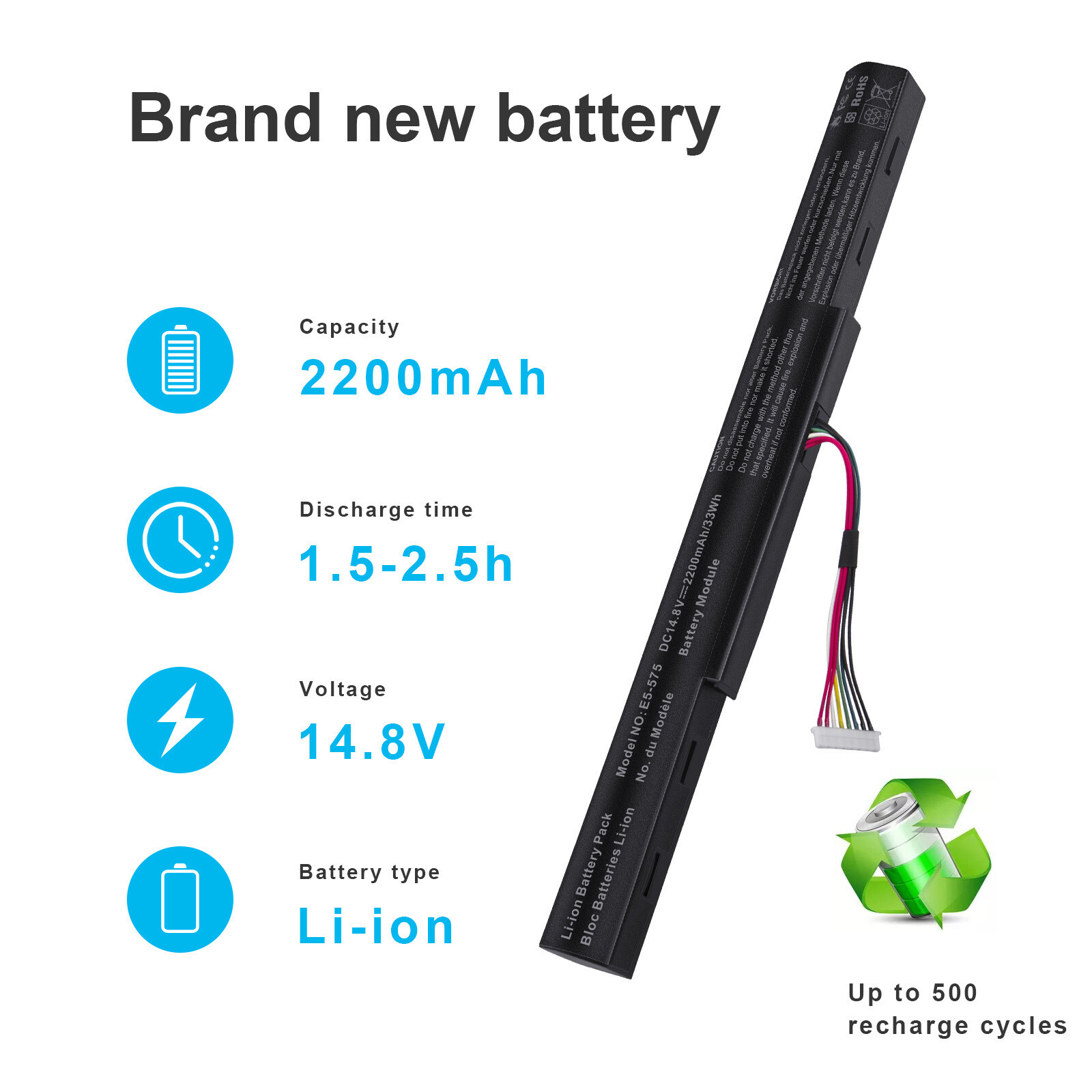
Tips: Please carefully confirm your computer model, battery model and shape, make sure to order the correct battery.Specification:Condition: NewVoltage: 14.8V (Compatible with 14.4V)Capacity: 2200MAHColor: BlackWarranty: 5-YearsReplace Part Number:AS16A7K AS16A5K AS16A8K KT.00605.002Compatible Models :For Acer Aspire E 15 Series:E5-475 : E5-475-31A7 E5-475-32X8 E5-475-35CL E5-475-377R E5-475-55P7E5-475G : E5-475G-30KY E5-475G-51SV E5-475G-525V E5-475G-525W E5-475G-526W E5-475G-52MT E5-475G-53VJ E5-475G-57K2E5-575 : E5-575-59QBE5-575G : E5-575G-30ZJ E5-575G-3561 E5-575G-50QS E5-575G-52NP E5-575G-5341 E5-575G-534D E5-575G-53B8 E5-575G-53VG E5-575G-549D E5-575G-54TU E5-575G-54XH E5-575G-55NS E5-575G-55S7 E5-575G-56ED E5-575G-56GU E5-575G-56KS E5-575G-56WG E5-575G-58TF E5-575G-59GV E5-575G-765N E5-575G-78GHE5-575T : E5-575T-314WE5-575TG : E5-575TG-38L1 E5-575TG-55E8E5-774 : E5-774-301Y E5-774-37ZB E5-774-50YC E5-774-54HJ E5-774-59QVE5-774G : E5-774G-37ZB E5-774G-518Y E5-774G-51F1 E5-774G-51NM E5-774G-546G E5-774G-54MX E5-774G-54ZR E5-774G-553R E5-774G-554D E5-774G-55KT E5-774G-55SA E5-774G-570J E5-774G-57ND E5-774G-57RM E5-774G-58V3 E5-774G-70AB E5-774G-71AH E5-774G-71VY E5-774G-73BX E5-774G-74G8 E5-774G-74Y0 E5-774G-75DQ E5-774G-78JN E5-774G-78NAE5-575G : E5-575G E5-575G-30ZJ E5-575G-3561 E5-575G-50CB E5-575G-50QS E5-575G-513W E5-575G-52DD E5-575G-52NP E5-575G-5341 E5-575G-534D E5-575G-53B8 E5-575G-53VG E5-575G-549D E5-575G-54TU E5-575G-54XH E5-575G-55NS E5-575G-55S7 E5-575G-56ED E5-575G-56GU E5-575G-56KS E5-575G-56WG E5-575G-58TF E5-575G-58UJ E5-575G-59EE E5-575G-59GV E5-575G-765N E5-575G-76YK E5-575G-78GHHow to confirm that the battery is suitable for your laptop?
Method 1: Use System Information to find your laptop modelStep 1: Press Windows + R to open Run window.
Step 2: Input "msinfo32" in the empty box and click OK to open System Information.
Step 3: Keep in the System Summary section, and you will find the System Model item in the right pane.
Method 2: Remove Battery from Laptop to find your laptop battery part numberStep 1: Switch off the laptop and unplug the power cable in case of electric shock
Step 2: Remove the back panel with the screwdriver. You should to this with care avoiding any harm to the laptop components.
Step 3: Disconnect the cable connected to the battery and then take out the battery. After that, you can check the specifications of your battery.
Install A New Battery:
- You need to turn off your laptop and disconnect the power.
- Disconnect the connection between the old battery and the motherboard to avoid unnecessary damage caused by disassembling the battery. Then unscrew the old battery screws one by one and carefully save each screw.
- Remove the old battery, carefully install the new battery on the battery case, screw in the screw, and connect the wiring of the new battery.
- If you don't understand the above steps, you can search for the video about laptop battery installation on YouTube. Maybe it will help you
Laptop Battery Instructions:
- Discharge the new battery to 10% (not 0%), then charge(100%) and cycle 3-5 times to wake up the new battery.
- It can calibrate the state of the battery by performing a complete and effective charging and discharging of the battery once a month.
- Charge it to around 50% when you store it long term.
- Do not keep your battery below 5% or deep discharge state (long time 0%), may turn on battery protection and cause the battery to fail to charge.
- Please feel welcomed to notify us of any inconvenience or fault in our battery.
The following are troubleshooting methods:
- Turn off the laptop.
- Unplug AC power.
- Remove the battery.
- Replace AC power.
- Turn on laptop,allow OS to boot.
- Once logged into the machine, perform a normal shut down.
- Unplug AC power.
- Replace battery.
On Jul 14, 2026 at 19:35:25 PDT, seller added the following information: