 When you click on links to various merchants on this site and make a purchase, this can result in this site earning a commission. Affiliate programs and affiliations include, but are not limited to, the eBay Partner Network. When you click on links to various merchants on this site and make a purchase, this can result in this site earning a commission. Affiliate programs and affiliations include, but are not limited to, the eBay Partner Network.
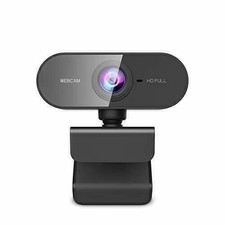
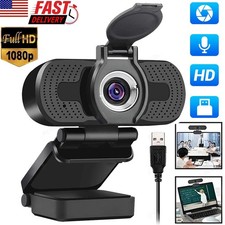
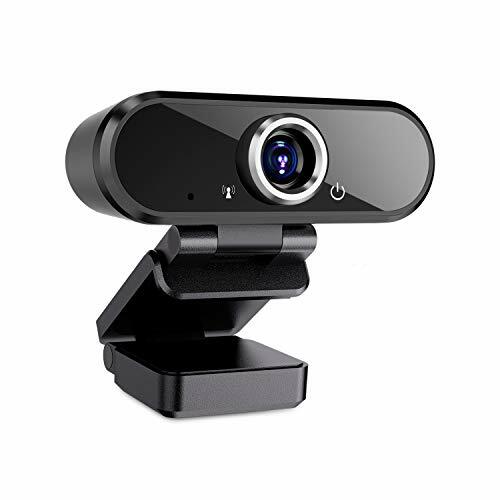
Webcam with Microphone, FAXPOT 1080P USB Wide Angle Web Camera Black Product Details - WEBCAM WITH MICROPHONE - FAXPOT Webcam builts-in noise reduction microphone can automatically eliminate background noise and clearly capture sound, achieve studio-quality sound and automatic low light correction, which is the best choice for video conference output Medium.
- 90° WIDE ANGLE - Most of webcams angle view is about 75°, however, FAXPOT full HD video at a wide Viewing vision angle is up to 90 °. Every video participant enables to see everyone even in a crowded video conference. Giving you an unparalleled perspective for a wide variety of conditions when you live streaming or video chatting & Recording.
- PLAY & PLUG - Webcam compatible with USB 2.0 connector, no additional drivers needed or install complicated driver software, therefore, you don't need to set up any specific drivers or software.
- FULL 1080P HD WEBCAM - The streaming camera with 1080P video compression mode to provide excellent quality video streaming on social gaming and media. Perfect for daily video calling, webinars and live streaming.
- UNIVERSAL COMPATIBILITY - FAXPOT 1080P USB webcam for gaming, blogging, conferencing and Live to stream, works with any laptop/desktop/Mac/PC. FAXPOT web camera works with many video conferencing applications such as Zoom, Skype, YouTube and WebEx, etc.
Specifications: *Item Color: Black *Frame Rate: 30 Fps *DSP chip: no driver *Viewing angle: 90 degree *Image sensor: CMOS *Compatible With USB 2.0. *Lens: high-quality five-layer glass lens *High-definition: 2 million pixels *The maximum dynamic resolution: 1920 * 1080Note: This is a Plug and Play webcam, you do not have to install the CD software. If you can't see the webcam on your device, you may try the following way: 1.For Mac Users: Connect this webcam with your Mac and open Face Time, click the "Video" menu (in the top left of your screen), and then choose "ICT Camera". 2. For Windows Users: you may go to "Device Manager", click the "Imaging Devices", right cilck "USB Camera" and click "Enable". Please be noted this is a Plug and Play webcam, You may just open the apps such as Skype / Face Time / Goog le Hang out to see if the camera is detected or not.Free-driver Installation: 1. Plug the USB into your computer or laptop 2. The computer will install the driver automatically. 3. When installation is completed, you can make a video chat through the chat tool directly.  |
|