USB 3.0 to 2.5/3.5'' SATA HDD/SSD-2x16TB
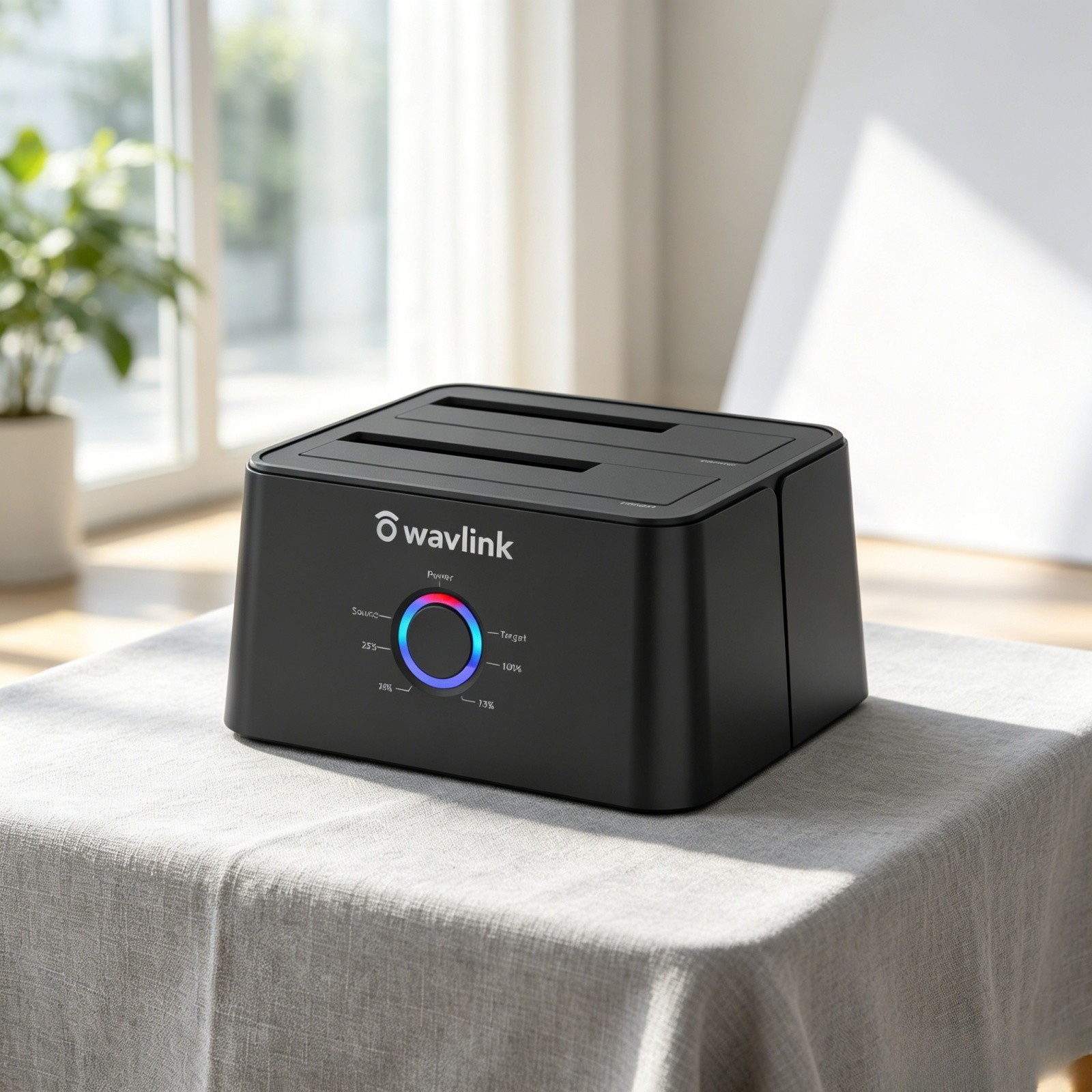
Wavlink USB to SATA Dual-Bay External Hard Drive Docking Station
SATA Drives Only: This docking station do not compatible with IDE drives. It is compatible
with all 2.5 inch and 3.5 inch SATA HDD and SSD.
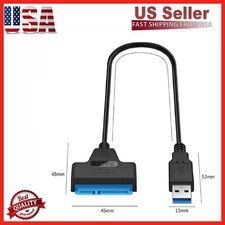
Equipped Type-C Port: The type-c converter is compatible with your USB C devices, like thunderbolt 3 laptop,
computer with USB-C port & USB C Android phone.
Considerate Deisgn: Four anti-skid footpads on the bottom of the product provide maximum protection for
your device from sudden sliding off and insure the stability.
Smart Auto-sleep Mode: The auto sleep mode greatly reduces the invalid energy consumption,
prolongs the service life of the hard disk and protects the hard drive data for you.
Stable Power Supply: Equipped with 12V/3A power adapter to meet the power consumption requirements
of large-capacity hard drives. Please connect the power adapter when using.
Features:
1. Support maximun capacity up to 2x16TB.
2. Support UASP accelerated transfer protocol.
3. Automatic replication of HDD or SSD (clones from Source Disk A to Target Disk B) at a click of the button.
4. Use the dedicated DC power adapter certified by PSE.
5. Plug and play. No software, drivers or complicated installation required.
Instructions on How to Connect the Dock to the Computer:
1). Please unplug the DC power adapter to make sure that the power is off before starting.
2). Insert HDDs/SSDs into the slots vertically and slowly until them stick.(One HDD/SSD is also supported)
3). Connect the power adapter and turn the "ON-OFF" switch on.
4). Connect the USB cable to the computer then you can use it as your computer's external hard drive.
How to Operate Offline Clone Function:
ѧ Please unplug the DC power adapter to make sure that the power is off before starting.
ѧ Insert Source Disk into hard drive bay A, then insert Target Disk into hard drive bay B.
ѧ Make sure the USB cable is disconnected from computer.
ѧ Connect the power adapter and turn the"ON-OFF" switch on.
ѧ Hold the CLONE button for about 3 seconds, when all leds turn on, the clone progress will start.
ѧ Four lights (25%, 50%, 75%, 100% ) will turn solid blue when the cloning process is completed.
ѧ Finally turn the "ON-OFF" switch off, disconnect the power adapter and eject your drives.
Tips for Offline Clone:
- The capacity of target disk must be larger than the source disk.
- Please confirm that your source drive and target drive can both work properly.
- Please connect the 12V power adapter to ensure a stable power supply for transmission.
- To avoid data transfer errors, overheating and damage to the device, please make sure that there are no faulty driver cells.
- To avoid data loss, do not remove or insert drives when one drive is working in the docking station. Please power off the dock before removing.
- Please confirm the target drive have no data. If you have existing data on the target drive, the cloning process
will eliminate your target drive's data. Because the target drive will be cloned to be the same as the source drive, partition, format
and data are the same too.
USB-C to M.2 NVMe SSD for 2230/2242/2260/2280/22110- 2x8TB
WAVLINK 10Gbps Dual Bay USB-C to M.2 NVMe SSD Docking Station ---- Read/Write/Offline Clone
RapidFire S2, your ultimate data companion for lightning-fast performance and seamless data management.
With a high-speed 10Gbps port and the UASP function, this M.2 SSD cloner ensures swift and efficient file transfers.
The one-click cloning simplifies data backup and migration processes, providing convenience at your fingertips.
Supporting TRIM and S.M.A.R.T., RapidFire S2 optimizes SSD performance and enhances reliability.
Elevate your data experience with RapidFire S2 - the perfect blend of speed, functionality, and convenience.
Widely Compatible with
SSDs: M.2 B-Key & B+M Key PCIe SSDs in 22110/2280/2260/2242/2230 sizes;
Please note that the enclosure does not support AHCI SATA SSDs;
Systems: Windows, Mac OS, Chrome OS, Linux, iPad OS, Android, iOS, Harmony OS;
Host Devices: PCs, laptops, pads, phones(OTG), smart TVs, smart routers, PS5, etc.
(Performance will be limited if the standard of the host USB port is lower than USB 3.2 Gen 2)
Driver- & Tool-Free Use
Plug and play, without the hassle of installing any drivers. Just connect to your host device and start using it right away.
The direct plug-in design eliminates the need for additional tools - you can easily install the SSD with just one hand.
Great Extended Capacity
The USB-C M.2 enclosure enables simultaneous reading and writing of dual SSDs, offering a combined capacity of 2x8TB.
Whether you're looking to transfer extensive office data, store photos and videos, or play UHD games smoothly,
the RapidFire S2 is tailored to fulfill your diverse requirements.
USB-C to A Adapter Included
The bundled USB-C to A adapter enhances the hard drive cloner's versatility,
enabling it to be utilized with both USB-C and USB-A devices.
Easy to Carry Around
The compact and lightweight design of the dual NVMe enclosure makes it especially portable,
fitting snugly into pockets, handbags, or briefcases, ideal for on-the-go usage.
360° Heat Dissipation
The direct plug-in design facilitates the discharge of heat generated by SSDs during operation.
Thermal holes located at the bottom further ensure efficient cooling for optimal performance.
Anti-Slip Pad
The ring-shaped silicone anti-slip pad ensures the stability, effectively preventing movement or slippage during use,
which safeguards against potential data loss, providing a secure and reliable user experience.
Steps to Offline Clone
1.Put the source SSD and target SSD in their respective slots.
2.Plug in the power supply and turn on the power.
3.Hold down the clone button until all clone indicators start flashing. Then press it again to start WL-Rapid Fire S2
2.LED: 1xPower LED(blue); 2xSSD LED(white); 4xClone LED(blue)
3.Unit Size: Length: 24cm/9.5in
Power Adapter Cable Length: 100cm/39.4in
5.Unit Weight: 98g/3.5oz
6.Housing Material: ABS
Features
- One USB-C interface transfers speed up to 10Gbps, and compatible with USB 3.2/3.1/3.0/2.0 computers.
- Dual NVMe M.2 slot, source bay also supports AHCI SSD with AHCI to NVMe adapter(not included).
- One-button offline cloning simplifies the data copying process.
- Plug and play, Driver-free.
- Supports OTG function.
- Supports 2230/2242/2260/2280/22110 SSD.
In the Box
- 1 x USB-C Dual NVMe M.2 SSD Docking Station
- 1 x Power Adapter
- 1 x USB-A Adapter
- 1 x Quick Start Guide
Warm Tips:
- Please note that the enclosure does not support AHCI SATA SSDs.
- Performance will be limited if the standard of the host USB port is lower than USB 3.2 Gen 2.
- The NVMe/SATA SSD is not included in the package.
- Before using the USB-A adapter, connect it to the dock to check which side supports 10Gbps data transfer.
- If the SSD is brand-new and unformatted, please perform partition installation so that the computer can read the data normally.
If the SSD is formatted and has stored data, you have no need to perform partition installation
because the computer can read the data normally.
- Notes for offline cloning:
(1)Capacity requirements: source disk < target disk.
(2)Please connect the power supply but DO NOT connect the host while cloning.
(3)Do not touch the SSD during operation and be cautious of its heated surface.
(4)Cloning duration varies based on the SSD size (not data size).
- Notes for data security:
(1)Before removing the SSD, perform a safe removal operation to prevent data loss and hard disk damage.
(2)Back up all crucial data before the offline cloning.
(3)Avoid forcibly disconnecting the device during data cloning to prevent data loss and hard disk damage.