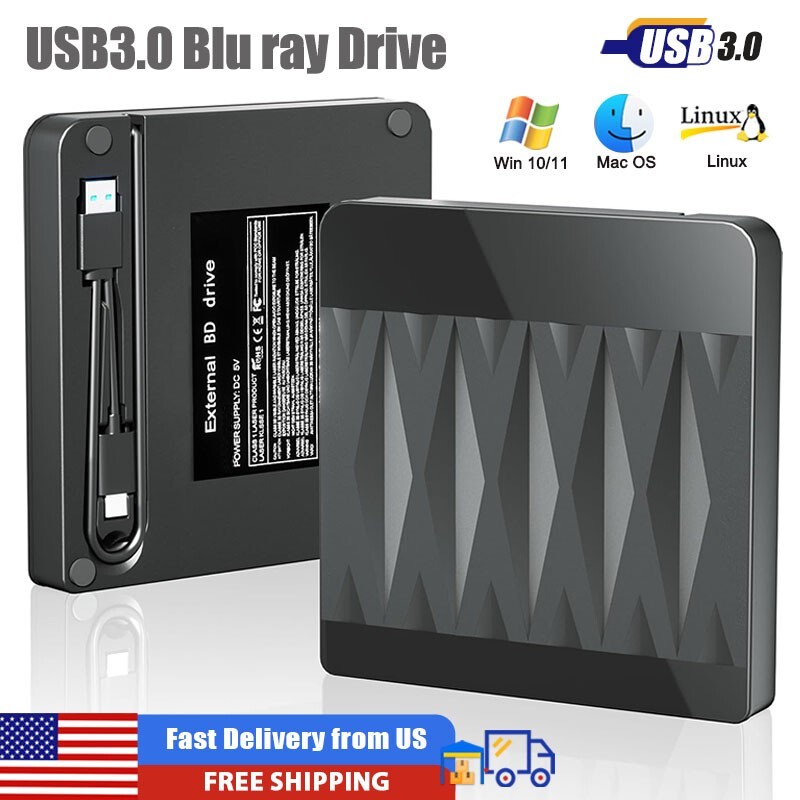
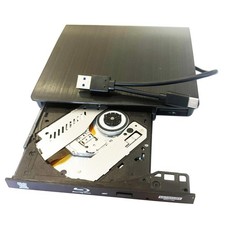
About this item【Exceptional Blu ray Performance】 Enjoy high-speed reading and writing with our external Blu-ray burner. This device supports "6X Blu-ray read speeds", "24X for CDs", and "8X for DVDs" with low noise, energy efficiency, and impact resistance. Seamlessly play your favorite Blu-ray movies or burn CDs/DVDs with ease.【Plug & Play for CD/DVD/BD】 No need to install additional drivers or software—just connect the Blu ray drive via **USB 3.0 or Type-C** and start using it. Perfect for watching movies, listening to music, burning CDs/DVDs, or installing software. (Note: Blu ray DVD require additional player software, such as PowerDVD, AnyDVD, LEAWO, or iDeer Blu-ray Player for playback)【High-speed USB 3.0 with 5Gbps data transfer】 Experience lightning-fast data transfer with USB 3.0, which supports speeds of up to 5Gbps, six times faster than USB 2.0. This drive efficiently handles CDs (700MB), DVDs (4.7GB), and dual-layer DVDs (8.5GB). (Please note: This Blu ray drive is not compatible with cars, TVs, tablets, smartphones, PS4, projectors, Surface Pro, iPads, Windows 98, or Chromebooks.)【Portable and Lightweight Design】 The slim and lightweight design of this external Blu ray player makes it easy to carry in your bag for business trips or vacations. It includes both USB 3.0 and Type-C cables, ensuring universal compatibility with your laptop or desktop【Friendly Customer Service & Support:】 If you encounter issues such as the drive not being recognized or difficulties playing Blu ray discs, please feel free to contact us via your order. Our support team is always ready to assist you with troubleshooting or product-related inquiries.
Note:(1)Please note that it does Not support for 4K, TVs, Chromebooks, tablets, phones and projectors. Some computers may not support Blu ray format. It is recommended to use the "Cyberlink BD&3D Advisor" tool to pre check compatibility.
(2) When playing a Blu-ray DVD discs, please make sure you have the appropriate Blu-ray playback software installed.It is recommended to use the professional BD player 'PowerDVD10-19' (For Mac OS, Macgo Blu-ray Player is recommended).
(3) When burning BDs, It's recommended to use the burning software “ Nero’(it needs an extra purchase).
(4) Playing a disc with a different region code to that of the drive may cause an error. Please kindly note that the region code can only be changed 5 times.(Including the initial setting)
Using Steps
【Step1】Pls check if the optical drive is being recognizes by your computer. Do not connect USB extension hub.
For Windows OS: You can see the BD RW icon in Windows Explorer. Use the data cables on the back (bottom) of the optical drive to connect your computer's USB port or desktop computer host. We have a power cord that we recommend using together. Windows 10/11 requires downloading playback software.
For Mac OS: The Mac OS computer will not display the device icon until the disc is placed in the optical drive and the disc is read successfully.
【Step2】 Your computer will recognize the drive and shows "BD-ROM" folder for blu ray drive.
【Step3】Set the DVD region code (CDs do not have region code).The disc can only be played when there on code of the DVD drive matchesthe DVD. (Note: Only allows to change the region code 4-5 times) The operating steps are on the last page of the manual.
【Step4】 Insert your CDs or DVDs, Use a media player. It is necessary to download Blu ray playback software in advance. (For Windows, such as PowerDVD etc. For Mac OS, such as Macgo Blu ray Player,etc.)Playback/Burning software is not included.