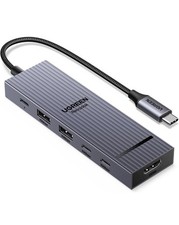
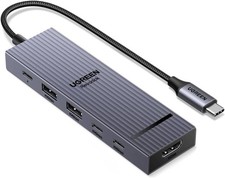
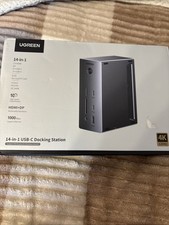
Product Description
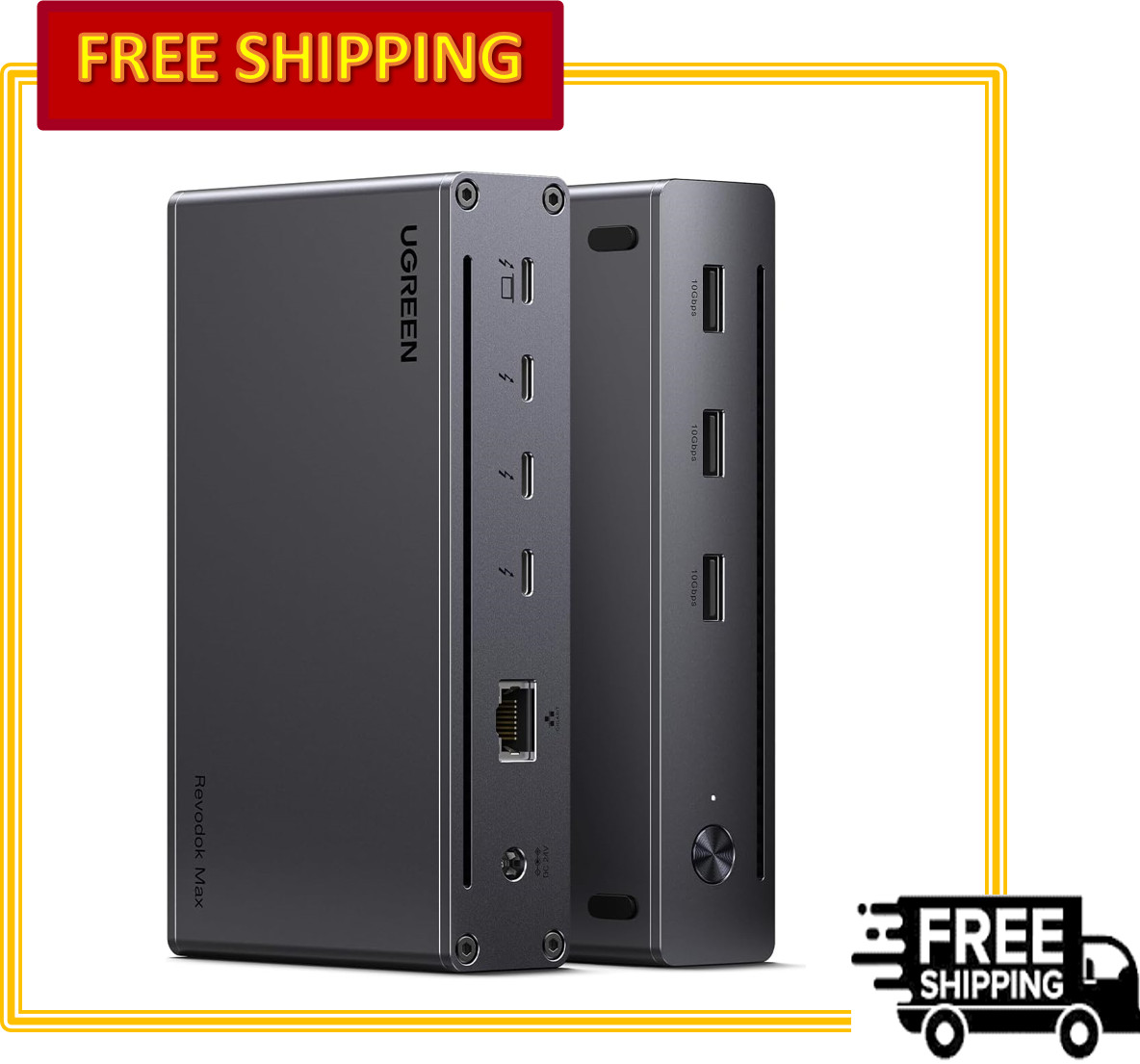
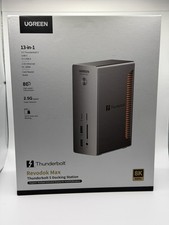
Welcome to the pinnacle of docking technology. TheUGREENRevodok Max 208is not just a dock; it is a high-performancepowerhouse designed for professionals who demand the very best. Leveraging thefull potential ofThunderbolt 4, this hub transforms your laptopinto a desktop workstation with blistering 40Gbps speeds, stunning 8K visuals,and seamless connectivity.
Engineered specifically for the latest Apple M-series chips (M1,M2, M3, M4 Pro/Max) as well as high-end Windows laptops, the Revodok Max 208ensures that your workflow is never interrupted. Whether you are editing 8Kvideo, managing complex 3D renders, or running a multi-monitor trading floor,this dock delivers uncompromising performance.
Key Features & Benefits
1. Thunderbolt 4: The Speed of Light
Experience data transfer at an astonishing40Gbps—that's4x faster than USB 3.2. With three downstream Thunderbolt 4 ports, you cancreate a daisy-chain of peripherals, connect high-speed external SSDs, or runmultiple displays, all with zero lag.
- Upstream Port:1x Thunderbolt 4 (Connects to your laptop)
- Downstream Ports:3x Thunderbolt 4 (40Gbps, 15W charging for peripherals)
2. Jaw-Dropping Visuals: Dual 4K or Single 8K
Step into the future of display technology. The Revodok Max 208supports resolutions that bring every pixel to life.
- For Windows Laptops:Extend your desktop acrossdual 4K@60Hz displaysor drive a single, breathtaking8K@30Hz monitor.
- For Mac Users (Pro/Max chips):Enjoydual 4K@60Hzextended displays, giving you the screen real estate you need for complex applications.
- Note:For MacBooks with basic M-chips (e.g., M1/M2 standard), the dock supports one external 4K@60Hz display.
3. 85W High-Speed Laptop Charging (Included GaN Charger)
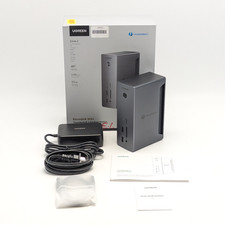
Say goodbye to carrying multiple bulky power bricks. The RevodokMax 208 comes complete with a state-of-the-art140W GaN (GalliumNitride) charger. This intelligent power supply delivers a steady85Wof power deliverydirectly to your laptop via the Thunderbolt cable,keeping your machine fully charged even under maximum load.
4. 8-in-1 Massive Expansion
This dock turns a single port into a complete connectivity hub:
- 3x Thunderbolt 4 Ports(40Gbps Daisy-chain/Data)
- 3x USB-A 3.2 Ports(10Gbps for high-speed accessories)
- 1x Gigabit Ethernet Port(Stable, wired network reliability)
- 1x 140W DC-In Port(For the included power adapter)
5. Daisy-Chain Capability
Maximize your desk setup by daisy-chaining up to 5 additionalThunderbolt devices. Connect multiple SSDs, audio interfaces, and displaysthrough a single port on your computer for the ultimate clutter-freeworkstation.
6. Premium Thermal Design
Housed in a sleek dark gray aluminum alloy casing, the Revodok Max208 acts as a massive heatsink. This ensures efficient heat dissipation,keeping the dock cool to the touch and maintaining peak performance duringextended use.
Detailed Technical Specifications
System Compatibility & Requirements
This dock is engineered for the most demanding users and iscompatible with a wide range of devices:
- Apple MacBooks:MacBook Pro/Max M1-M4, MacBook Air M1-M3 (Check display specs above).
- Mac Desktops:Mac Studio, Mac mini (Intel versions).
- Windows Laptops:Dell XPS, HP Spectre, Lenovo ThinkPad, Microsoft Surface (with Thunderbolt 4 ports).
- Other Devices:iPad Pro (with USB-C/Thunderbolt), Chromebooks with Thunderbolt support.
Important Compatibility Notes:
- Full Display Functionalityrequires connection to a nativeThunderbolt 4 or Thunderbolt 3 porton your host computer.
- Full-Featured USB-C laptops(non-Thunderbolt) are compatible but will be limited to asingle displayoutput.
- Not compatiblewith the Mac mini 2018 (Intel) via its HDMI port; requires a Thunderbolt display or adapter.
Important Usage Guidelines
To ensure the best experience with your Revodok Max 208, pleasekeep the following in mind:
1. Power is Mandatory:The dockmustbeconnected to the included 140W GaN charger to function. It does not supportbus-power from the laptop alone.
2. Storage Device Limits:Due to power and bandwidthconsiderations:
o ForHDDs: Suggested to use up to2 simultaneously.
o ForSSDs: Suggested to use up to3 simultaneously.
3. Waking from Sleep (Mac):If your Mac has been in sleepmode for over two hours, you may need todouble-clickany keyon a connected keyboard to wake it, rather than a single click.
4. Troubleshooting Display Issues:If you encounter a blackscreen or flickering:
o Unplugthe Thunderbolt cable, wait 3+ seconds, and reconnect.
o Trylowering the resolution or refresh rate in display settings.
o Restartyour laptop.
Why Choose UGREEN Revodok Max 208?
In a world of compromises, the Revodok Max 208 stands out byofferingno-compromise performance. It combines the future-proofspeed of Thunderbolt 4, the visual fidelity of 8K, and the convenience of 85Wlaptop charging into a single, elegantly designed hub.
Whether you are a creative professional, a software developer, ora power user, this dock is the command center your setup deserves.
Upgradeto Thunderbolt 4. Upgrade to UGREEN.