 When you click on links to various merchants on this site and make a purchase, this can result in this site earning a commission. Affiliate programs and affiliations include, but are not limited to, the eBay Partner Network. When you click on links to various merchants on this site and make a purchase, this can result in this site earning a commission. Affiliate programs and affiliations include, but are not limited to, the eBay Partner Network.
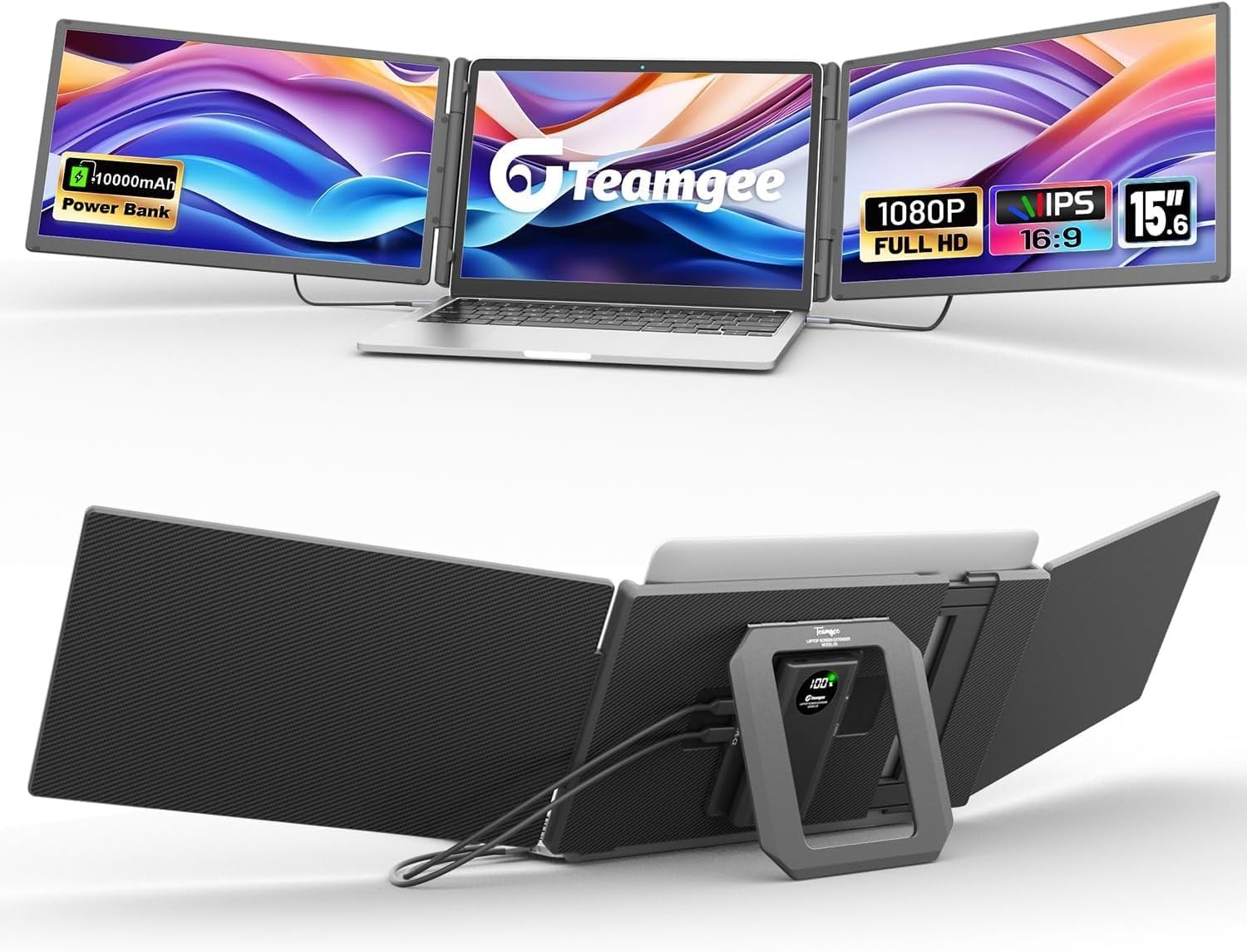
Teamgee 15.6" Laptop Screen Extender with Power Bank, FHD 1080P Triple Black Product Details - Product Dimensions: 1.32 x 15.44 x 8.57 inches
- Item Weight: 9.25 pounds
- Item model number: S5
- Batteries: 1 Nonstandard Battery batteries required. (included)
- Connectivity technologies: HDMI, USB Type A, USB Type C
- Special features: Built-In Speakers, Eye Care, Portable
- Display technology: IPS
- Display resolution: 1920x1080
- Other display features: CE
- Scanner Resolution: FHD 1080p
- Color: Black
- Whats in the box: 1× Carrying Bag, 1× Power Bank, 1× Quick Setup Guide | 1× User Guide, 1× S5 Monitor, 2 × USB-C to USB-C Cable | 1× HDMI to USB-C Cable | 1× USB-A to USB-C Cable| 1× H5 Adapter
- Manufacturer: Shenzhen Baijiayoupu Technology Co., Ltd.
- Brand: Teamgee
- Screen Size: 15.6 Inches
- Resolution: FHD 1080p
- Aspect Ratio: 16:9
- Screen Surface Description: Glossy
- Freedom Through Power: Work unplugged with the first screen extender that powers itself. The detachable 10,000 mAh power bank runs 4–6 hours and snaps on magnetically with POGO pins — no extra cords. Enjoy freedom from outlets and smoother laptop performance, whether in a café, on a flight, or moving between rooms
- Portable Workstation, Built to Last: More than a slim screen — a complete dual-display workstation adapts anywhere. Dual 15.6” panels and a balanced 5.2 lb build deliver stable setup on 13–17” laptops, with the best seamless fit on 15.6”+. For smaller devices, simply place your laptop in front for secure use. A self-contained pro kit with screens, power bank, cables, and carry bag — unfold your desk in a hotel room, a client office, or a coworking hub
- Seamless Setup, Just Two Cables: Forget hubs and tangled cords — S5 stays clean with only two cables, no drivers required. Choose the setup that fits: two USB-C, USB-C + HDMI, or HDMI + USB-A/C with the included H5 adapter. All it takes is at least one video-output port. Compatible with Windows, Mac (including M1–M4), and more. From a quiet home study to a coffee shop table, setup is quick, clean, and reliable
- Solid Visuals, Built for Long Hours: Dual 15.6” FHD IPS panels deliver 300 nits brightness, ~100% sRGB color, and 178° wide viewing for professional clarity. The kickstand adjusts 0–90° for perfect desk angles, while 180° screen rotation adapts to any workflow. Eye-care features reduce strain, and 50% recycled materials add quiet sustainability. From late-night coding at your home office desk to fine-tuning designs in a studio, your view stays crisp and your workflow smooth
Common Hiccups & Quick Fixes (Before You Return) Most setup problems are quick to solve. Try these first: Only one screen turns on Make sure both cables are going into the two input USB-C ports on the S5 (not the PD charging port).Some laptop USB-C ports are power-only. Try another USB-C or HDMI M1/M2 base models: Apple only supports one external screen. Use USB-C + the included H5 adapter to get both working. Both screens flicker or cut out Press the power bank button once to turn on output (double-click turns it off).If the bank is low, charge it or plug in a 5V/2A power the included Teamgee cables for a stable signal. No image at all Check you’re plugged into a video-capable port (USB-C with DisplayPort or HDMI).Make sure the power bank is attached, charged, and output is enabled. Laptop doesn’t detect the second display On Windows: Right-click desktop → Display settings → Detect → Mac: System Settings → Displays → Arrange to add the second screen. Still stuck? Reach out to Teamgee support — most issues come down to ports, power, or cables, and we’ll help you get sorted quickly.  |
|