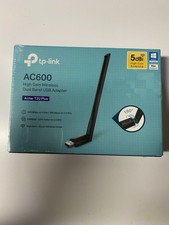
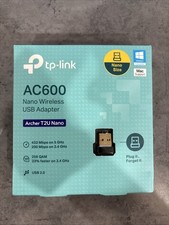
Overview
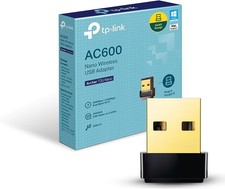
Give your desktop or laptop a fast, reliable wireless upgrade with this compact USB Wi-Fi adapter from TP-Link. Built on the Archer T2U Nano platform, it delivers dual-band AC600 performance so you can stream, browse, and work on the less crowded 5 GHz band or stay connected on the long-range 2.4 GHz band.
The nano-sized body plugs in and stays out of the way, making it a great fit for laptops that travel with you and desktops where you would rather not deal with a bulky external antenna. Setup is straightforward: plug it into an available USB port, install the driver from the TP-Link website for your operating system, and connect to your network.
Key Features
- Brand: TP-Link
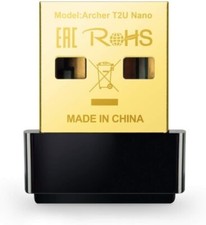
- Model: Archer T2U Nano
- Type: USB Wi-Fi adapter / dongle
- Wireless Standard: Dual-band 2.4 GHz and 5 GHz, AC600 class speeds
- Color: Black
- Compatible Systems: Windows 11, 10, 8.1, 8, 7, XP and Mac OS X 10.9 to 10.14
- Dimensions: Approx. 0.73 x 0.59 x 0.28 in
Highlights
- ✓ Dual-band flexibility lets you pick 5 GHz for speed or 2.4 GHz for range and wall penetration
- ✓ Nano form factor stays plugged in without blocking nearby ports or snagging in a bag
- ✓ Quick way to add Wi-Fi to a desktop that has no built-in wireless card
- ✓ Broad operating system support covers most modern and older Windows and Mac machines
- ✓ Backed by TP-Link's 2-year warranty and free 24/7 technical support
Usage
Ideal for desktop PCs without a wireless card, older laptops with a failing Wi-Fi module, and travel setups where a built-in antenna is weak or missing. It also works well as a spare adapter for a secondary computer or a home office station.
Choose the variant that matches your needs from the drop-down menu: the classic AC600 Wi-Fi model, the AC600 version with Bluetooth 4.2, or the AX900 version with Bluetooth 5.3 for newer Wi-Fi 6 and Bluetooth devices.
In the Box
- TP-Link Archer T2U Nano USB Wi-Fi adapter
- Quick installation guide
Please Note
- Driver installation may be required. Download the latest driver for your operating system from the TP-Link website before first use.