Set of two TP-Link AV1200 Gigabit (TL-PA8010P) Passthrough Powerline Adapters For Sale
When you click on links to various merchants on this site and make a purchase, this can result in this site earning a commission. Affiliate programs and affiliations include, but are not limited to, the eBay Partner Network.
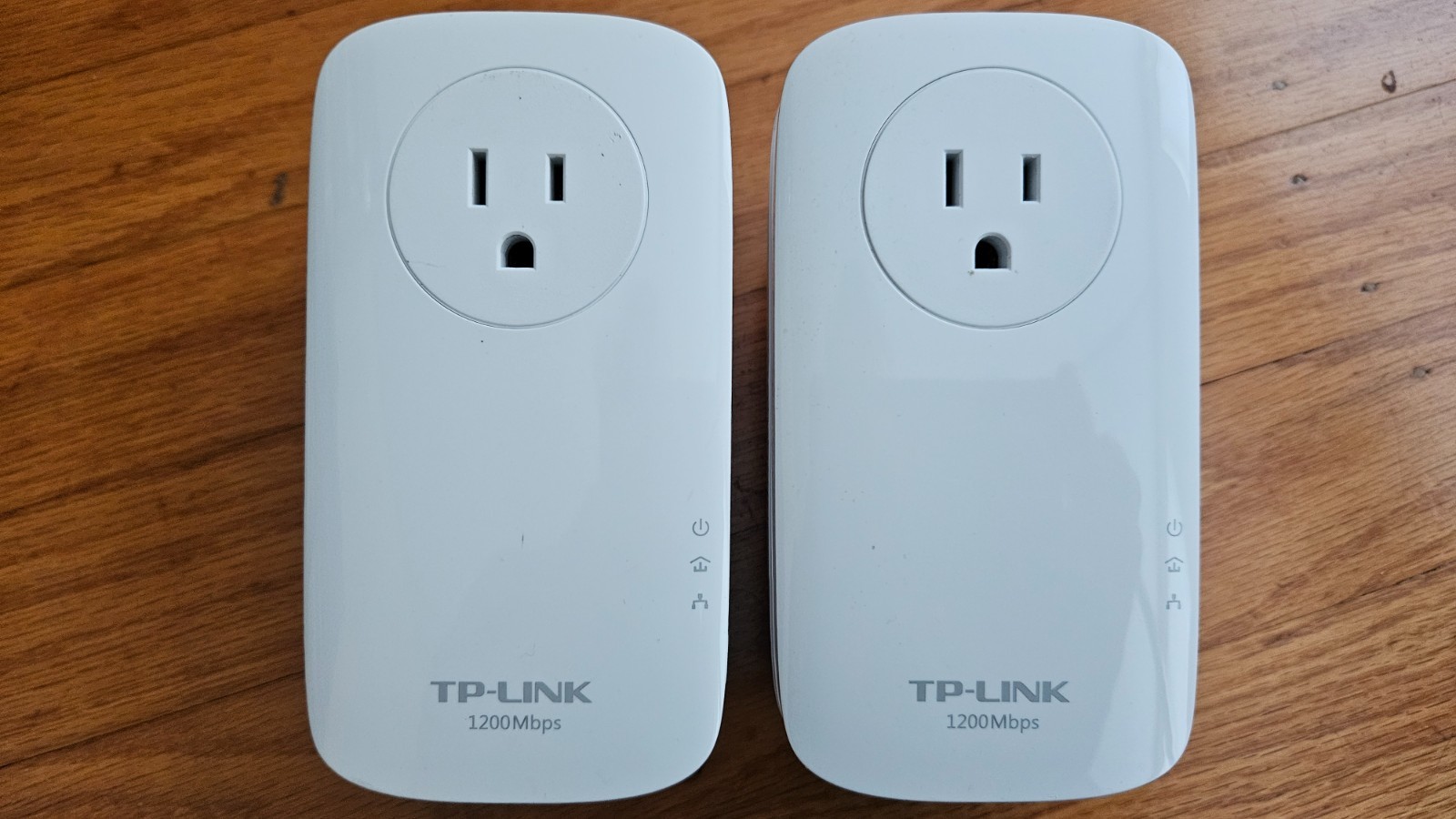
Set of two TP-Link AV1200 Gigabit (TL-PA8010P) Passthrough Powerline Adapters
Price: US $20.00
Looks and works like new. I used these adapters only indoors, hidden from direct sunlight. These two TP-Link AV1200 Gigabit (TL-PA8010P) Passthrough Powerline Adapters is all you need to bring the network to any hard-to-reach area of your house via existing electrical wires. IMPORTANT: always plug Powerline adapters directly into a wall outlet. Never plug them into power strips, surge protectors, or extension cords, as these suppress the high-frequency powerline signals. HOW TO INSTALL:1.Plug in any of these adapters directly into a wall socket near your internet router. It will be the Adapter 1.2. Connect a network cable from a LAN port on your router to Adapter 1.3. Plug in Adapter 2 into a wall outlet in the room where you need internet.4. Wait 60 seconds for the power and powerline LEDs to light up.5. Press the Pair button on Adapter 1. The Power LED will start blinking.6. Within 2 minutes, press the Pair button on the Adapter 2.7. Wait until the Powerline LED (looks like a house) stops blinking and turns solid on both units.This indicates a secure network link.