PDF 24 - PDF Creator/Editor PDF TOOLS - DVD ROM - MANUALS
PDF24is aPDF creation toolthat promises to make creating PDFs as easy as printing a paper. They do this by providing the option tocreate a PDFin the standard print choices menu, where you can select it just like any other printer.
Extensive tools collection
PDF24 offers you a collection of tools that you can use to work productively with PDFs and other files. The PDF24 tools leave nothing to be desired. There is hardly anything in the PDF area that you cannot do with PDF24.
Easy to use
The PDF24 tools were developed to be as easy to use as possible. Intuitive usability was the goal. We have achieved this goal and that is why the PDF24 tools are so popular.
Safety is important to us
File transfers to the PDF24 servers are encrypted. All files are completely removed from our servers after a short time. If you want to be even more secure, you can use the PDF24 Creator, where all files remain on your PC.
No installation necessary
PDF24's online tools work directly in the web browser. You do not need to install any software. This means you can use the PDF24 tools on any device with an Internet connection.
Supports your system
PDF24 supports all current operating systems and browsers. Whether on Windows, Linux, MACs or smartphones, PDF24 does a good job almost everywhere.
Saves your resources
The PDF24 Online Tools process files on special PDF24 servers. Your system is not burdened in the process and therefore does not need any special requirements.
100% free of charge
You can use all PDF24 tools free of charge and without any restrictions. This is achieved via some advertising on the web pages. PDF24 is not greedy, but smart.
No limits
There are no artificial limits at PDF24. Thanks to our scalable infrastructure, we can make everything that the PDF24 tools can do available to users.
Some features of the software:
- Merge multiple PDF into one file
- Rotating, extracting, inserting pages
- Integrated preview for PDF editing
- PDF encryption, decryption and signing
- Change PDF information (author, title, etc.)
- Compress and shrink PDF files
- Add a watermark or stamp a PDF file
- Combine pages with a digital paper
- Convert to and from PDF
- Multiple PDF printers for different purposes since 7.7.0
- Full featured and lightweight PDF reader since version 8.7.0
- Tesseract OCR engine since version 8.8.0
- Blackening of PDF files since version 10.0.0
Online and Offline
PDF24's online tools process files on special PDF24 servers. If you prefer to work offline, you can install the PDF24 Creator and receive all PDF24 tools as an offline version.
PDF24 Creator is installed as a virtual printer via a device driver in the operating system. This allows PDF files to be created directly from any application that provides a printing function. The commands sent are then used to create a PDF file. PDF24 Creator uses PDFBox, QPDF and Ghostscript, which are automatically installed as a private instances for the PDF24 Creator. After printing a document on the PDF printer, a wizard opens automatically, where the created PDF file can be edited or further worked on.
The PDF24 Creator is also able to merge multiple documents to one PDF file and to extract pages. Compressing PDF files to shrink the file size is also possible. Since version 10.0.0 an added toolbox is present as well.
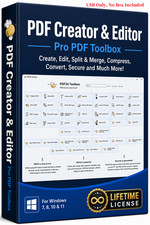
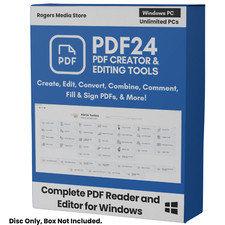
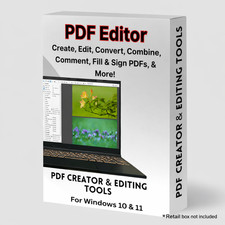
FORMAT DVD Shipping !!! FREE SHIPPING !!! - Shipped in a bubble wrapped water proof envelope INCLUDED Windows (32/64 Bit) Install Files. Manuals & Guides on DVD.
PDF EDITOR | PDF CREATOR | PDF TOOLS | PDF SIGN | PDF MERGE