Racingsworld
Why choose us
-
Fast Shipping
-
International Shipping
-
Secure Shopping
-
30 Days Return Policy
-
Top Service
-
Most
Competitive Price
-
Manufacturer
We know our products
-
Easy Return
Quick, Simple
-
Guaranteed Fitment
Always the correct part
-
Most
Competitive Price
-
Manufacturer
We know our products
-
Easy Return
Quick, Simple
-
Guaranteed Fitment
Always the correct part
Description
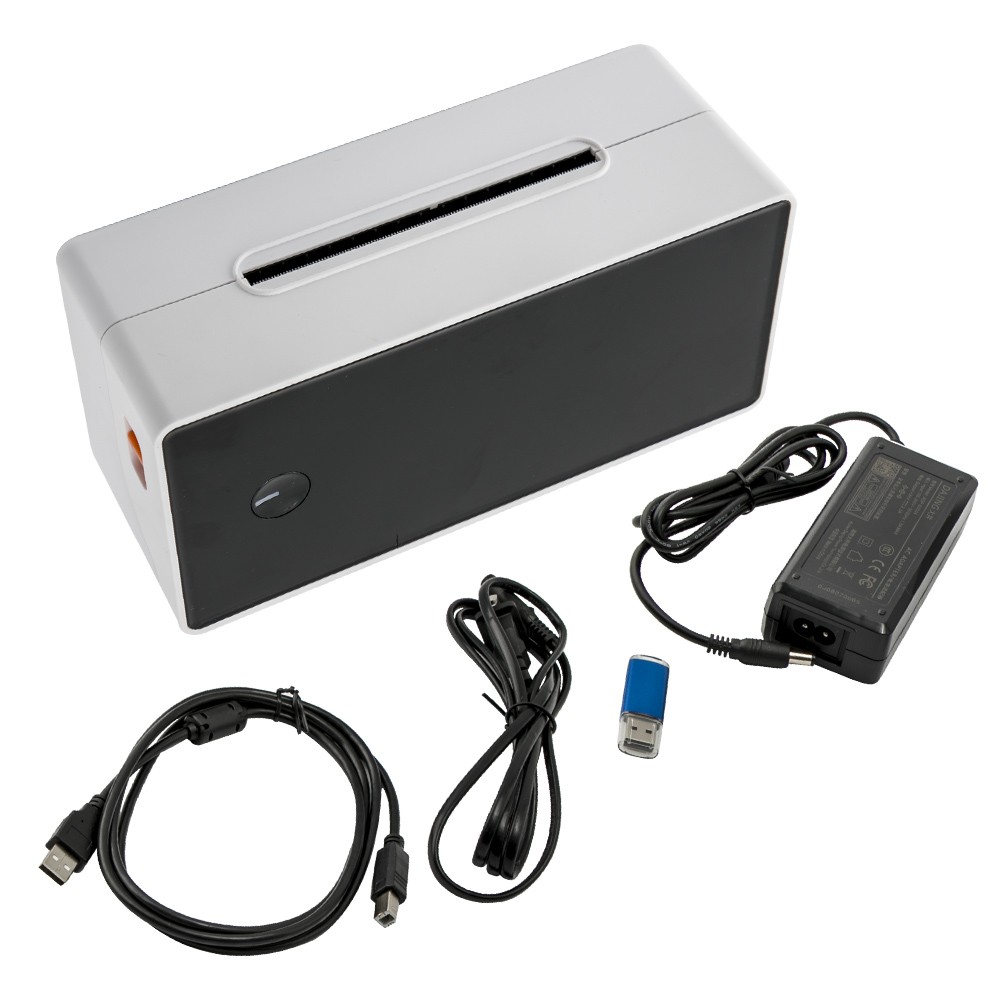
Thermal Shipping Label Printer 4''×6'' Direct Compatible For Windows
Features:
Print without buying any ink, toners or ribbons
Let you create and print cost-effective paper labels for packages, file folders,envelopes, postage, shipping and more
Small but Powerful,Hassle-Free Operation.
Compatible For Mac & Windows system
Cut costs with Direct Thermal printing technology
Thermal printer can create customized labels directly from any a
Applications and print black and white printing at 150mm/s (High speed )
can print up to 4" width, provide 6 in/sec printing speed
can work continuously for more than 12 hours
Product Specification:
Printing method: Line Thermal
Resolution: 1.8dots/mm(203DPI)
Max. print speed: 150mm(6'')/S
Printing speed: 4000 sheets/hour
Printing accuracy: 203dpi
< Max. Print width: 104mm(4.09'')
Size:8.66*4.13*3.54in
Comptitable: For Windows, or For Linux
Support printing roll label and fanfold label
Ink wheel size: 0.058-0.17mm
Electrical: 12V, 2A
Printer language: TSPL
Package Included:
1*Thermal Label Printer (US Plug)
1*U disk
1*USB Cable
1*Power Cord
1*Power Adapter
1*Quick Start Guide
Tips
1. In theflash driver attached you can find:
Printer Driver for Windows system
Quick Start Guide
Getting Started Videos
How-to Documents
2. How the paper feeding button works
By pressing the paper feeding button for 3 seconds, the printer will detect the size of the label as well as the gap between labels.
By pressing it once you can pause or restart the printing process.
By pressing it for 10 seconds you can reset the device to factory contact us for whatever we can help!
Other items you might also like
- Intake Camshaft & Control Valve for VW Golf/R32/GTI/Rabbit 2022-2023 06K109257B
- Front Control Arm for Mazda 3 2010-2013 Lower Right Side w/ Ball Joint
-