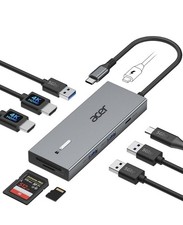
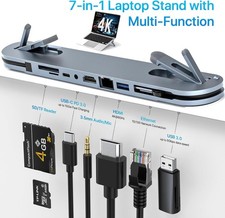
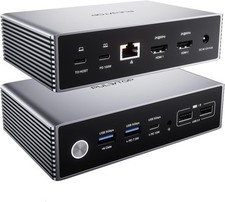
10 in 2 Vertical Macbook and MacBook air Docking Station for Dual Monitor with 2 x HDMI 4K 60Hz, NVMe SSD expansion, 3 x USB A/C up to 10Gbps, Ethernet, PD3.0,SD/TF, 3.5mm Audio/Mic
Specification
Material: Aluminum
2 HDMI Resolution: up to 4K60Hz
Cable Length: 80cm
Maximum Load: 5Kg
Available Laptop Thickness: 36mm
Weight: 506g
Dimension: 150 x 105 x 115mm
1. Input:
1 x Dual Type-C 3.2 GEN2 & 10Gbps Max
1 x USB-C PD IN Port(PD100W Max)
2. Output:
2 x HDMI Port(4K60Hz)
1 x M.2 NVMe SSD Expansion Slot (up to 10Gbps)
1 x USB-C 3.2 Gen2 Data Port (up to 10Gbps)
1 x USB-A 3.2 Gen1 Data Port (up to 10Gbps)
1 x USB-A 2.0 (480Mbps)
1 x RJ45 wired Gigabit Ethernet (1000/100/10Mbps)
1 x SD/TF 3.0(up to 104Mbps)
Exclusive All-in-Docking Station
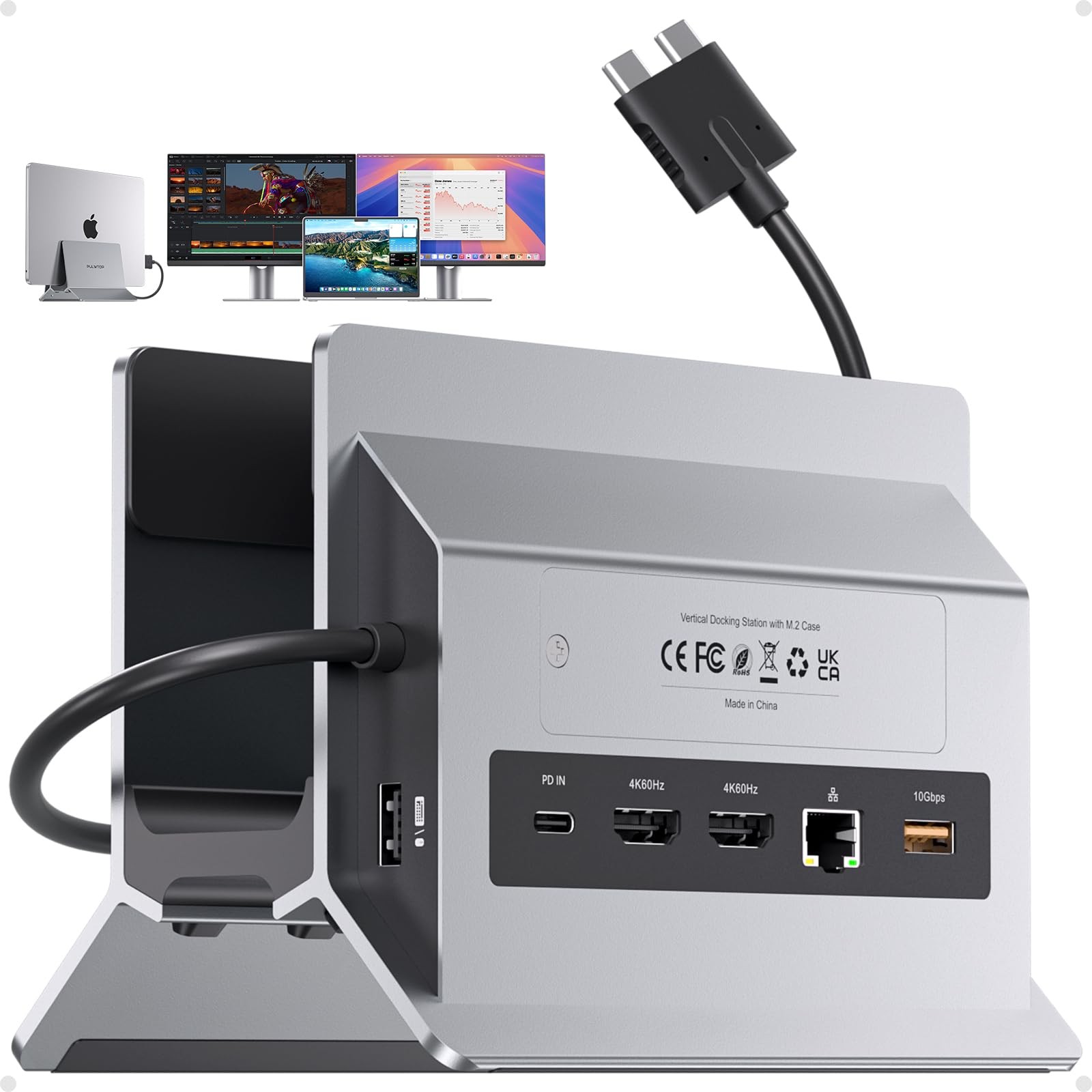
The macbook dock equipped with dual monitor features 2 x HDMI 4k60Hz, 1 x M.2 NVMe SSD Expansion Slot, 1 x USB-C gen2 10Gbps,1 x USB-A gen 2 10Gbps,1 x Gigabibit Ethernet,1 x USB 2.0,1 x PD100W, SD/TF 3.0 for all your peripheral connectivity and memory expansion needs.
Dual Monitor with 4K60Hz
PULWTOP macbook docking station dual monitor supports your mac laptops extending monitors simultaneously. Just plug and play, no need driver installation and easy to enjoy breathtaking 4K60Hz resolution with astonishing clarity for a truly thrilling and immersive working experience. ★Please NOTE: Due to inherent limitations in the 2020 M1/2022 M2 /2023 M3 chip, MacBook models featuring these chips are not capable of supporting dual displays
Supports M.2 SSD Expansion
PULWTOP Vertical MacBook Docking Station 2 monitors supports M.2 SSD expansion up to 4TB and transfer speed up to 10Gbps. Easy to expand the external hard drive to meet the insufficient storage needs. ★NOTE: 1). SSD is NOT included; 2). NOT support SATA SSDs and SSDs with heat sinks; 3) If your SSD are new, please format your new SSD into "exFat" or "apfs" format
OPTIMIZE YOUR DESK & No Need tools
The automatic vertical docking station can hold your MacBook upright, improved air circulation and heat dissipation prevent overheating for extending the service life of your macbook, it save valuable desk space and no tools needed; the vertical laptop stand dock automatically adjusted when laptop is placed into the stand. Fits most laptops and up to 1.6 inch with thickness including those with laptop skins and cases.
10Gbps Fast Data Transer
The laptop docking station is build with 2 x USB A/C 3.2 ports, which provides super fast data transfer, and speed up to 10Gbps for , smartphones, flash drives, and any external storage devices. There is also a USB-A 2.0 for and keyboard which comes with lower latency. ★NOTE: The USB C port NOT support for Video Output and Charging.
100W PD Charging
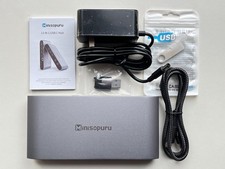
The dual monitor docking station for macook and macbook air supports up to 100W Max input & safe 85W Max output into your mac laptop. It is recommended to use a power greater than 65W to ensure stable power input for your Macbook laptops.★NOTE: PD Power Adapter & Charging Cable are not included in the package.
Up to 1000M Wired Gigabit Ethernet
Enjoy stable, high-speed wired internet with the RJ45 Gigabit Ethernet port, and download movies faster, reduce gaming lag. Upgrade your setup with our usb c dock for a seamless tech experience
Compatibility
The MacBook docking station can ONLY extend dual monitors for Macbook Air 2018/2019/2020, Macbook 14 inch 2021/2023/2024 M1 /M1 Max, M2 /M2 Max, M3 /M3 Max, , or Max chip, M5, M5 or M5 Max chip, MacBook 16inch 2019/2021 M1 &M1 Max, 2023 Apple M2 /M2 Max, 2023 M3 /M3 Max, 2024 , or Max chip, 2026 M5 /M5 MaxChip, MacBook , MacBook 13 inch. ★NOTE: 1) Due to inherent limitations in the 2020 M1/2022 M2 /2023 M3 chip/Neo A18 , MacBooks featuring these chips NOT support dual displays, ONLY can extend 1 monitor. 2) This dock ONLY for MacBook, NOT for windows or other laptops
【10-in-2 Docking Station 】Dock Does It All: This MacBook docking station dual monitor combines 10 essential functions in compact device – M.2 NVMe SSD enclosure (10Gbps), vertical laptop stand, dual 4K60Hz HDMI, 100W PD 3.0 charging, 10Gbps USB-C data, 10Gbps USB-A data, Gigabit Ethernet RJ45, USB 2.0 port, and SD/TF card slot. Eliminates the need for multiple adapters and accessories.
【Designed for Your MacBook】Connect 2 external displays via dual HDMI ports for stunning 4K60Hz visuals; this MacBook dock works seamlessly with your device for home offices, co-working spaces, or dorm setups. ★Compatibility: Dual display works with Intel-chip MacBook /Air 13"–16" (2016-2020) and M1 /Max, M2 /Max, M3 /Max, / /Max chips,M5 / M5 /Max (NOT for M1/M2/M3 base chips, Macbook Neo, Windows, iPad)
【Supports 4TB M.2 SSD Expansion】The MacBook Air Docking Station Dual Monitor expand your MacBook storage by up to 4TB with built-in M.2 NVMe SSD slot. Supports 2230/2242/2260/2280 sizes at 10Gbps transfer speed. Perfect for video editors, music producers, or data analysts who need extra fast storage without external drives. ★NOTE: 1) SSD is NOT included; 2) NOT support SATA SSDs or SSDs with heat sinks; 3) If your SSD is new, format it to "exFat" or "apfs" format.
【Vertical MacBook Stand – Declutter Your Desk】 This usb c docking station dual monitor elevates your MacBook /Air, freeing desk space for dual monitors and keyboard. Its open design allows passive cooling for peak performance during long work sessions. Ideal for home office, dorm, or corporate workspace. ★How to enable Clamshell Mode: 1) Set MacBook not to auto sleep; 2) Connect a to wake MacBook anytime; 3) Connect a 65W+ PD adapter to the PD IN port.
【Gigabit Ethernet & 10Gbps Data Transfer】 The Gigabit Ethernet port on this Mac docking station provides stable wired internet for Zoom, gaming, or large file downloads. 10Gbps USB-C/A ports let you transfer 4K or backup files in seconds. A dedicated USB 2.0 port keeps your keyboard/lag-free. No more Wi-Fi dropouts or slow transfer speeds.
【Clamshell Mode Setup】① Open Terminal (MacBook's Application → Utilities). ② Type the following command and press Enter: sudo pmset -a disablesleep 1 ③ Enter your administrator password and press Enter again. ④ Your MacBook is now ready for dual displays with the lid closed. ✳️Notes: 1) If the external display doesn't work, restart your MacBook. 2) To revert to default sleep behavior (disable clamshell mode), run: sudo pmset -a disablesleep 0