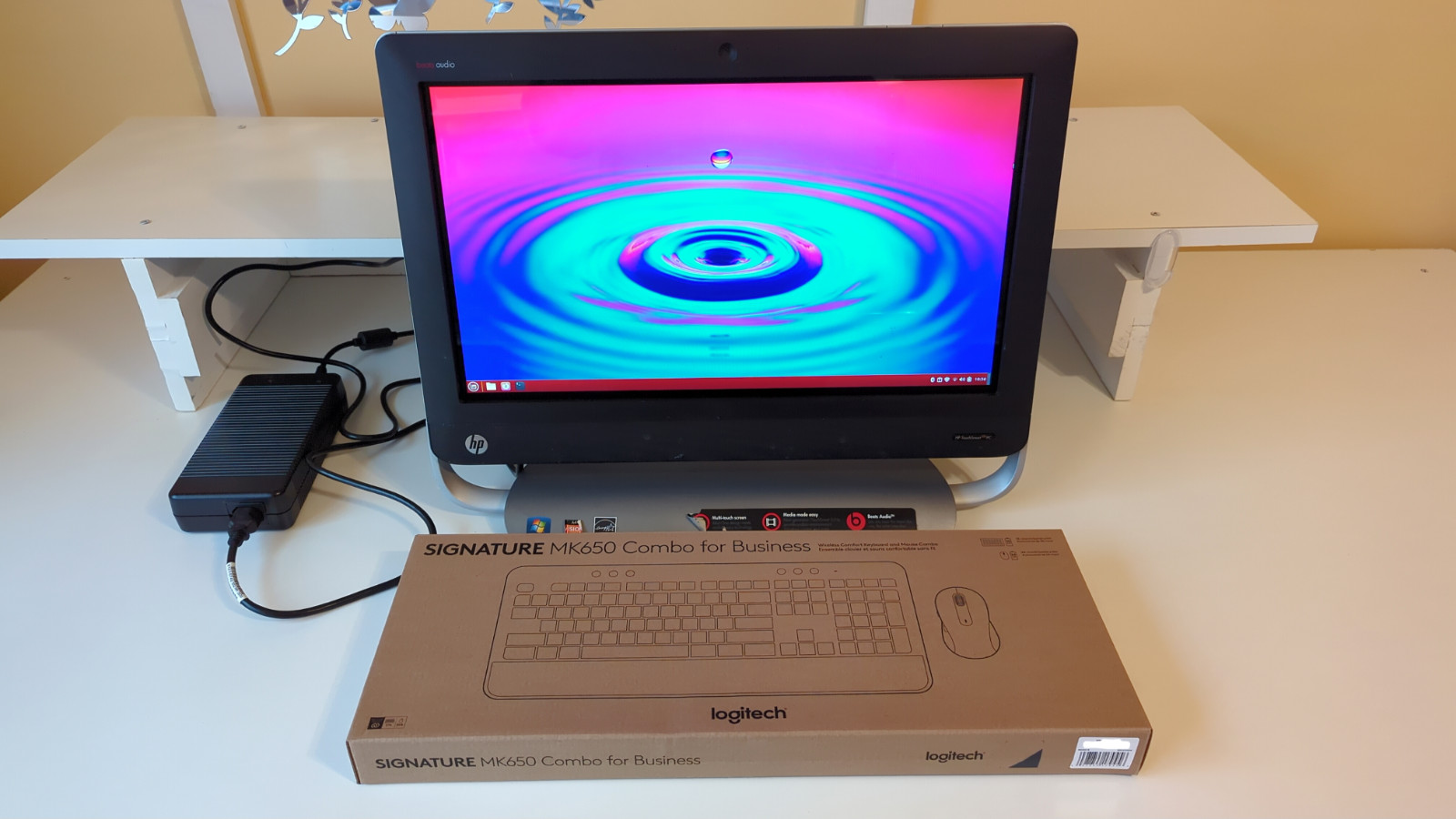
An old, but stylish machine.
He is rather old, slow on certain tasks, and unable to run certain programs requiring newer instruction sets. However, he can serve as a web browsing machine or a decent entertainment system, especially with the Beats Audio speakers he is equipped with. Don’t expect much out of him when it comes to gaming beyond 2D and older 3D games.
Logitech keyboard and mouse combo (opened, tested, and cleaned) included at no additional cost.
Specifications: Computer Name: “Netscaper-00” (HP TouchSmart 320-1030) APU (CPU): AMD A8-3820 (MAX. SUPPORTED APU?)
Cores – 4 Threads – 4 Base Clock Speed – 2.50 GHz Turbo Clock Speed – 2.80 GHz TDP – 65W GPU: Radeon HD 6550D “Sumo” (integrated) Max. Usable VRAM – 512 MB? (cannot be adjusted in BIOS) Thermal Paste: Thermal Grizzly Duronaut System RAM: G.Skill 8 GB (2 x 4 GB) DDR3L-1600 (underclocked to 800 MHz, MAXED OUT) CAS Latency: 9-9-9-28 Serial numbers blacked out in images to prevent fraudulent warranty claims Storage: 1 TB Seagate SSHD One 3.5” HDD bay SSHD burnt-in for 72 hrs Motherboard: Pegatron Corporation 2ACB “AAHD3-NK” Revision 1.03 Chipset – AMD A55 PCIe Version – 2.0 BIOS – American Megatrends Ver. 7.07 TPM – None
Networking: Ethernet Controller – Realtek RTL8168/8111 PCIe Gigabit Ethernet NIC Max. Wired Ethernet Speed – 1 GbE WLAN Module (mPCIe) – Intel Wi-Fi 6E AX210 160 MHz (Wi-Fi 6E + Bluetooth 5.3)
Optical Disc Drive: HP DVD A DS8A5SH DVD Burner Supported Formats – DVDs and CDs. Blu-rays not supported. Region Code Setting: 1 (United States (including Puerto Rico), Canada, and Bermuda)
Left Side I/O: One card reader (SD, Memory Stick, and xD) Card Reader Controller - Realtek RTS5138 2 USB 2.0 ports One microphone jack One headphone jack
Rear I/O: One RJ45 Ethernet port 4 USB 2.0 ports One line-out audio jack
Display: 20” LED-backlit LCD display w/ NextWindow Touchscreen (LCD panel made by Samsung) Speakers: Beats Audio stereo speakers
Webcam: HP High Definition 1 MP Webcam (up to 720p 30 FPS video)
Microphone: Built-in (quality is mediocre) Operating System: Linux Mint (Ubuntu) w/ Cinnamon desktop environment
Power Input: 19.5V 7.89A Power Supply: External HP 230W 19.5V 11.8A AC adapterCapabilities: General Productivity (office work, programming, etc.) - Great Web Browsing - Great Video Playback (local storage) – Plays 1080p 60 FPS content smoothly in VLC. Higher resolutions not tested. Video Playback (YouTube) – Runs smoothly up to 1080p 30 FPS. Results with 720p 60 FPS and above will vary, ranging from smooth to video freezing due to the APU being overtaxed. Gaming – 2D and simple 3D games run fine. It will crash and burn when it comes to demanding games, assuming they even launch at all due to them using instruction sets the APU doesn’t support. Emulation – Batocera boots successfully to the EmulationStation (main menu), which runs slow depending on what menu is displayed. Fourth and five gen games either launch, but run terribly, or not launch at all due to the APU lacking the necessary instruction sets (such as SSE4.1) to run certain emulators.
DuckStation w/ SSE2 under Linux Mint works flawlessly. PS1 games run smoothly up at 2x internal resolution (640 x 448) when using OpenGL rendering. (Software rendering will usually run better than OpenGL.) Vulkan rendering tanks rendering performance across the board. PCSX2 does not launch at all. Your millage will vary depending on the emulator and the games themselves.
BIOS configuration: Wake from LAN features and PXE (network) booting are disabled. Secure Boot is enabled. Booting from an external device will be halted until it is turned off.Linux Mint will come with the following configuration:
Absolutely no AI BS nor nagging ads, unlike Windows 11
All software that comes out-of-the-box with Linux Mint
Anything related to OS telemetry (if any) is disabled Dark mode is enabled system-wide Firewall is enabled and the profile is set to "Home"
KDE 3.3 sound scheme
HP OEM and some Windows wallpapers from the Frutiger Aero Archive Blu-ray playback support(refer to Notes & Observations below for details)
Bottles– A program that allows you to run Windows programs in Linux via the Wine or Soda compatibility layers. Be aware that some Windows applications do not play nice with Wine or Soda unless they are running directly in the OS they were designed for via a virtual machine.
Games: Extreme Tux Racer– A simple 3D racing game. It should run fine on potato PCs. SuperTuxKart–Mario Kart, but with Linux project mascots.
Web Browsers: Brave– Several active blocklists, disabled telemetry, hidden Brave garbage such as Brave Rewards, and memory saver set to "Balanced". Firefox– Configured with Phoenix, a privacy-focused Firefox mod (disables telemetry, uBlock Origin out of the box, and much more). DNS resolver set to Mullvad (Base). Both browsers will come installed withSponsorBlock, which by default auto-skips sponsored segments in YouTube videos.
Dove- A privacy-focused mod for Mozilla Thunderbird. ttf-mscorefonts-installer(e.g. Times New Roman) - Installs some fonts commonly used in Microsoft Office. Said fonts are supported by LibreOffice. VLC Media Player– Disabled telemetry.
Soma FMas a Web App. It is an independent, commercial-free Internet radio station that plays some great music, particularly their Groove Salad channel.
All of the above mentioned software will be obtained from their official repositories. I have nothing to gain in installing malware onto the computers I work on as I do not want to ruin your life nor spy on your distasteful browsing history.Notes & Observations:
- Areas of the computer where the original paint is scratched off has been painted over with a paint pen. Depending on how the light hits them, you may not notice the paint marks. - The RAM speed of each module in a dual-channel setup is cut in half by the motherboard, even though it recognizes the RAM kit’s maximum speed (800 MHz + 800 MHz = 1600 MHz?). This also occurs with DDR3-1333, which runs at 667 MHz per module. A single stick of DDR3-1600 will run at its rated speed. There is nothing that can be done about this. - The system’s official maximum system RAM is 8 GB, but it is able to utilize 16 GB unofficially. However, doing so will result tank its performance significantly and the APU’s clock speed will be stuck at around 800 MHz unless a synthetic load is put on to it.
- For your convenience, a 13 GB swap partition has been created in the event more than 8 GB of RAM is needed. Expect system performance to tank if that partition has to be utilized. - There are a few scratches on the glass layer of the screen. I have done nothing to completely remove them to prevent unnecessary damage to the screen itself. The touchscreen’s functionality is unaffected by them.
- The included HP wireless dongle doesn't serve much of a purpose nowadays. Unless you have a compatible HP keyboard and mouse, it will just take up a USB port and do virtually nothing.
- Blu-ray playback on PC without resorting to ripping the disc with MakeMKV or purchasing a license for a video player with Blu-ray support is somewhat difficult due to the AACS (Advanced Access Content System) encryption nonsense that format uses. Several libraries and a key database are needed for video players such as VLC, which omit those files for legal purposes, to playback those discs. For your convenience, those files will be installed by yours truly and VLC will be set to skip the interactive menus due to compatibility problems with newer versions of Java (it’s used for making the fancy interactive menus on that format). Yes, Java is still a thing.Return Policy – 60 day return window. If a HARDWARE problem arises, DM me via messagesfirstbefore creating a return request. If the problem(s) cannot be resolved, you can return the computer with ALL of its included hardware intact (absolutely no modifications of any kind whatsoever). Wipe the included storage devices beforehand as I do not want to know what you are up to.
This listing was written entirely with no assistance from AI.