 When you click on links to various merchants on this site and make a purchase, this can result in this site earning a commission. Affiliate programs and affiliations include, but are not limited to, the eBay Partner Network. When you click on links to various merchants on this site and make a purchase, this can result in this site earning a commission. Affiliate programs and affiliations include, but are not limited to, the eBay Partner Network.
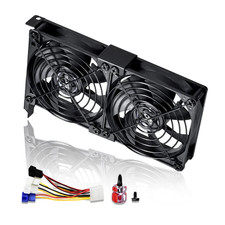
Product description - General graphics card radiator.
- Easy installation, Fixed by one screw.
- You can choose different airflow according to your preferences.
- Opening heat dissipation, sweltering graphics card.
- Large area direct blowing, the whole graphics card cooling.
PCI Fixed Bracket - Graphics partner is fixed by PCI bracket.
- Installed in chassis PCI location.
- Keep the fan away from the slots and components of the motherboard
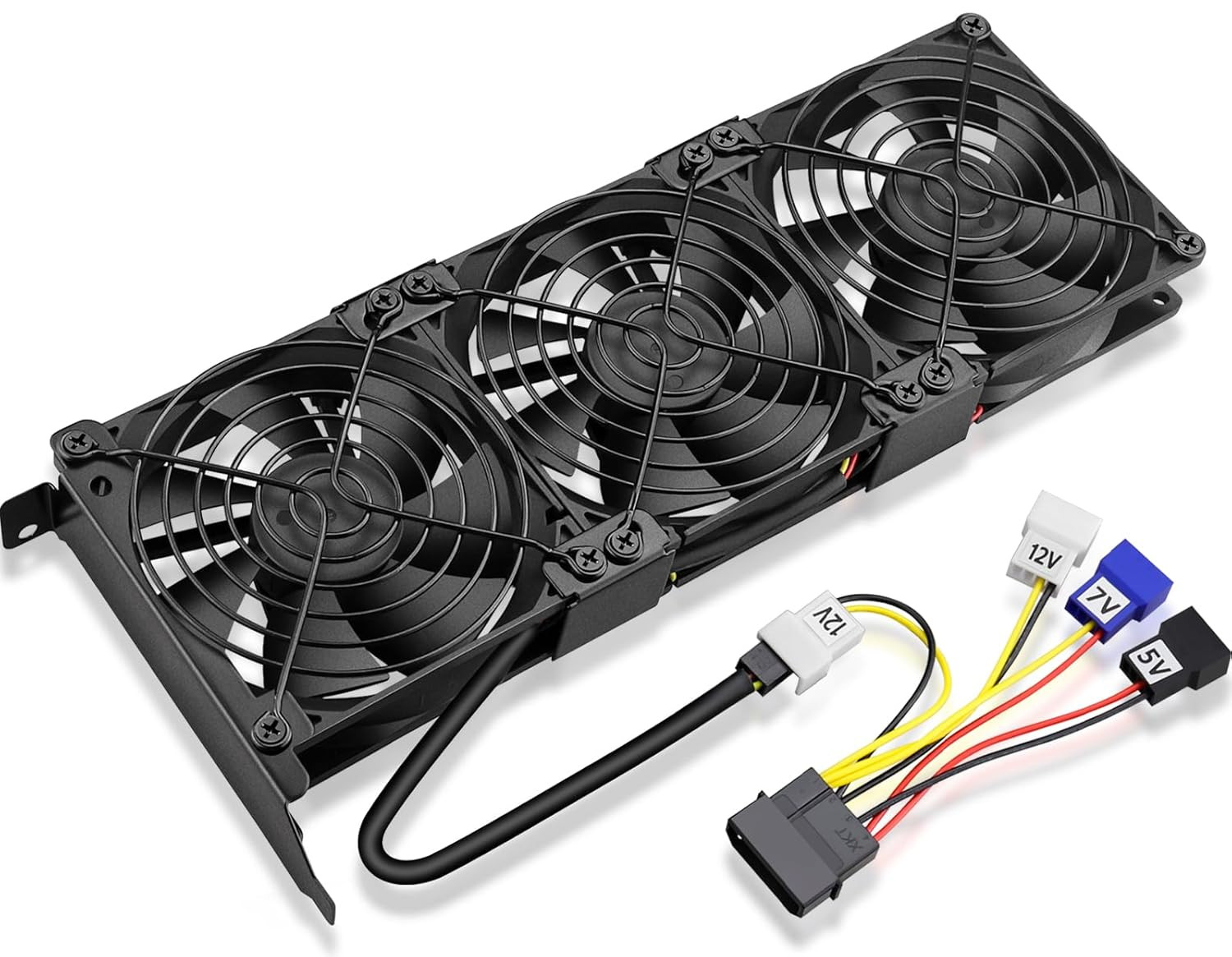
Power D-type Interface - Four interfaces, three voltages.
- Different voltages with different airflow, speed, and noise.
- you can select the appropriate voltage interface to start the fan.
- 5V interface: The fan will work at about 40% speed,small airflow, very quiet.
- 7V interface: The fan will work at about 60% speed,moderate airflow, relatively quiet.
- 12V interface: The fan will work at about 100% speed, Big airflow.
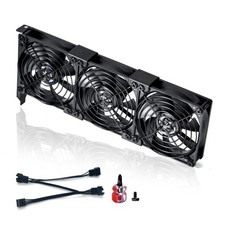
Personalized Fan Interface 3 fans combined into one interface, So, you only need to access one interface to run all the fans. Can be connected to the motherboard's 3-pin or 4-pin interface, working at full speed. But it is recommended to use one point four voltage line we sent together. Choose the voltage that suits your needs. Because different voltages with different airflow, speed, and noise. Metal Fan Grill Protect Fan Blades. Prevent wires or foreign objects touching the blades, Causing interruption or obstruction. Step One - Open the side panel of the chassis
- Find the PCI location at the tial of the chassis.
Step Two - Remove The PCI baffle under the graphics card location
Step Three - Screw the graphics card fan to the chassis PCI location
Step Four - Find an empty power D-type interface at the line where the power supply is divided, connected to the distribution D-type one-in-four line.
- Use one of the four-wire voltage interfaces connected to the fan's interface. it will work.
Step One Step Two Step Three Step Four - Package include: 1 Piece Graphic Card Fans ( 3-Fans connected ) with 1*Power D-type Interface cable
- Dimension: 92mm(L) x 92mm(W) x 25mm(H) / 3.62in(L) x 3.62in(W) x 1in(H) in per fan. Totally Size: 276mm(L) x 120mm(W) x 30mm(H) / 10.86in(L) x 4.72in(W) x 1.18in(H)
- Rated Voltage: DC 12V; Rated Current: 0.45Amp; Rated Speed: 3x 1800 RPM; Air flow: 3x 39.8 CFM; Noise: 3x 24.8 dBA
- D-type interface cable included four interfaces, three voltages: 5V 7V and 12V; Different voltages with different airflow, speed, and noise. you can select the appropriate voltage interface to start the fan.
- 3 fans combined into one interface, Can be connected to the motherboard's 3-pin or 4-pin interface and you only need to access one interface to run all the fans.
 |
|