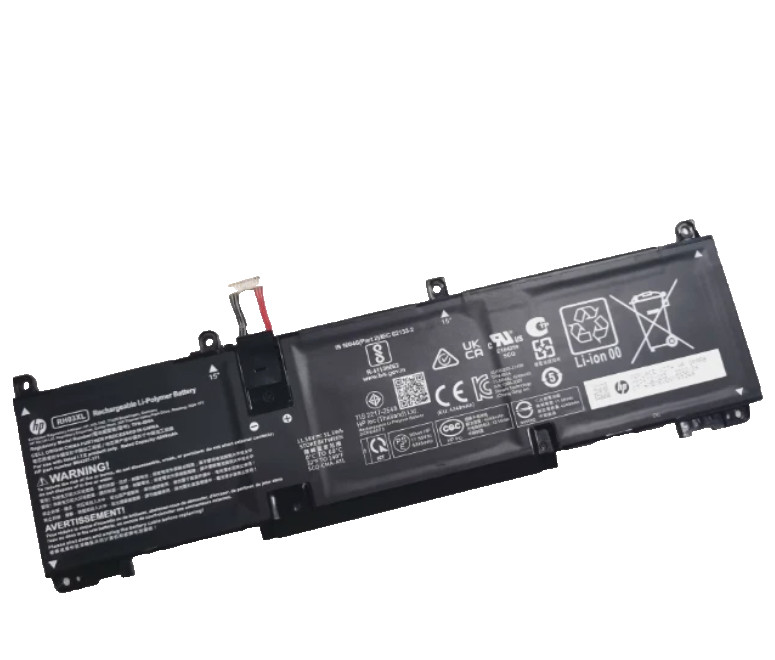
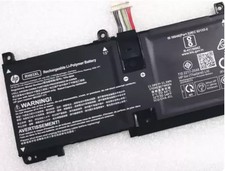
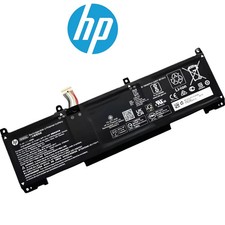
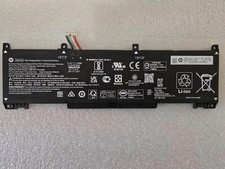
Voltage: 11.58V
Capacity: 51.3Wh
Battery Type: Li-ion
Condition: Brand New
Warranty: 60 Days money return and 12 months warrantyCompatible Part Numbers:
RH03XL RH03042XL RH03051XL RH03051XL-PL RH03054XL
RH03056XL HSTNN-LB9D HSTNN-LB9O HSTNN-OB2X
HSTNN-OB3C HSTNN-WB0E TPN-DB0L TPN-DB0T TPN-IB0A
TPN-IB0K TPN-IB0L TPN-IB0P M02027-002 M64307-2C1
M64307-171 M64307-421 M64307-CD1 M73472-005 M75017-1D1
M75017-171 M75017-172 M75017-AC1 M75017-AC2 M75022-2C1
Compatible Laptop Models :
HP ProBook 445 G10 G11 Series;
HP ProBook 450 G9 G10 Series;
HP ProBook 455 G10 Series;
HP ProBook 460 G11 Series;
HP ProBook 465 G11 Series;
HP EliteBook 640 G9 G10 Series;
HP EliteBook 650 G10 Series;
HP Elitebook 655 G10 Series;
Laptop Battery Return Policy:
Rest assured with 30 days Refund and 12 months Replacement,also get our friendly customer service.
1. First check if the battery is the same size as your original battery after receiving it. When installing the battery, pay attention to whether the battery cable is fixed. If the battery cable is not installed correctly, the battery may not be charged.
2. If you use the battery for the first time after installing the battery, please do not charge the battery immediately, first use the battery to 10-20%, and then charge the battery, and cycle charging 5-6 times to activate the maximum use of the battery space.
3. We recommend that you search for battery removal tutorials on the Internet in advance, or seek help from a professional technician. We won't responsible for any damage due to improper operation.
Install ANew Battery:
1, You need to turn off your laptop anddisconnect the power.
2, Disconnect the connection between the oldbattery and the motherboard to avoid unnecessary damage caused by disassemblingthe battery. Then unscrew the old battery screws one by one and carefully saveeach screw.
3, Remove the old battery, carefully installthe new battery on the battery case, screw in the screw, and connect the wiringof the new battery.
4, If you don't understand the above steps,you can search for the video about laptop battery installation on YouTube.Maybe it will help you.