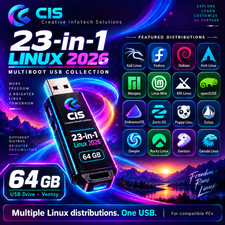
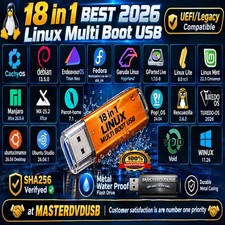
FEDORA LINUX OSWORKSTATION| KDE PLASMA | SERVER| ICLOUD | COREOS | IOT🔥 BUY 24-in-1 MASTER LINUX USBWhat is Fedora Linux OS?
It's your Operating System. An innovative platform for hardware, clouds, and containers, built with love by you.
✅ WHO SHOULD BUY THIS KIT?
This installer kit is ideal for anyone looking for reliable installation media for Fedora Linux. It is perfect if you are searching for any of the following:
• Fedora Linux bootable USB or bootable DVD
• Fedora Linux installer USB or installer DVD
• Fedora Linux USB/DVD installer kit
• Fedora Linux install USB drive or install DVD disc
• Fedora Linux live USB or live DVD installer
• Fedora Linux GNOME desktop installer
• Fedora Linux Workstation edition installer
• Fedora Linux desktop operating system installer
• Fedora Linux operating system installation media
• Fedora Linux OS install media (USB or DVD)
This kit is perfect for users who want a modern, cutting-edge Linux system with the latest features—ideal for developers, power users, and everyday computing, as well as testing Linux or setting up a fresh and secure operating system.
☑️HOW TO BOOT LINUX OS FROM USB OR DVD?
✅STEPS FOR WINDOWS PC & CHROMEBOOKS
1.Turn-off your computer
2.Insert the USB/DVD into any available USB port/DVD drive.
3.Switch on your computer
4.Press the key that allows your computer to boot to an alternate device (ESC on many HPs, F12 on many Dells, F8 on many custom builds, yours may vary, see your computer's documentation)
5.At the Book-up screen, select Boot from USB Interface or Boot from DVD option, press enter.
6.Wait for OS to load, then follow on-screen links for initiate OS.
7.Wait for system to boot into Linux OS.Done!Enjoy!
✅STEP FOR APPLE MACS DEVICES
1.Turn-off your computer
2.Insert the USB into any available USB port
3.Switch on your computer
4.Press the Option keyon your keyboard to go the boot menu
5.Select EFI Book
6.Follow on-screen links for initiate OS.
7.Wait for system to boot into Linux OS. Done! Enjoy!
🔥CHECKOUT 24-in-1 MASTER USB