 When you click on links to various merchants on this site and make a purchase, this can result in this site earning a commission. Affiliate programs and affiliations include, but are not limited to, the eBay Partner Network. When you click on links to various merchants on this site and make a purchase, this can result in this site earning a commission. Affiliate programs and affiliations include, but are not limited to, the eBay Partner Network.
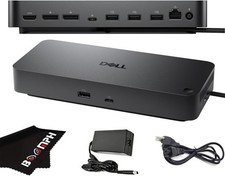
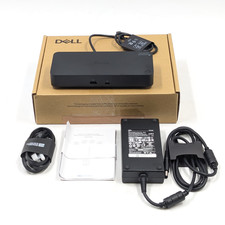
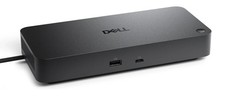
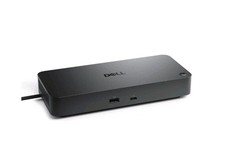
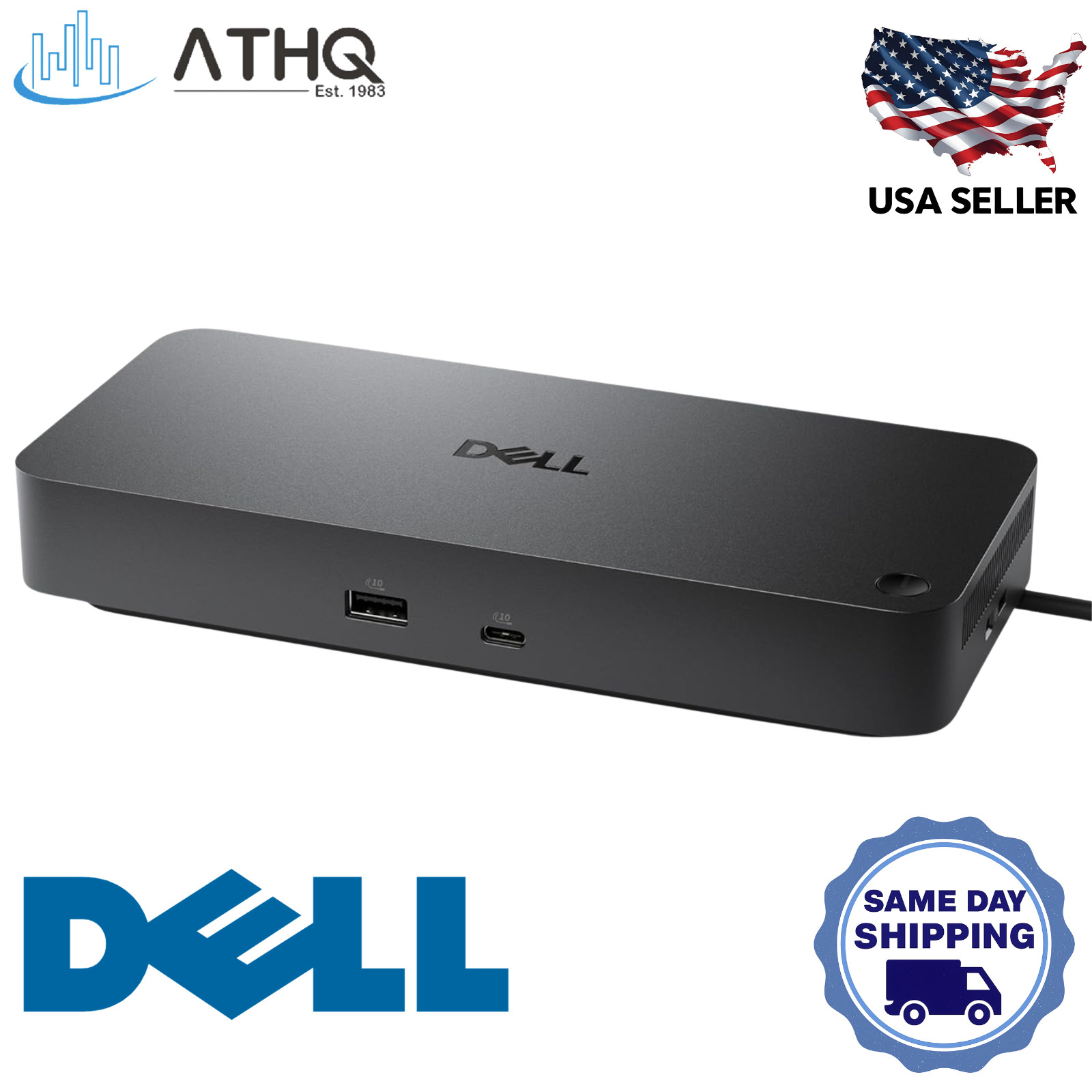
Dell Pro Dock WD25 - USB-C Docking Station, 4 Displays, HDMI 2.1, 2x DP 1.4, 2.5GbE, 100W PD - Like New - Tested & Works Great The Dell Pro Dock WD25 (DELL-WD25) is a USB-C docking station with DisplayPort Alt Mode built for laptop and computer users who need a streamlined connection for dual monitor, triple, or multi-display setups — supporting up to 4 external displays (display count depends on host GPU, DSC support, and system configuration) through 2× DisplayPort 1.4, 1× HDMI 2.1, and 1× USB-C Multi-function DisplayPort 1.4. Maximum display resolutions require Display Stream Compression (DSC) and a compatible host GPU — configurations include 4× WQHD (3440×1440)@60Hz, 2× 5K (5120×2160)@60Hz, or 1× 6K (6144×3456)@60Hz with DSC. This Dell laptop docking station includes a 130W AC power adapter delivering up to 100W to Dell Commercial Notebooks and up to 96W to non-Dell USB-C systems; note that Dell workstation configurations requiring more than 100W may need additional external power for optimal performance. The dock provides 4× USB-A 3.2 Gen 2 (10 Gbps) and 1× USB-C 3.2 Gen 2 (10 Gbps) downstream data ports, integrated 2.5 Gigabit Ethernet, and all peripheral connections over a single 0.9m amofferextrous USB-C cable. As a Dell USB-C dock designed for enterprise IT, it supports Dell Device Management Console — including firmware updates, port disablement, and peripheral inventory — alongside MAC Address Pass-Through, Wake-On-LAN, PXE Boot, and WLAN-to-LAN for managed network environments. Validated with Windows 10, Windows 11, Ubuntu 24.04, Red Hat Enterprise Linux 9.6, and ChromeOS 137 on supported systems, and secured by Kensington and wedge-shaped lock slots, this computer docking station is a comprehensive single-cable hub for multi-monitor professional workspaces. Host must have a USB-C port with DisplayPort Alt Mode; Thunderbolt USB-C ports are also supported. Dell Pro Dock WD25 - Key Features & Benefits - Up to 4-Display Support — DSC & Host GPU Required: Connect up to 4 external monitors via 2× DisplayPort 1.4, 1× HDMI 2.1, and 1× USB-C Multi-function DisplayPort 1.4. Maximum configurations — including 4× WQHD (3440×1440)@60Hz, 2× 5K (5120×2160)@60Hz, or 1× 6K (6144×3456)@60Hz — require Display Stream Compression (DSC) and a compatible host GPU. Without DSC, the dock supports up to 3× WQHD (3440×1440)@60Hz. Note: Intel Lunar Lake systems are limited to a maximum of 3 external displays; Qualcomm/ARM systems are limited to 2 external displays per Dell's official compatibility guide.
- 100W Power Delivery to Dell Notebooks — 130W Adapter Included: The included 130W AC power adapter delivers up to 100W to Dell Commercial Notebooks and up to 96W to non-Dell USB-C systems, keeping your laptop charged while all peripherals run through a single cable. Dell workstation configurations that require more than 100W may need to remain connected to their OEM power adapter for optimal operation.
- 2.5 Gigabit Ethernet for Fast Wired Networking: Integrated 2.5GbE RJ45 port delivers high-speed wired connectivity with MAC Address Pass-Through, Wake-On-LAN, PXE Boot, and WLAN-to-LAN switching on select Dell and non-Dell systems — essential for enterprise IT environments and secure remote work setups.
- 5 Downstream USB Ports at 10 Gbps + PowerShare: Includes 4× USB-A 3.2 Gen 2 (10 Gbps, 4.5W each) and 1× USB-C 3.2 Gen 2 (10 Gbps, 15W) downstream data and charging ports. All USB ports supply power to connected peripherals even when the dock is not connected to a host computer, per Dell's official user guide. A sixth USB-C port (Multi-function DisplayPort) provides 7.5W charging but is primarily a video output.
- Enterprise IT Management via Dell Device Management Console: Supports automatic or scheduled firmware updates, port disablement, and peripheral inventory through the Dell Device Management Console — alongside Dell Display and Peripheral Manager, Dell Firmware Utility, and Dell Command Update for centralized fleet management at scale.
Dell Pro Dock WD25 - Technical Specifications - Manufacturer: Dell
- Part Number: DELL-WD25 • Model: WD25 • Model Code: K23A
- Product Type: USB-C Docking Station with DisplayPort Alt Mode
- Host Interface: USB Type-C with DisplayPort Alt Mode — also compatible with Thunderbolt USB-C hosts
- Power Adapter: 130W AC (included)
- Power Delivery: Up to 100W (Dell Commercial Notebooks) • Up to 96W (non-Dell systems) • Dell workstation configs requiring >100W may need external power for optimal performance
- Video Outputs: 2× DisplayPort 1.4 • 1× HDMI 2.1 • 1× USB-C Multi-function DisplayPort 1.4 (video primary, 7.5W charging)
- Display Support (Dell-specified configurations):
- Up to 4 displays with DSC: 4× WQHD (3440×1440)@60Hz
- Up to 3 displays without DSC: 3× WQHD (3440×1440)@60Hz
- 2× 5K (5120×2160)@60Hz (with DSC)
- 1× 6K (6144×3456)@60Hz (with DSC)
- Actual display count depends on host GPU, driver, OS, and DSC capability. Intel Lunar Lake: max 3 displays. Qualcomm/ARM: max 2 displays.
- Downstream USB Data/Charging Ports: 4× USB-A 3.2 Gen 2 (10 Gbps, 4.5W PowerShare each) • 1× USB-C 3.2 Gen 2 (10 Gbps, 15W)
- Video-Primary USB Port: 1× USB-C Multi-function DisplayPort 1.4 (7.5W charging; not a standalone data port)
- Network: 2.5 Gigabit Ethernet RJ45 (10/100/1000/2500 Mbps) with Wake-On-LAN, MAC Address Pass-Through, PXE Boot (select systems)
- Security: 1× Kensington lock slot • 1× Wedge-shaped lock slot (cable lock sold separately)
- Cable Length: 0.9m amofferextrous (routes left or right)
- Dimensions: 205mm × 90mm × 35.25mm (8.07" × 3.54" × 1.39")
- Weight: 550g / 1.21 lb (without power adapter)
- Validated Operating Systems: Windows 10 • Windows 11 • Ubuntu 24.04 (64-bit) • Red Hat Enterprise Linux (RHEL) 9.6 • ChromeOS 137 — per Dell official user guide; other OS configurations not validated by Dell
- Condition: Like New - Tested & Works Great
Dell Pro Dock WD25 - Frequently Asked Questions (FAQ) - Is this a Thunderbolt dock or a USB-C dock?
The WD25 is a USB-C dock with DisplayPort Alt Mode — it is NOT a Thunderbolt dock. It requires a host with a USB-C port supporting DisplayPort Alt Mode for full display functionality. Thunderbolt 3/4 hosts are also fully supported (Thunderbolt is backward-compatible with USB-C DP Alt Mode). If you specifically need Thunderbolt 4 topology and bandwidth, Dell's WD25TB4 is the Thunderbolt 4 variant. - How many external displays can I actually run?
This depends on your host system. Most modern Windows laptops with Intel or AMD processors support up to 4 external displays when DSC is enabled on the host GPU and connected monitors. Intel Lunar Lake systems are limited to 3 external displays via this dock. Qualcomm Snapdragon and other ARM-based systems are limited to 2 external displays. The 4-display, 5K, and 6K modes require both DSC on the host GPU and DSC-compatible monitors. Without DSC, the dock supports up to 3× WQHD@60Hz. Verify your system's capabilities at Dell's docking compatibility guide before purchase. - What is the difference between WD25, WD25Z, and SD25?
All three share the same port layout. The WD25 (this unit) delivers up to 100W PD to Dell systems and 96W to non-Dell. The WD25Z increases this to 130W PD for Dell systems — better suited for Dell Precision workstations requiring higher power. The SD25 (Pro Smart Dock) adds hardware-embedded enterprise remote management on top of the WD25Z's 130W PD. - Does this dock work with non-Dell laptops?
Yes — any laptop with a USB-C port supporting DisplayPort Alt Mode is compatible, including many HP, Lenovo, and ASUS models. Non-Dell systems receive up to 96W power delivery. Display count on non-Dell systems depends on the host GPU and driver capabilities — check your laptop manufacturer's documentation for multi-display USB-C dock support. - Do I need a separate power adapter for my laptop?
For most Dell laptops rated at 100W or below, the dock's included 130W adapter provides sufficient power delivery and no separate charger is needed. However, Dell workstation configurations that require more than 100W (such as some Dell Precision models) may need to remain plugged into their OEM power adapter for full performance. Check Dell's docking compatibility guide for your specific model.
ATHQ is 100% US owned and operated, ensuring same-day shipping from our USA location. We pride ourselves in providing premium quality products at low prices! We always provide Satisfaction Guarantee to our customers. Please contact us if any issue arises.  |
|