 When you click on links to various merchants on this site and make a purchase, this can result in this site earning a commission. Affiliate programs and affiliations include, but are not limited to, the eBay Partner Network. When you click on links to various merchants on this site and make a purchase, this can result in this site earning a commission. Affiliate programs and affiliations include, but are not limited to, the eBay Partner Network.
- Store
- New Arrivals
- Add to Favorite
- View response
- Contact
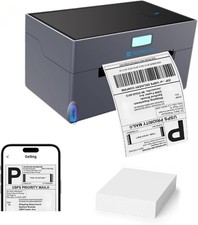
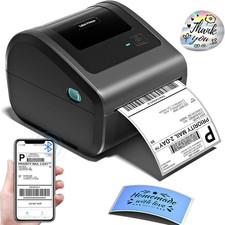
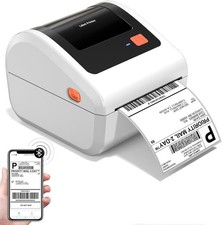
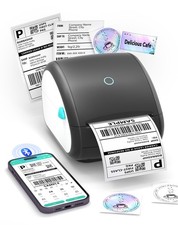
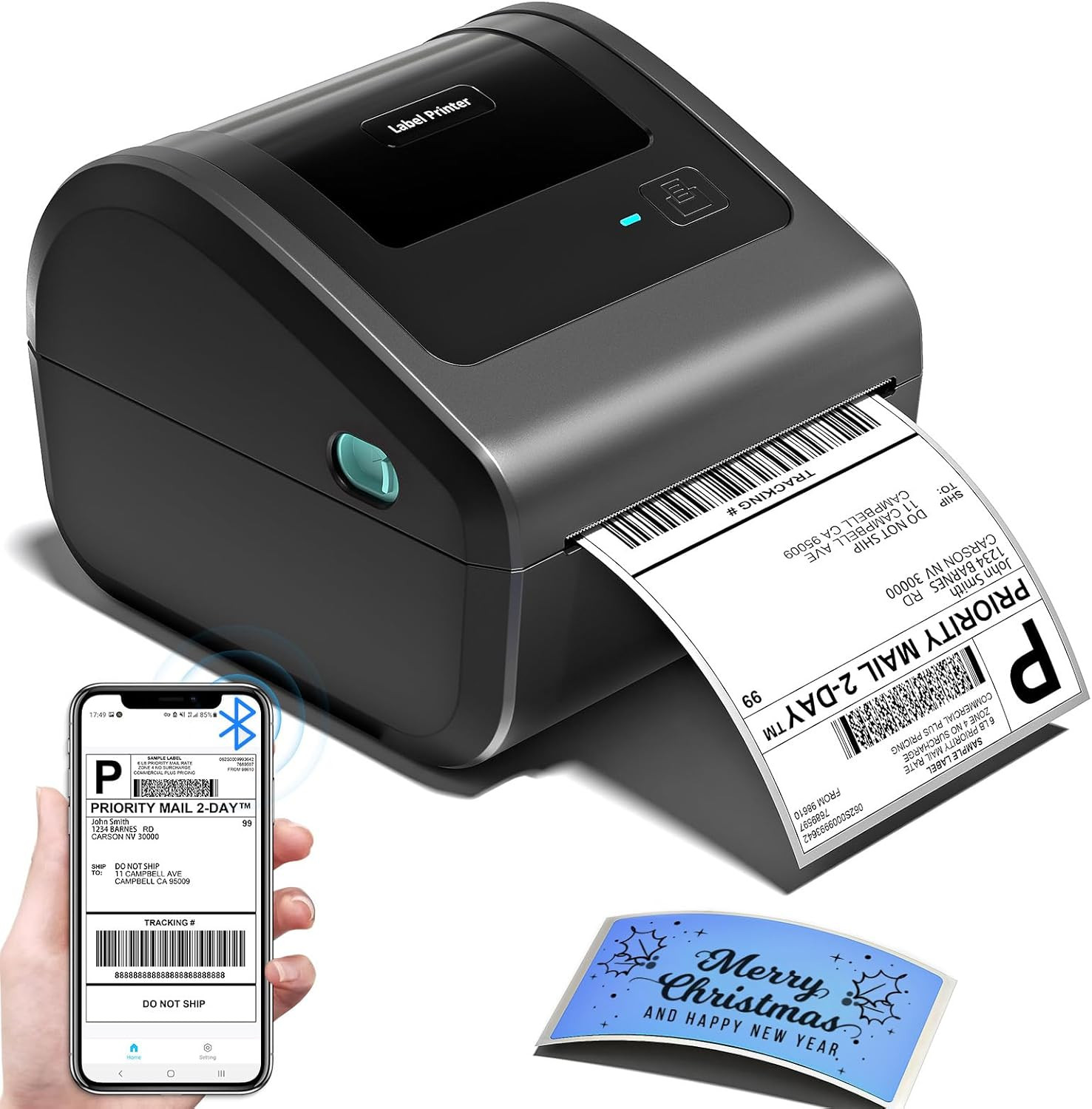
Bluetooth Shipping Label Printer with Built-In Label Bin | D450BT 4X6 Thermal Label Printer for Shipping Packages, Thermal Printers Compatible with Android, Iphone, Windows, Macos, UPSDescription Printer Type Thermal Other Special Features of the Product Bluetooth and USB Connection, Compatible with Mobile Phone & PC, Thermal Printing, No ink No toner, Auto Detection,Built-in Paper Bin Printer Output Type Monochrome Item Weight 1.7 Kilograms Item Dimensions D x W x H 7.3"D x 6.3"W x 5.35"H Controller Type Android, iOS Print media Labels Maximum Copy Speed Black and White 72 ppm Compatible Devices IOS & Android Phone, Pad, Mac OS, Windows system, Chrome OS, Linux system Warranty Type printer Ink Color black Additional Printer Functions Print Only Control Method App Number of Trays 1 Processor Count 1 Number of Drivers 1 Resolution 203 x 203 DPI Maximum Media Size Paper Width: 1"-4.6" (25.4-117mm) Maximum Sheet Capacity 250 Paper Size 4 Inches Output sheet capacity 250 Printer Connectivity Type Bluetooth, USB Hardware Interface Bluetooth Maximum Copy Resolution Black and White 203 dpi Brand Omezizy Model Name D450-BT Model Number D450BT Built-In Media Built-in label holder, D450-BT Label Printer, Labels, Power Adapter & Cable, USB Cord & Type C Convertor Series Number 450 Model Series D450-BT Specific Uses For Product printer Manufacturer Omezizy Warranty Description 2 Years Item Type Name Sofabed Unit Count 1.0 Count B&W Pages per Minute 127 ppm Color Grey Color Depth 1 bpp Maximum print Resolution Color 203 dots_per_inch Maximum Print Resolution Black and White 203 Dots Per Inch Dual-sided printing No Duplex Simplex Connectivity Technology Bluetooth, USB Printing Technology Thermal Special Feature function(f) {var { function(data) { var isTruncated = !data.truncateInstance.getIfTextFits(); var seeMoreElement = if(seeMoreElement) { seeMoreElement.style.display = isTruncated ? '' : 'none'; } }) });})); Bluetooth and USB Connection, Compatible with Mobile Phone & PC, Thermal Printing, No ink No toner, Auto Detection,Built-in Paper Bin See more Printer Output Monochrome Max Printspeed Monochrome 127 ppm Product Dimensions 7.3"D x 6.3"W x 5.35"H Product description Omezizy D450-BT Label Printer —— Strong Helper for Your Business Truely Bluetooth Connection, Make Work more Wireless and Simple The video showcases the product in use.The video guides you through product setup.The video compares multiple products.The video shows the product being unpacked. shipping label printer Support both Bluetooth and USB connection, use our APP to print with Bluetooth to make running a business only with a smartphone or tablet possible. Now, Windows & Mac also support printing via Bluetooth More Powerful Features to Help to Simplifies Your Work 1 Easy Connection 2 Keep Office Tidy 3 Save Desktop Space 4 Not Only Roll Labels How to Connect the D450-BT Label Printer with Your Phone or Computer? - Connecting Your Phone to the D450-BT via Bluetooth
Step 1: Download the app mentioned in the guide from Google Play or the App Store Step 2: Turn on your smartphone's Bluetooth and search for the printer in the app Step 3: Import the printed PDF into the app and start your printing Please Note: Do not connect via your phone's Bluetooth settings, must connect directly in the app The video showcases the product in use.The video guides you through product setup.The video compares multiple products.The video shows the product being unpacked. D450BT Label Printer Merchant Video - Print via Bluetooth - Windows Direct System Pairing
Step 1: Download and run the driver, then select the printer model – "D450 Printer" Step 2: Choose “Bluetooth Connection” to finish the driver installation Step 3: Open the Bluetooth settings on the computer, add the printer model "D450BT-Z" Step 4: Edit labels & start printing The video showcases the product in use.The video guides you through product setup.The video compares multiple products.The video shows the product being unpacked. D450BT Shipping Label Printer Merchant Video - Print via Bluetooth - masOS Direct System Pairing
Step 1: Download and run the driver, then select the printer model – "D450 Printer" Step 2: Choose “Bluetooth Connection” to finish the driver installation Step 3: Open the Bluetooth settings on the computer, add the printer model "D450BT-Z" Step 4: Edit labels & start printing The video showcases the product in use.The video guides you through product setup.The video compares multiple products.The video shows the product being unpacked. D450BT Thermal Printer Merchant Video - ''Labelife'' Bluetooth Connection for Computer
Step 1: Download the software mentioned in the guide from the Official Website Step 2: Go to "Wireless Connections" in the software, select your printer, and click "Connect" Step 3: Edit labels in the software & start printing The video showcases the product in use.The video guides you through product setup.The video compares multiple products.The video shows the product being unpacked. D450BT Thermal Label Printer Merchant Video - D450-BT Pre-Operation Guide for Paper Loading
Step1: Adjust paper guide Step2: Insert label, ensure it is straight and smooth Step3: The label printer will move the label back and forth to learn the gap size and other properties of your label The video showcases the product in use.The video guides you through product setup.The video compares multiple products.The video shows the product being unpacked. D450BT Label Printer for Small Business Merchant Video - D450-BT Pre-Operation Guide for Feed Button
Automatic Label Recognition: D450‑BT label printer can automatically detect and identify the type and dimensions of the label as soon as it is inserted into the thermal printer Restore Factory Setting: Turn off the printer, press and hold the Feed Button, and turn on the printer at the same time. Then the red light flashes 5 times, release the Feed Button Pause & Resume Printing: When the printer is printing, press the Feed Button once. After stopping, click the button again to resume printing The video showcases the product in use.The video guides you through product setup.The video compares multiple products.The video shows the product being unpacked. D450BT Label Printer for Shipping Packages Merchant Video More Options for D450BT Shipping Label Printer Add to Cart Add to Cart Add to Cart Add to Cart Add to Cart Add to Cart Customer Reviews 4.4 out of 5 stars 1,145 4.4 out of 5 stars 1,145 4.2 out of 5 stars 75 4.8 out of 5 stars 528 4.8 out of 5 stars 528 4.8 out of 5 stars 528 4.8 out of 5 stars 528 Price $74.99$74.99 $99.99$99.99 $80.99$80.99 $14.38$14.38 $44.99$44.99 $16.19$16.19 $17.99$17.99 Color Grey Grey Grey White White Transparent White Support Bluetooth & USB Connection Bluetooth & USB Connection Ethernet & Bluetooth & USB Thermal Label Printers Thermal Label Printers Thermal Label Printers Thermal Label Printers Features Compact & Built-in Label Bin Compact & Built-in Label Bin Compact & Built-in Label Bin Small Businesses & Home Use Small Businesses & Home Use Small Businesses & Home Use Small Businesses & Home Use Pack 1 Printer 1 Printer + 500pcs Labels 1 Printer 250 Labels 2500 Labels 100 Labels 500 Labels High Quality ✔ ✔ ✔ ✔ ✔ ✔ ✔ - [Incredible Compact Thermal Printer] - Brilliant design! The D450BT shipping label printer’s ingenious built-in compartment holds internal roll paper (up to 250 4x6 labels) and rear-loaded folded paper—saving you the cost of extra holders. At just 7.2x6.3x5.3 inches, this thermal label printer uses half the space vs. other thermal shipping label printer, freeing up your desk to keep daily tasks organized and clutter-free
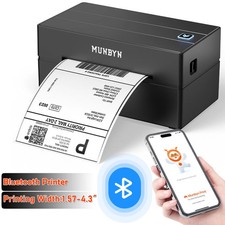
- [Embrace Wireless Printing via Bluetooth] - The D450BT bluetooth shipping label printer boasts reliable Bluetooth, pairing instantly with Android/iOS, Windows/macOS/Linux, and ChromeOS. Print labels wherever you are—total freedom! This label printer also supports USB for all major systems, making shipping label printing super simple and hassle-free for your busy schedule
- [Strong Helper for Commercial and Home Use] - This label printer 4x6 handles 1-4.6 inch widths, perfect for shipping, mailing, barcode labels and more. Whether for package shipping, product labeling, logistics, warehouse management, organization or pricing, this thermal label printer 4x6 acts as your versatile assistant, replacing the need for multiple devices
- [More Cost-Effective & Time-Saving Option] - Smart thermal printing means the 4x6 thermal label printer needs zero ink/toner—just thermal labels. Loaded with the latest AF chip and Japanese thermal print head, it produces 203DPI clarity, 72 labels/min speed, and auto-alignment to stop paper waste, helping your business grow fast and profitably
- [Widely Platform Compatibility] - The D450BT usps label printer integrates with USPS, UPS, , FedEx, Amazon, Shopify, Etsy, PayPal, Poshmark and more. Great for online small business package shipping—start strong with this reliable desktop label printer and scale your sales without any tech headaches
ABOUT US We offer the best prices around on high quality products. Our E-store includes media such as books, movies, music and games while offering electronics, toys, sporting apparel, clothing, tools, general home, garden items and more. SHIPPING We are always working hard to ensure your package arrives as soon as possible. Please understand that some factors like weather, high postal traffic, and the performance of shipping companies are outside of our control.We offer free shipping to the lower 48 states and ship within 2 business days of payment, usually sooner. We do not accept P.O. Boxes. Please provide a physical address.For shipping outside of the continental USA, we only use 's Global Shipping Program.The item is shipped to KY and then sent to the rest of the world. International customers are responsible for all duties and taxes. Continue to check out in order to calculate costs for shipping the item to your country. Messages regarding 's Global Shipping Program MUST be directed at EXCLUSIVELY. RETURNS We offer a 30-Day Return Policy on items which you are not completely satisfied with. You have the option for a full-refund or an exchange of the item. No returns are available on items shipped outside of the USA. PAYMENT We accept PayPal. CONTACT US This page content is yet to come
Please ad us to your favorite seller and visit again later
Thank You CUSTOMER SATISFACTION We try our very best to make sure every customer is completely satisfied. If there's a problem, message us! We're happy to help.  |
|