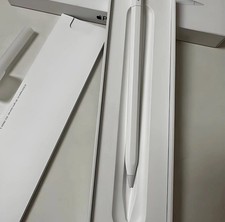
PhysicalCheckedand Cleaned by trainedProfessionals who determined the Grade on the device.
About the Item:
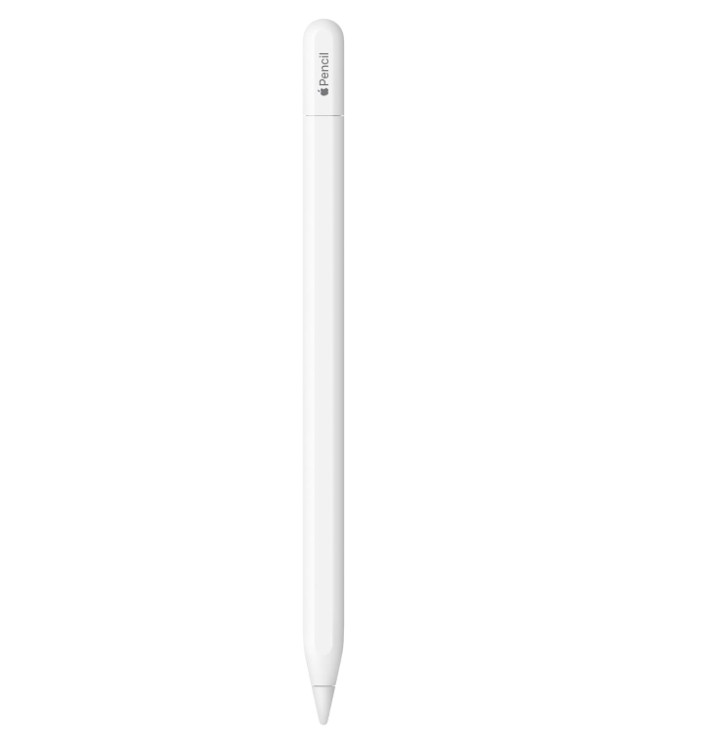
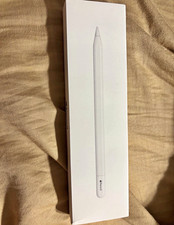
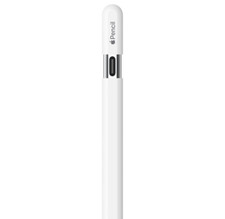
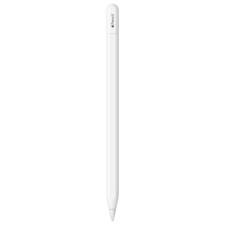
Apple Pencil (USB-C) is perfect fortaking notes, sketching, marking up documents, journaling, and more. Itdelivers pixel‑perfect precision, low latency, and tilt sensitivity. So it’s asnatural to use as a pencil.
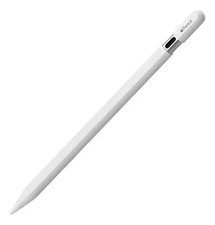
Apple Pencil (USB-C) pairs andcharges via a USB-C Charge Cable. It magnetically attaches to the side of iPadfor storage.
Excellent
Very Good
Good
Physical
Looks Like New at first Glance
Some Signs of Use such as light body Scratches
Moderate Signs of Use such as small scratches or Dents
Battery Life
Minimum 85%
Minimum 80%
Minimum 80%
Warranty
1Yr Award Winning AllState Warranty
1Yr Award Winning AllState Warranty
1Yr Award Winning AllState Warranty
Handling time:
Orders are shipped within 24 Hours of payments being cleared by.
Orders placed by 9.00AM CDT (Dallas) are usually shipped thesame day
This does not include Weekends and USA Holidays.
Shipping:
Typically all parcels are delivered between 2 ? 3 Days afterdispatch.
Options for Fast deliveries are available. Please select anoption so shipping carrier and speed can be selected accordingly.
High $ Value Items would need Signature or can be held at aconvenient location if requested to be picked up.
Signatures may be added based on the location of delivery orrecommendation from carrier or marketplace.
Due to our store Policy, we are unable to ship orders to POBoxes. Please give details of your House or office address so the order is notcanceled.
Payments:
All modes of payments accepted are approved by .
Starting a Claim with All StateInsurance:
File a claim atAllstate Protection Plans anytime, 24/7. Have your receipt and covered itemwith you.
Many claims areapproved instantly. In other cases, a specialist will guide you through thenext steps.
All State will repairyour item. If we can?t repair it, we?ll send you a replacement or reimburse youfor one.
Replacement/exchange:
Replacement will be offered depending on the stock availability.If a replacement is desired, please enclose a note with the return parcel sothe customer service team can coordinate with you accordingly.
A replacement will only be shipped out once the return has beenreceived by the customer service team.
Startinga return:
1. Find the item in My under Purchase History andselect Return this item from the Moreactions drop-down menu.
2. Select the reason for the return. Depending on theseller's return policy, we may put you in touch with the seller directly.
3. If photos of the item would be helpful for documentingthe condition of the item you bought and received, you can upload photos. Both Customer Service and the seller can see them. You can upload as many as 10photos (PNG, JPEG, BMP, or GIF; max size 5MB). You can add photos until the returnprocess is closed. Uploaded photos can be removed only by contacting CustomerService.
4. Depending on the return policy, we'll provide you witha return shipping label and packing slip.
5. Pack the item carefully. Include the packing slip,apply the shipping label, and send the item back to the seller. You must returnthe item within 5 business days of requesting the return. It is good practiceto include tracking information when returning an item.
6. You can include a note for a replacement if it?s preferred.
7. The return request would need to be closed before areplacement is dispatched.
8. Make sure to remove any iCloud or Google Account from thedevice before sending otherwise a restocking fee would be charged.
*** Return labels are issued with 24 ? 48 Hours of request beingreceived.
*** Returns are processed within 24 ? 48 Hours of parcel beingreceived.
This does not include holidays or Weekends.
HOW TO REMOVE ICLOUD:
Go to iCloud.com andlog in.
Go to Find my iPhone.
Select in top middle"All Devices.?
Select the device thatwas returned to us.
Select where it says,"All Devices" and there should be a small "x" on the rightside of the item that was returned to us.
When you hover overthe "x" it should say remove and click it and you should get amessage warning that says, "If you remove the item another person can puttheir apple account on it".
***Warning***
MAKE SURE NOT TO ERASETHE ITEM BUT REMOVE THE ITEM
HOW DO I RESET MY APPLE PHONE?
- Press and quickly release the volume up button.
- Press and quickly release the volume down button.
- Press and hold the side button.
- When the Apple logo appears, release the side button.
TO CONNECT YOUR APPLEWATCH TO YOUR IPHONE, YOU CAN TRY THESE STEPS:
To connect your AppleWatch to your iPhone, you can try these steps:
Press and hold theside button on your Apple Watch until the Apple logo appears.
Hold your iPhone nearyour Apple Watch until the Apple Watch pairing screen appears on your iPhone.
Tap Continue on youriPhone screen.
Press Set Up forMyself.
If the pairing screendoes not appear, open the Watch app on your iPhone and select Start Pairing.
Use your iPhone'scamera to scan the pattern displayed on your Apple Watch's screen.
How do I remove GoogleAccount
1- Open your device's Settings app.
2- Select Passwords & accounts.
3- Under "Accounts," click the account you want to remove.
4- To confirm, click Remove account.
5- If this is the onlyGoogle Account on the device, you'll need to enter your device's pattern, PIN,or password for security.
How do I Remove SamsungAccount
1- Go to Settings andtap Accounts and backup.
2- Select Manageaccounts and click on your Samsung account.
3- Select Removeaccount and click Remove account on the pop-up.
4- Select Sign out andre-enter your Samsung account password.
How do I Reset my Phone?
1. Go toSettings.
2. SelectGeneral & Backup and reset.
3. SelectFactory data reset.
4. SelectReset device.
Howto contact us:
Steps to get in contact with the Amazing Wireless LLC on messaging system.
1. Please go to your purchase history andfind the order from our side.
2. On the right side of the order it willsay more actions.
3. Once you click that it will say tocontact the seller.
4. Pick send seller a message. From thereplease write your message to us.
5. We do our best to respond as quickly aspossible to all queries and messages, please allow us 24 Hours during weekdaysto get back to the queries that are sent.
Thankyou for your business.