When you click on links to various merchants on this site and make a purchase, this can result in this site earning a commission. Affiliate programs and affiliations include, but are not limited to, the eBay Partner Network. When you click on links to various merchants on this site and make a purchase, this can result in this site earning a commission. Affiliate programs and affiliations include, but are not limited to, the eBay Partner Network.
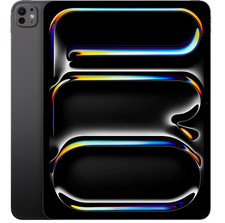
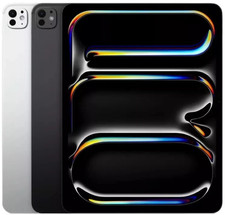
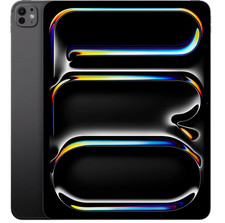
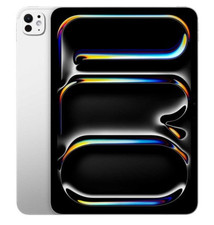
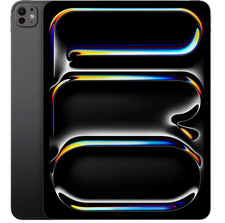
Fully tested and verified to be 100% functional✔️ 100% Fully Functional – Tested and verified to work perfectly✔️ Battery Health 80%+ – Reliable power for everyday use✔️ Moderate to light Cosmetic Wear – Visible signs of use, no impact on performance✔️ No Cracks / No Screen Burn-In – Display is intact and functions properly✔️ All Original Parts – Genuine components, no replacements✔️ Free & Fast U.S. Shipping – Quick delivery from a U.S.-based seller✔️ Trusted U.S. Seller – Committed to quality and customerGet the Apple iPad Air 13-inch tablet with 128GB of storage, 8GB RAM, and the powerful Apple M2 processor. This stylish and sleek tablet features a 13-inch IPS display with a resolution of 2732 x 2048 pixels, touch screen capability, and 1080p video recording. Stay connected with 5G cellular support, Wi-Fi 802.11AX compatibility, and unlocked GSM network connectivity. The iPad Air comes in a stylish Space Gray color and operates on the iOS 17 mobile operating system. Details - 13-inch2732 x 2048IPS Display
- Processor (Octo-Core, 3.49GHz)
- 8GB Memory
- 128GB Storage
- IEEE 802.1
- 5GGSM Unlocked
- Lithium-Polymer Battery
- iOS 17 Operating System
- 11.04" x 8.46" x 0.24" (HxWxD);1.4lbs
- 1080p Video recording
Specifications General Information - Product Line (Tablet): iPad Air
- DC jack (3.5mm): 0
- Total USB-C Ports: 1
- Cellular Status: Unlocked
- # of Processor Cores: 8
- Model Number: A2899 (2024)
- Is Storage Expandable?: NO
- Storage Size (GB): 128
- Item Dimensions - H x W x D (IN): 11.04 x 8.46 x 0.24
- Product Special Notes - 0 if None: 0
- Lithium Battery Weight (oz): 6
- Total USB 2.0 Ports: 0
- DC jack (2.5mm): 0
- Maximum Resolution - W X H (Pixels): 2732 x 2048
- Total HDMI Outputs: 0
- Display Type: IPS
- Product Generation: N/A
- Processor Speed (GHz): 3.49
- Total Mini-USB: 0
- Release Year: 2024
- Total Micro-USB Ports: 0
- # of Battery Cells: 2
- Processor Series: Apple M2
- Total RAM (GB): 8
- Battery Life (HRS): 0
- Touch Screen: YES
- Total USB 3.0 Ports: 0
- Native Resolution - W x H (Pixels): 2732 x 2048
- Screen Size (IN): 13
- Manufacturer Reference No.: MV6R3LL/A
- Network Provider: Not Applicable
- Total Lightning Ports: 0
- Item Weight (LBS): 1.36
- Cellular Network: GSM
- Tablet Features: 1080p Video recording
- Mobile Operating System: iOS 17
- Color - Generic: Gray
- Battery Capacity (mAh): 9747
- Wireless Technology: 5G
- Wireless Network Compatibility: 802.11AX
- Rechargeable Battery Type: Lithium-Polymer
Package Contents - Apple iPad Air A2899 (2024) 13" Tablet 128GB WiFi + Cellular, Space Gray
- Compatible Charging Cable and Sync Cable
Warranty Return Policy If you are not 100% satisfied with your purchase and/or if the item(s) received do not match the description provided, you can return your order for a full refund or replacement within 30 days from the date of purchase. Customer Service If you have any questions about an item, our policies or need help placing an order feel free to contact us. 37758 📱 Product Information 🔓 UnlockStatus 🛡️ WarrantyCoverage Backed by 1-Year Allstate Warranty. If your item breaks or malfunctions, you’re protected with repair, replacement, or reimbursement options. More info: Refurbished Warranty Packaging& Quality Control Devices are tested, cleaned, and graded before shipping. Securely packaged to ensure safe delivery. Quality Control Approved & Labeled – All IMEIs recorded for security. 📌 IncludedAccessories 🚚 Shipping& Handling Handling Time: Orders ship within 24 hours of payment clearance (Mon–Fri). Orders placed by 9:00 AM CST usually ship the same day. Delivery Time: 2–3 business days after dispatch. Expedited shipping options available at checkout. High-value items may require a signature upon delivery. No PO Box Shipping – Please provide a physical residential or business Payments 🔄 Returns &Replacements Start a return via My > Purchase History > Return Item. You may upload up to 10 photos to document condition. A prepaid return shipping label will be provided within 24–48 hours. Returns are processed within 24–48 hours of receipt (excluding weekends/holidays). Replacement/Exchange: Offered based on stock availability. Please include a note if requesting a replacement. Important: Remove any iCloud, Google, or Samsung accounts before returning. Failure to do so may result in restocking fees. 🔑 AccountRemoval InstructionsiCloud (Apple) Go to iCloud.com → Sign in. Open Find My iPhone → Select All Devices. Select the device → Click the small “x” to remove.
⚠️ Do not erase the device—remove it properly so it can be reused. Google Account(Android) Open Settings > Passwords & Accounts. Select the account → Remove Account. Confirm with your device PIN, password, or Go to Settings > Accounts and Backup > Manage Accounts. Select your Samsung account → Remove Account. Enter your password and sign out. 🔄 DeviceReset InstructionsiPhone HardReset Press & release Volume Up. Press & release Volume Down. Press & hold Side Button until Apple logo appears. AndroidFactory Reset Go to Settings > General Management > Reset. Select Factory Data Reset. Confirm and reset device. ⌚ AppleWatch Pairing Guide Press & hold the side button on your Apple Watch until the Apple logo appears. Hold your iPhone near the Apple Watch. Tap Continue on your iPhone → Set Up for Myself. If pairing doesn’t start, open the Watch App → Start Pairing. Use your iPhone camera to scan the Apple Watch screen. 📩 ContactUsWe’re here tohelp! Please contact us via Messages: Go to My > Purchase History. Find your order → Select More Actions > Contact Seller. Send us a message.
⏱️ Response Time: Within 24 hours on weekdays. Thank you forchoosing Tech4C LLC – We appreciate your business!

|
|