 When you click on links to various merchants on this site and make a purchase, this can result in this site earning a commission. Affiliate programs and affiliations include, but are not limited to, the eBay Partner Network. When you click on links to various merchants on this site and make a purchase, this can result in this site earning a commission. Affiliate programs and affiliations include, but are not limited to, the eBay Partner Network.
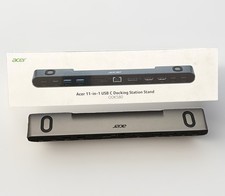
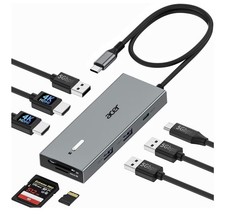
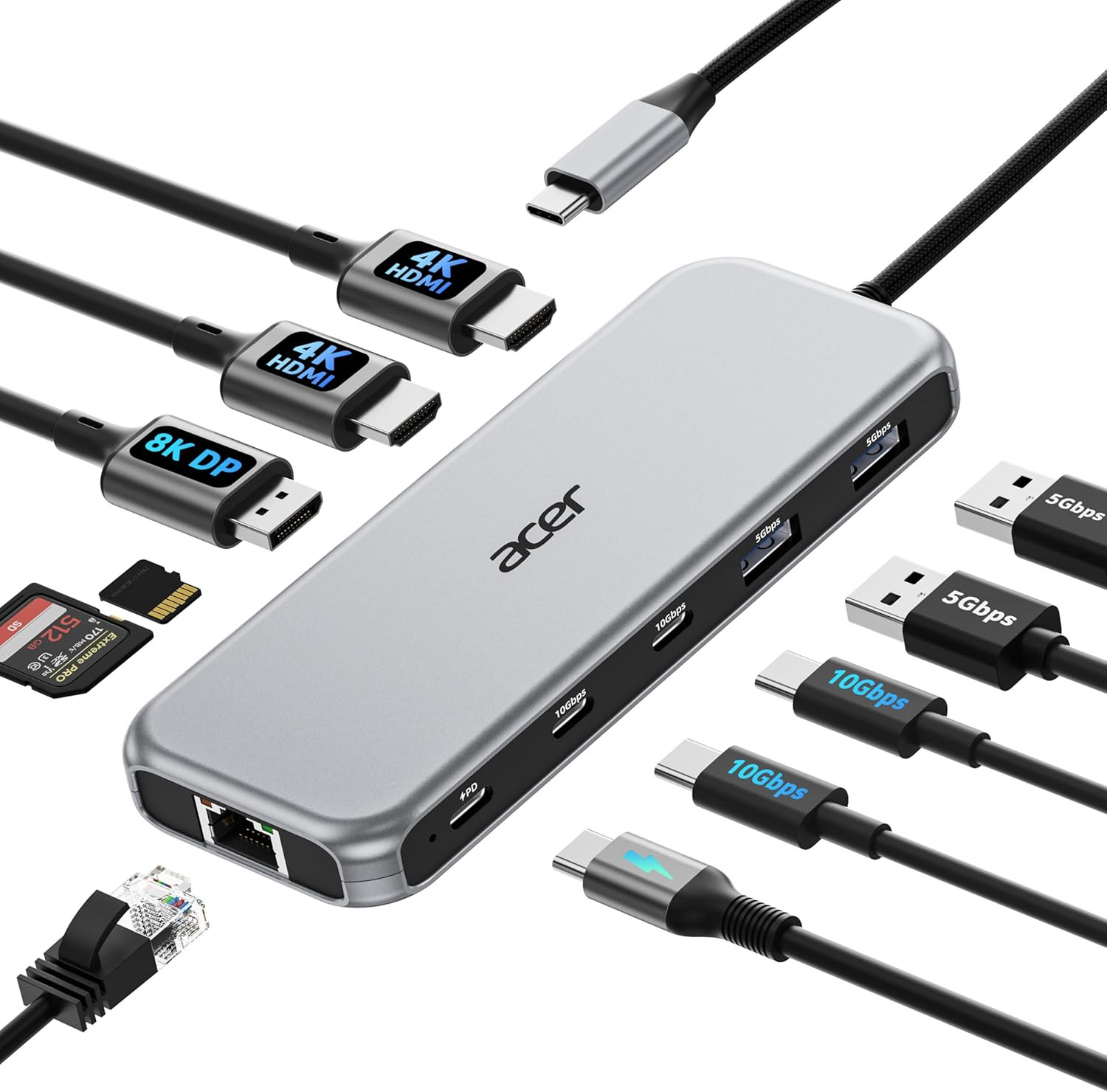
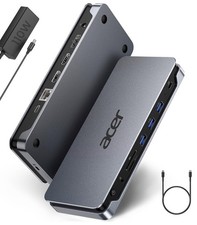
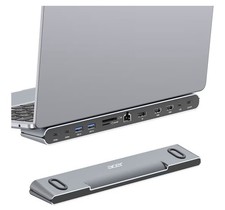
- 【All in one Docking Station】This Acer laptop docking station includes 2 HDMI(4K@60Hz), 1 DP(8K@30Hz), 2 USB-C (10Gbps), 2 USB-A (5Gbps), Ethernet(1 Gbps), PD charging(100W) , and SD/MicroSD slots (104Mbps)-enabling seamless multi-display setup and efficient device connectivity for work and entertainment.. 📌Note: 𝐏𝐥𝐞𝐚𝐬𝐞 𝐞𝐧𝐬𝐮𝐫𝐞 𝐲𝐨𝐮𝐫 𝐥𝐚𝐩𝐭𝐨𝐩 𝐡𝐚𝐬 𝐚 𝐔𝐒𝐁-𝐂 𝐩𝐨𝐫𝐭 𝐰𝐢𝐭𝐡 𝐯𝐢𝐝𝐞𝐨 𝐨𝐮𝐭𝐩𝐮𝐭 𝐀𝐥𝐭 𝐌𝐨𝐝𝐞) Triple Display Expansion】This docking station 3 monitors supports single display up to 8K@30Hz on DP or 4K@60Hz on HDMI. Dual displays run at 4K@60Hz, ideal for docking station dual monitors. Triple displays automatically allocate resolutions based on each monitor’s capabilities (EDID) and total bandwidth, typically 4K@60Hz + 4K@60Hz + 1080P@60Hz, perfect for triple monitors docking station.📌Note: For optimal performance, please ensure your device’s HDMI version is 2.0 or higher.
- 【Super-Fast 10Gbps Data Transfer】This usb c hub multiport adapter includes 2 USB-C for 10Gbps, 2 USB-A for 5Gbps, and SD/MicroSD slots for 104Mbps high-speed file transfers. Perfect for photographers, designers, and data-intensive professionals.
- 【Reliable 100W Charging】This USB C docking station supports up to 100W input and safely delivers 85W to your laptop, keeping you powered while you work. 📌 Note: Ensure your laptop's USB-C port supports power delivery. Use a 100W or higher power adapter and cable (not included).
- 【1000Mbps Stable Ethernet】Equipped with a 1000Mbps RJ45 Ethernet port, this docking station dual monitor delivers a fast, stable, and low-latency network connection. Experience low-latency connections.
- 【Fully Compatible with DisplayPort Alt Mode】Fully supports Windows and macOS laptops with DisplayPort Alternate Mode (DP Alt Mode) — enabling display, charging, and data transfer via a single connection. 📌 For Mac users: macOS can only mirror the same content across all externalmonitors.
Product description 1 8K@30Hz Display 2 4K@60Hz HDMI 3 10Gbps High-Speed Data 4 100W Rapid Charging 5 Reliable 1000Mbps Network 1 Windows Display Modes 2 macOS Display Modes 3 Windows Resolution 4 macOS Resolution 1 Data Analysis 2 Graphic Design 3 Office Meetings Please Review Product Details Before Purchase ✔️Check Before Buy 𝐏𝐥𝐞𝐚𝐬𝐞 𝐦𝐚𝐤𝐞 𝐬𝐮𝐫𝐞 𝐲𝐨𝐮𝐫 𝐝𝐞𝐯𝐢𝐜𝐞’𝐬 𝐔𝐒𝐁-𝐂 𝐩𝐨𝐫𝐭 𝐬𝐮𝐩𝐩𝐨𝐫𝐭𝐬 𝐝𝐢𝐬𝐩𝐥𝐚𝐲 𝐟𝐮𝐧𝐜𝐭𝐢𝐨𝐧 𝐀𝐥𝐭𝐞𝐫𝐧𝐚𝐭𝐞 𝐌𝐨𝐝𝐞). This means your USB-C port should support video output, data transfer, and Power Delivery (PD). So please check your device specs before purchasing. ✔️Triple Display Support This USB-C docking station supports up to 3 monitors with 2HDMI+DP, typically 4K@60Hz + 4K@60Hz + 1080P@60Hz. The final resolution depends on your laptop’s bandwidth and the specifications of your monitors. If any device supports a lower resolution, the actual output may be reduced accordingly. ✔️HDMI/DP Display Behavior HDMI/DP display recognition may take a few seconds on first connection. If your monitor has multiple input sources, please manually select the correct HDMI input. ✔️Full Charging Performance Supports up to 100W PD Input (Up to 90W Charging for Your Device) Requires a USB-C charger and cable with Power Delivery support. Charger and cable not included. ✔️About Audio Output Audio may not switch automatically when using an external display. If needed, select your TV or monitor as the audio output in system settings. ✔️Not Compatible Devices Not compatible with Lightning devices or gaming consoles, including iPhone/iPad (Lightning), Xbox, PS5/PS4, or similar devices. Note for PD Port For the most stable HDMI/DP connection, we recommend connecting the PD power adapter before plugging in HDMI/DP cables or other peripherals.Reconnecting or unplugging the PD adapter during use may briefly interrupt the display. Note for PD Port Some devices may display a “Slow Charging” message when charging through a dock, but the actual charging performance remains normal. This message can be safely ignored. Note for Stable Connection Plugging or unplugging the PD, HDMI, or DP ports during operation may trigger the docking station and host device to re-establish the connection handshake, which can result in temporary display or device disconnection. Note for Cable Length The built-in cable is 0.65FT(20cm) long. It is best suited for setups where the hub is used close to your laptop, such as on a desk or workstation. Please ensure the connection distance meets your usage needs before purchase. Note for Mac User For Mac Users: Triple display support is limited to A-AAA or A-BBB configurations and does not support A-BCD. Note for Surface Temperature Surface temperature may reach up to 122°F under full load. This is normal and safe. Note for After Buy **𝐍𝐨𝐭𝐞: 𝐈𝐟 𝐲𝐨𝐮 𝐚𝐫𝐞 𝐧𝐨𝐭 𝐬𝐮𝐫𝐞, 𝐩𝐥𝐞𝐚𝐬𝐞 𝐟𝐞𝐞𝐥 𝐟𝐫𝐞𝐞 𝐭𝐨 𝐥𝐞𝐭 𝐮𝐬 𝐤𝐧𝐨𝐰, 𝐰𝐞 𝐚𝐫𝐞 𝐯𝐞𝐫𝐲 𝐠𝐥𝐚𝐝 𝐭𝐨 𝐜𝐡𝐞𝐜𝐤.  |
|


![Acer 15-in-1 Laptop Docking Station Support DisplayLink Triple Monitors [New] picture](/store/item/img/g/2BoAAeSwGNVqMzRy/s-l225/Acer-15-in-1-Laptop-Docking-Station-Support-Displa.jpg)