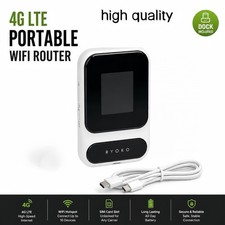
Introducing the Deep Orange Data 4G LTE WiFi Wireless Router Extender, a device designed to provide strong signal connectivity for your car or PC. With a maximum LAN data rate of 300 Mbps and a maximum wireless data rate of 300 Mbps, this router offers fast internet speeds for all your gaming and browsing needs.
Equipped with multiple connectivity options including wireless Wi-Fi 802.11a, 4G, USB, and Ethernet (RJ-45), this router offers flexible connectivity for any device. Additionally, the router comes with features such as ADSL, VPN capabilities, and is unlocked for use with any carrier. Measuring 5 inches in length, 4 inches in width, and 2 inches in height, this black colored router is a great addition to your home networking and connectivity setup.
CPE WE826-EC25-AF is a 4G LTE Car WiFi Wireless Router that with USB Port & SIM Card Slot & External Antennas. designed for WIFI users to get access to internet via UMTS/HSPA/LTE. provides users with 3G/4G high-speed Internet access. It is used to supply internet access to indoor & outdoor WiFi coverage, can be connected to 32 devices at the same time. The coverage of the signal is 300-500M, which mainly depends on the strength of the signal
The 4g Internet Router Support 3G/4G network band 4G LTE FDD: B2/B4/B5/B12/B13/B14/B66/B71; 3G WCDMA: B2/B4/B5. Support US T-Mobile, AT&T; Support US SIM card (except Verizon Boost Mobile/FreedomPop/Sprint) please you confirm whether your SIM card frequency band is compatible with it before buying a router. you can also use PPPOE dial-up Internet without a SIM card
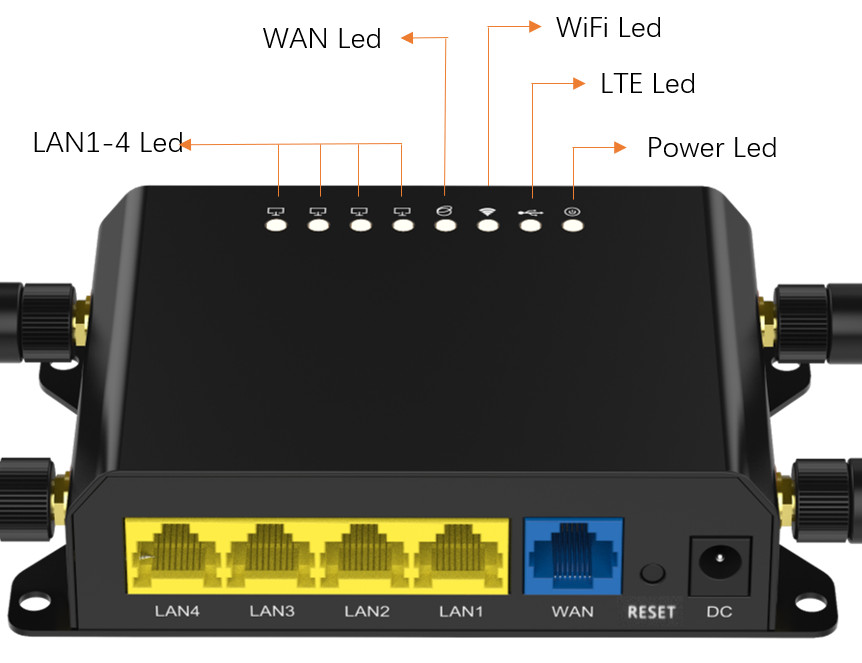
Multi-Mode 4G Router: with 1*10/100Mbps WAN Port, 4*10/100Mbps LAN Port & USB 2.0 port, support SAMBA, FTP server and DLNA, it is a wireless router can share files. Support wireless AP, WiFi Router multi operation mode to meet with different requirement. Support VPN and AC Management, Router information contains IMEI code. Open Source OpenWRT for better performance, and the firmware of OS More user-friendly settings. two software web interfaces can be update. but we will build in OS firmware
Quick User Manual: insert SIM card then power on the router, even if your SIM card is compatible with the product, it is not necessarily plug and play ---> you may need to disable the PIN code of the SIM card and modify the APN ---> Enter the router IP address: 192.168.1.1—Click Network—APN—Enable. Modify APN. ---> Make sure the SIM card is activated,
Any details and Service please visit DeepOrangeTechnology.com