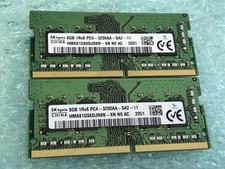
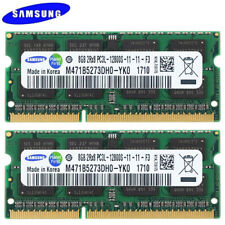
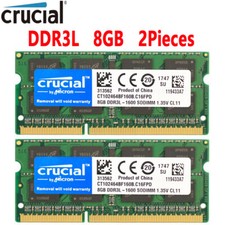
16GB 2x8GB / 1600MHz PC3L-12800 PC3-12800 CL11 SODIMM 2Rx8 204-Pin Non-ECC SO-DIMM Laptop, Notebook RAM Memory Modules
Memory RAM upgrade compatible for select Laptop, Notebook, and All-in-One (AIO) computers 16 GB RAM Kit (2 x 8GB Modules); DDR3/DDR3L SO-DIMM 204-Pin; Speeds up to 1600 MHz, PC3L-12800/PC3L-12800S (PC3-12800/PC3-12800S) NON-ECC Unbuffered; 2Rx8 (Dual Rank); JEDEC DDR3L standard (Dual voltage, can operate at or Expands your system's available Memory RAM resource, improving performance, speed and allowing you to take on more while maintaining a smooth experience Quick and easy to install, no expertise required (Please refer to your system's manual for seating and channel guidelines) All memory modules undergo stringent quality control testing to ensure dependable and reliable performance Backed by 's satisfaction + Tech Support Team available to help before and after your purchase What’s the difference between and other types of memory and can I use them interchangeably?
No, memory is not compatible or interchangeable with other types such as , , and so on. Each memory type uses different slot designs, voltages, and architectures, so your system must support the memory type specifically.
What’s the difference between DIMM and SO-DIMM memory?
DIMM and SO-DIMM represent two different physical sizes of memory. DIMM is the larger type used in standard desktop computers. SO-DIMM is the smaller type used in laptops, mini PCs, and compact systems. They are not interchangeable.
What does "Non-ECC" mean and do I need "ECC" memory instead?
Non-ECC (non-error correcting) memory is required for most laptops and desktops. ECC is typically only used in servers or workstations and is not interchangeable with Non-ECC memory. If your system doesn’t mention ECC support, you need Non-ECC.
What's the difference between and ?
is a low voltage version of that runs at instead of the standard Most systems that support () will also run but at Some systems require () only and will not boot with standard memory.
Is this compatible with my system or computer?
Refer to your system's manual to confirm the supported memory type, capacity, form factor, and ECC support. If you're unsure, contact our support team, we're happy to help you find the exact memory your system needs!