 When you click on links to various merchants on this site and make a purchase, this can result in this site earning a commission. Affiliate programs and affiliations include, but are not limited to, the eBay Partner Network. When you click on links to various merchants on this site and make a purchase, this can result in this site earning a commission. Affiliate programs and affiliations include, but are not limited to, the eBay Partner Network.
14" Laptop Screen Extender Ultra-Thin, Lightweight Portable 14 inch, Black Product Details - Publisher: JEEJIA
- Publication date: 0
- Dimensions: 35.6 x 25.4 x 5.1 cm
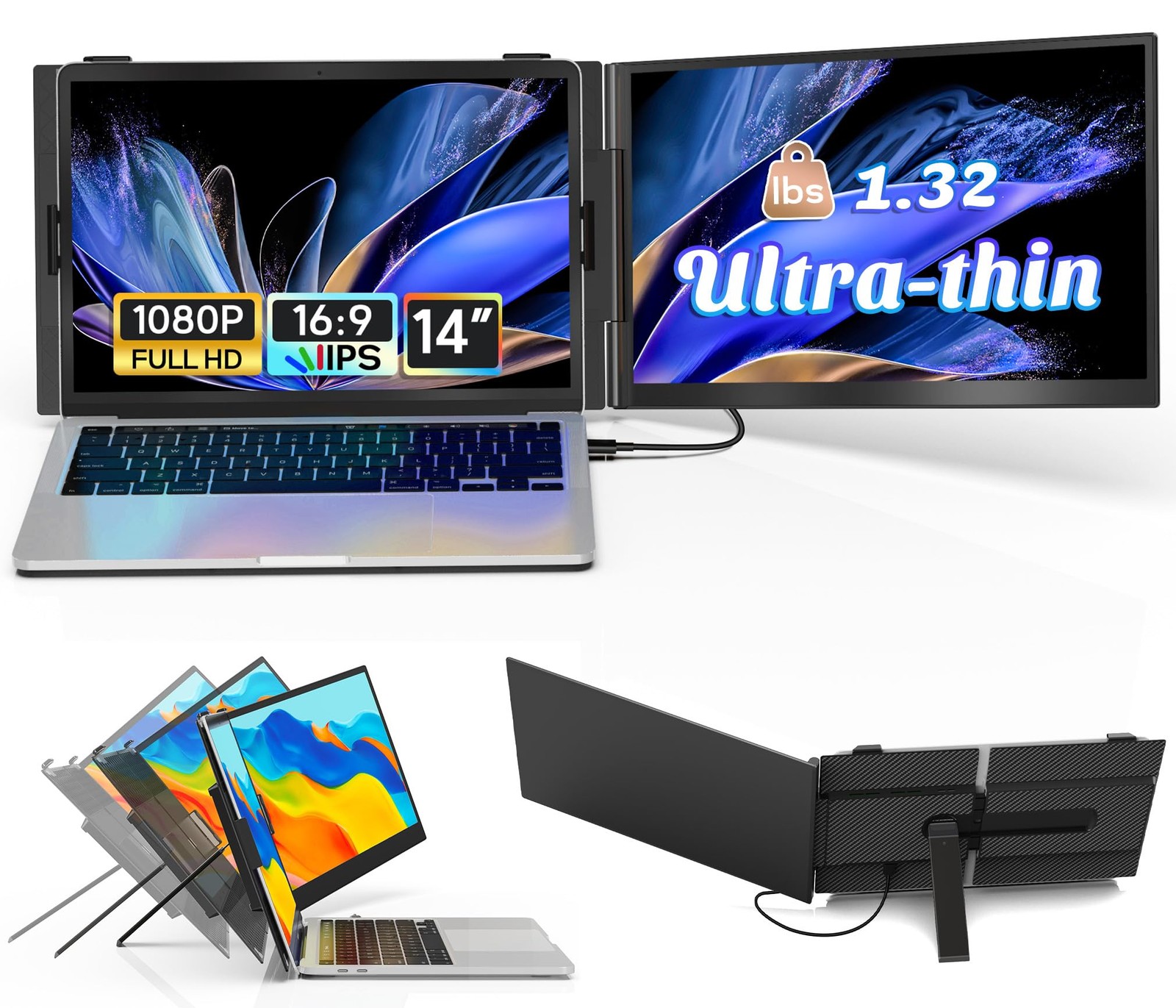
- 【Ultra-Slim & Ultra-Light】The ultra-thin dual laptop screen extender is only 4 mm thick and weighs just 600 g, and comes with a free storage bag for added convenience when traveling. FHD IPS 1080P resolution, 100% sRGB color gamut ensures that every color is rendered with lifelike accuracy, The laptop monitor extender can independently adjust the brightness, stereo speakers, contrast and other parameters. Transform your laptop into a powerhouse for work and play!
- 【Upgraded Stand】The laptop monitor extender stand has undergone a breakthrough upgrade. The rear stand is made of durable metal material with a widened and reinforced design, greatly improving its load-bearing capacity and ensuring that the laptop is stable and does not shake. Compatible with laptops with a diagonal length of 13“-17”. The screen can be rotated 180 degrees for optimal viewing angle adjustment. Safe and reliable, it frees up your productivity!
- 【3 Display Modes & 200% Productivity Boost】The Portable monitor supports three modes: Extended Mode, Duplicated Mode, and Second Screen Mode, Perfect for conference presentations, multitasking, The perfect multi-screen simultaneous and multi-screen standalone display solution for laptop users, perfect for gamer, programmers, financial and investment professionals, designers, and anyone who needs a more efficient workflow.
- 【Plug & Play, No Drivers Required】This portable laptop monitor comes with all the necessary cables for seamless and hassle-free setup. If your laptop has a full-function Type-C port, you can connect the product directly using a USB-C to USB-C data cable. If your laptop has only one USB-A or USB-C port and one HDMI port, please use two cables (one HDMI to USB-C data cable + one USB-A or USB-C to USB-C data cable) for connection. If the external display encounters display issues, please contact our after-sales service team for assistance.
 |
|