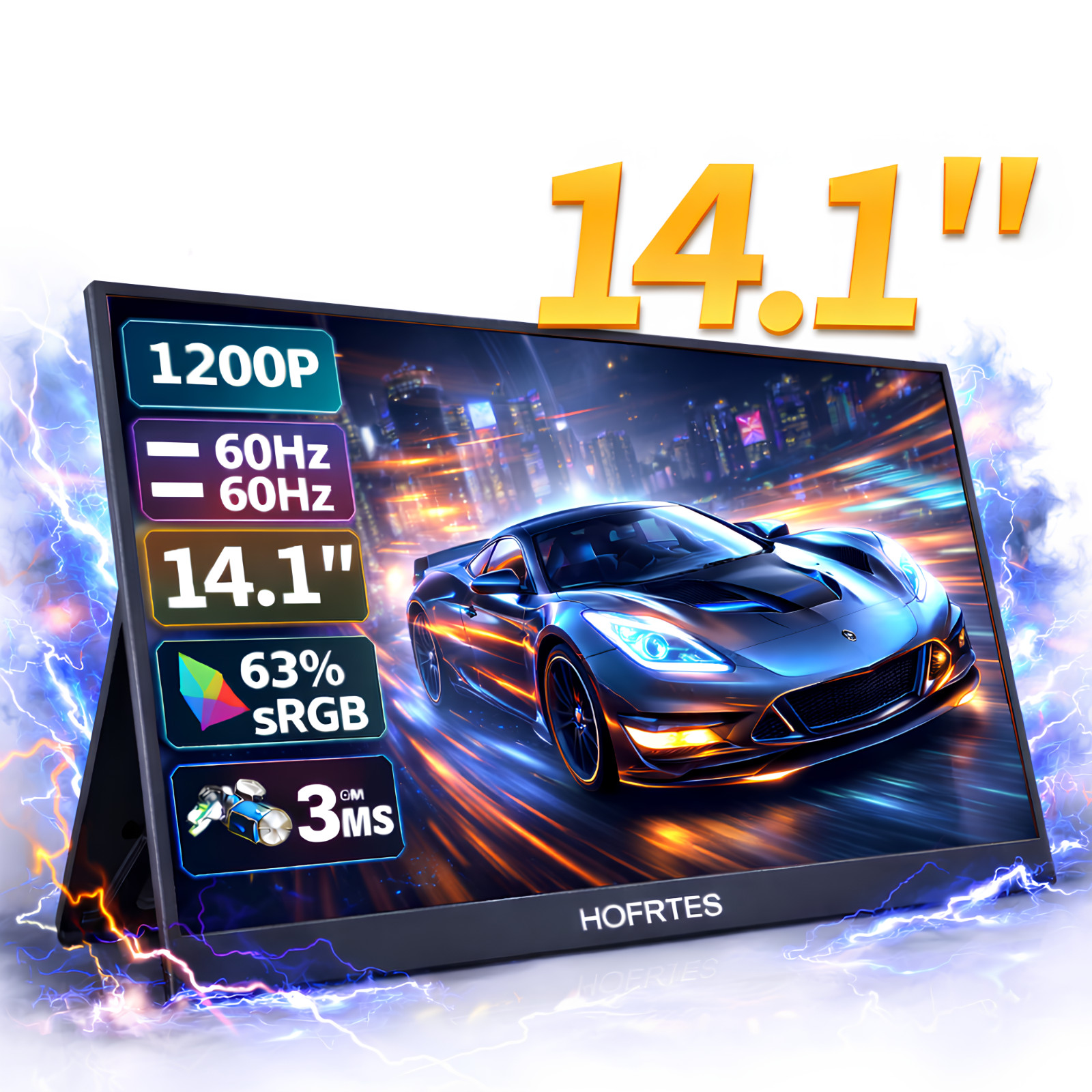
vRGB and HDR technology, brings the ultimate visual experience, displays richer pictures and more complete colors.
vThe60Hz refresh rate,3ms Response Time and FreeSync technology provides ultra-high fluency perfectly and quickly, and there will be no stuttering and flickering when playing games,watching videos and working.
vWith a Mini HDMI port, 3.5mm headphone jack, and 2 full-featured USB-C port, the monitor is compatible with most devices, such as PC, Laptop, Mac, Surface, Phone, PS4, PS5, Xbox, NTD Switch, Raspberry Pi, Camera or other laptop/PC, phones, and tablets.
Specifications
Band
HGFRTEE
Screen size
14.1inch
Panel type
ADS-IPS
Resolution
1920*1200P
Aspect ratio
16:10
Color Gamut
46% NTSC,63%SRGB
Displays Colours
16.7M (6-bit)
Brightness
250cd/m2
RefreshRrate
TYPE-C 3.1 1920*1200P@60hz/ HDMI 1.4 1920*1200P@60hz
Contrast
1000:1
Viewing angle
178°
Refresh rate
60Hz
Response time
3ms
HDR
support
Freesync
Adaptive Sync (freesync)
Appearance size
310mm*210mm*7mm
Weight
634g
Packing List
Monitor
*1
HDMI cable
*1
USB-C to USB-C Cable
*1
Powercable
*1
Manual
*1
Monitor FAQ - Troubleshooting Common Issues
Q: Showing "No Signal" on the screen.
A1: When connecting with a Type-C cable, make sure your device supports Type-C 3.0,
Thunderbolt 3. lf not, please add a Mini HDMl to HDMl cable for signal transmission.
A2: if connected with an HDMl cable, please ensure to supply extra power for the monitor.
Q: My monitor won't power on.
A: Check if the monitor and your device are in the ON mode. Make sure the cable is properly
connected. Connect another available device or cable to check. lf the problem
persists, please contact the after-sales service center.
Q: Why is my screen flickering?
A: Please check if the connection is loose. lf there is no problem with the connection,
it may be due to insufficient power supply(minimum power requirement for the monitor
is PD 20W.) Please connect the adapter and use it again, or try to chang a new connecting
cable and device for connection. lf it still doesn't work, it is recommended to
contact the after-sales service center.
Q: Why does the monitor make a current sound or rustling noise?
A: Please confirm where the noise is coming from. If it is the noise from the connection,
please re-plug the interface or replace it with a new cable. If it is the sound from the
adapter or the speaker, it may be due to the quality of the power adapter.
Please contact us.
Q: Why does it say "No Signal" when connecting to my phone?
A1: Please confirm that your phone has a Type-C interface and is at least version 3.0 or
has a PD protocol. If not, it may not be compatible, and some conversion machines can
be used to make it compatible, for example: HD adapter.
A2: Please make sure to use the original cable.
A3: Please try another device. if it still fails, please tell us for a replacement